Section4:Adjustments 4-3
3. Adjust (If Needed)
a. If adjustment is needed, turn the pinsetter o using either of the Run/Stop or the main
power switches.
b. Remove the cover from the switch cluster assembly.
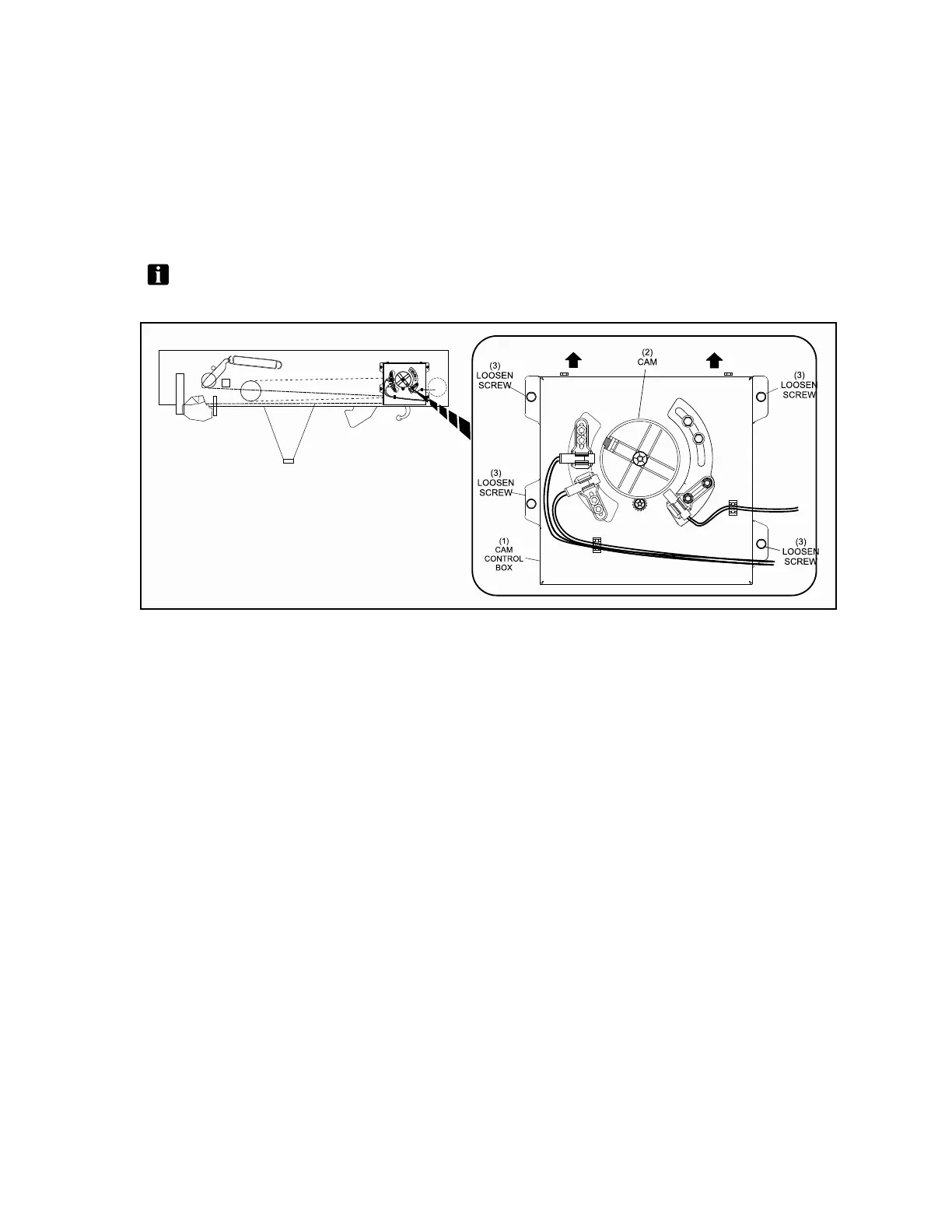
c. Loosen the (4) bolts for the Cam Control Box. Refer to Figure4-3.
NOTE:DONOTREMOVETHESCREWS.Thescrewsonlyneedtobeloosetomanually
adjustthecam.
Figure4-3.CamMountingScrews
(1) CAM CONTROL BOX (2) CAM (3) LOOSEN SCREW


 To Next Page