3-12 Section 3: Pinsetter Electronics
(4) Options Menu - The options menu allows the user to select language, detangle sequence,
pinsetter o state, delay after ball detect, ball return o delay, and ball return energy time out.
This menu is only available when both STOP/RUN switches on the Controller are in the STOP
position.
(5) Frame Counter - Frame counter display. This displays the total number of frames the pinstter
has run in selected mode.
(6) Present Set Pins - Graphical display of the pins that indicates the pins currently standing on the
pindeck and which pins are up.
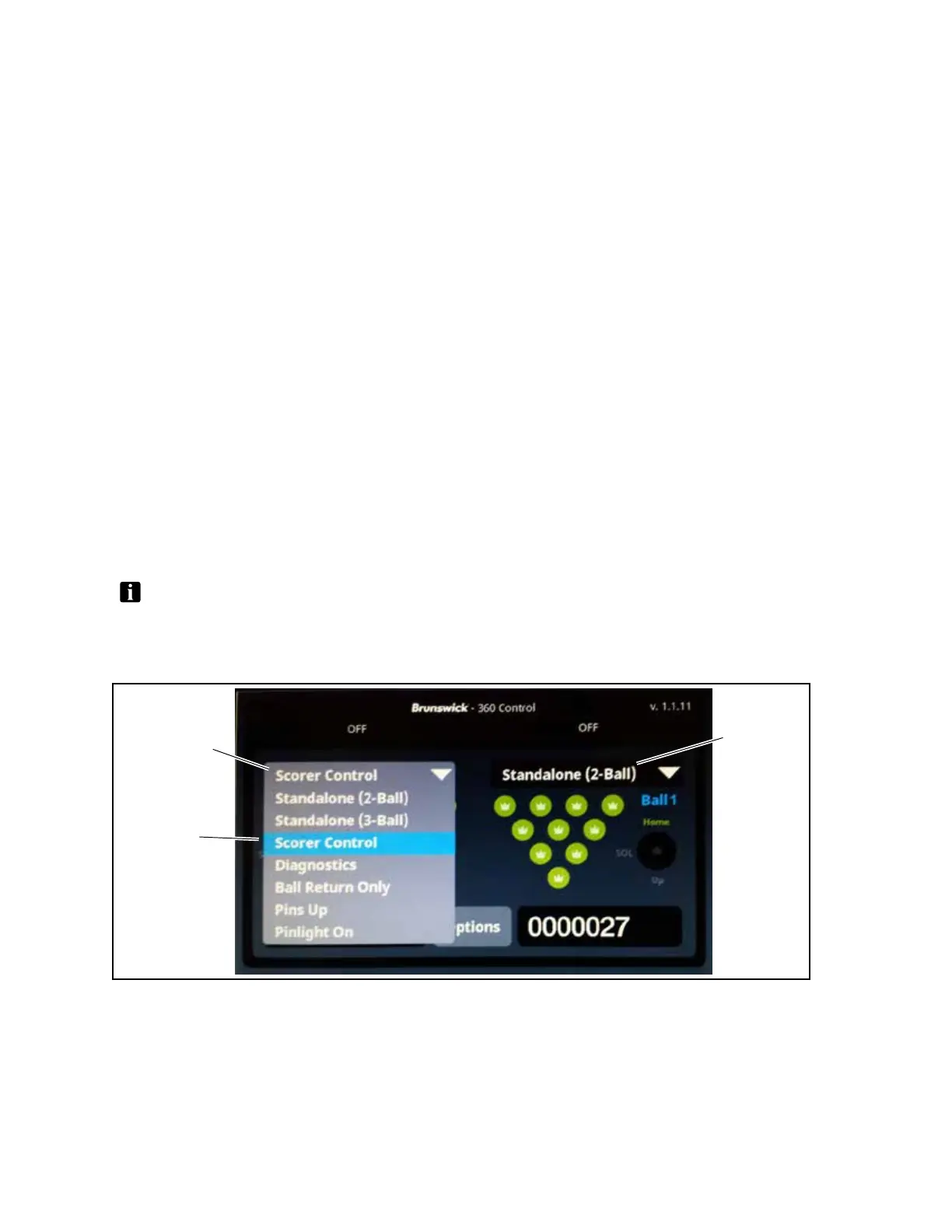
(7) Pinsetter Mode - Pinsetter mode display and drop down menu mode selector. Use this menu to
select the desired pinstter mode. This drop down menu is only available when the STOP/RUN
switch on the Controller for the pinsetter is in the STOP position.
(8) Firmware Version - Display of the software version currently installed.
Pinsetter Mode - Drop Down Menu
The StringPin Pinsetter is programmed with several operating modes. These modes allow the operator
to run the machine in dierent states depending on the situation and/or the desired operation. The
modes are selected by using the drop down menu on the LCD Touchscreen. Refer to Figure 3-10 for
the drop down menu - versions 1.1.14 and prior.Refer to Fig ure 3-11 for the drop down menu - versions
1.1.15 and later.
NOTE: ThePinsetterModeMenuisonlyavailablewhentheStop/Runswitchforthepinsetteris
intheSTOPposition.
Drop Down Menu - Versions 1.1.14 and Prior
(1)
MODE DROP
DOWN MENU
(2)
MODE
(1)
MODE DROP
Figure3-10.LCDTouchscreen-PinsetterModeDropDownMenu-Versions1.1.14andPrior


 To Next Page