4-10 Section4:Adjustments
PIN DETECTION ADJUSTMENT
The pin detection adjustment ensures the pinsetter identies only pins that have been knocked over as
fallen pins If this adjustment is incorrect the machine could identify a pin that was moved o spot, but
did not fall as a knocked over pin. The pin detection adjustment is accomplished using a Pin Motion
Interface sensitivity adjustment which changes the distance the magnet on the Pin Motion Interface
must travel to actuate the pinfall switch. Because of the design, re-adjustment from the factory setting
is seldom required.
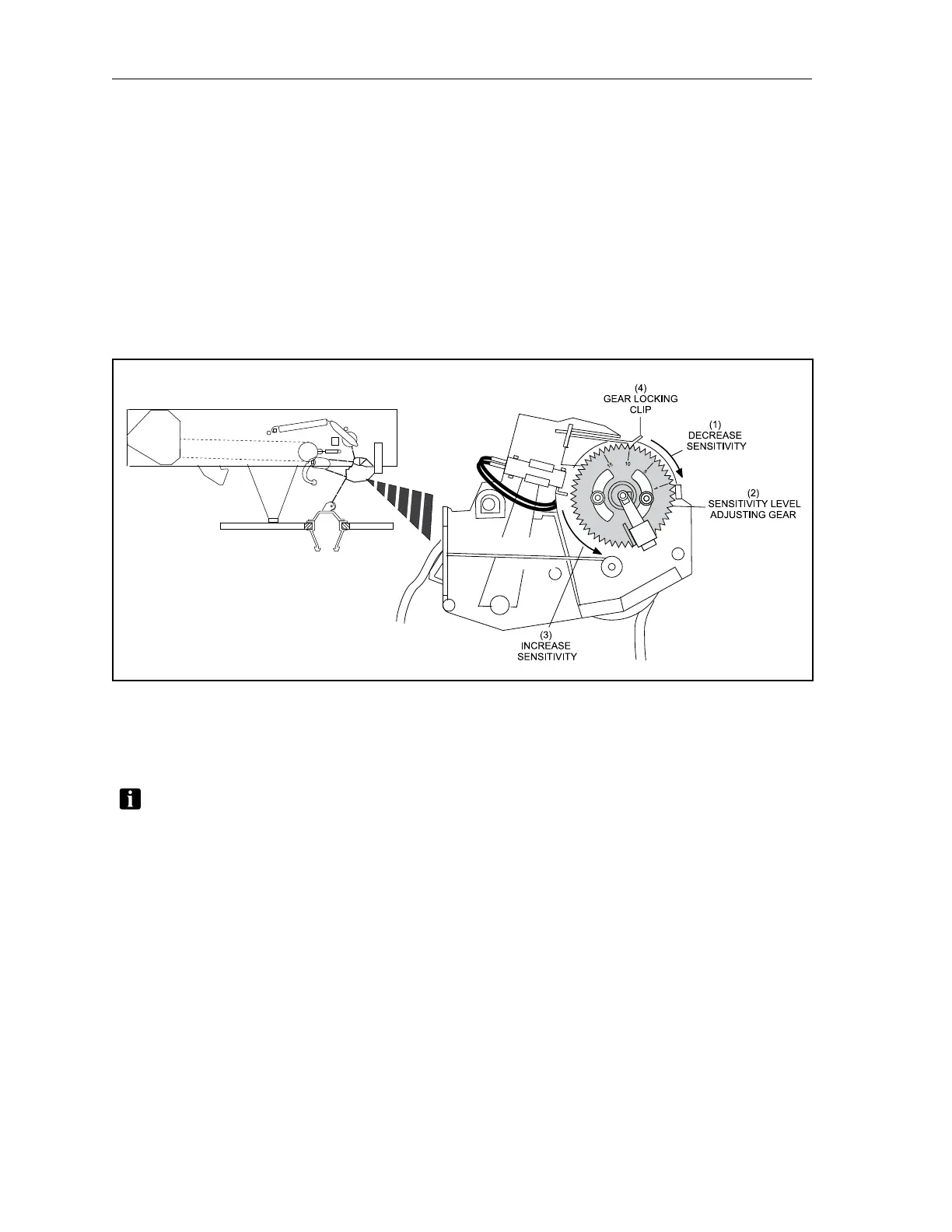
The adjustment gear is marked every fth tooth with numbers 1, 5, 10, and 15 with 1 being the most
sensitive position. A locking clip keeps the gear from rotating. To adjust the sensitivity lift the locking
clip and rotate the gear to the desired setting, The recommended sensitivity level setting is 10. Refer to
Figure4-10.
Figure4-10.AdjustSensitivity
(1) DECREASE SENSITIVITY (2) SENSITIVITY LEVEL (3) INCREASE SENSITIVITY
ADJUSTING GEAR
(4) GEAR LOCKING CLIP
TROUBLESHOOTING TIP: Sometimesthepinfallswitchwillprovideafalsesignalbecause
themagnetbecomesstuckorcaughtandstaysontheswitch.Tocorrectthisissue,verifythe
magnetisnotbrokenandrotatemagnetawayfromthereedswitch.


 To Next Page