136
Contents
Preparation/
Setup
Print Using a
Computer
Appendix
IndexPrint/SaveInput/Edit
Names of
Components
Maintenance/
Printer Settings
Trouble-
shooting
Saving a File
■
To Overwrite and Save the File You Are Editing
1
Click (Save).
Or, select [Save] from the [File] menu.
The le will be saved.
NOT
• When saving a new le, the [Save As] dialog box will appear. For details on how to set this up, refer to
"Saving a le as a new name (P.136)"
below.
■
Saving a le as a new name
1
Select [Save As] from the [File] menu.
2
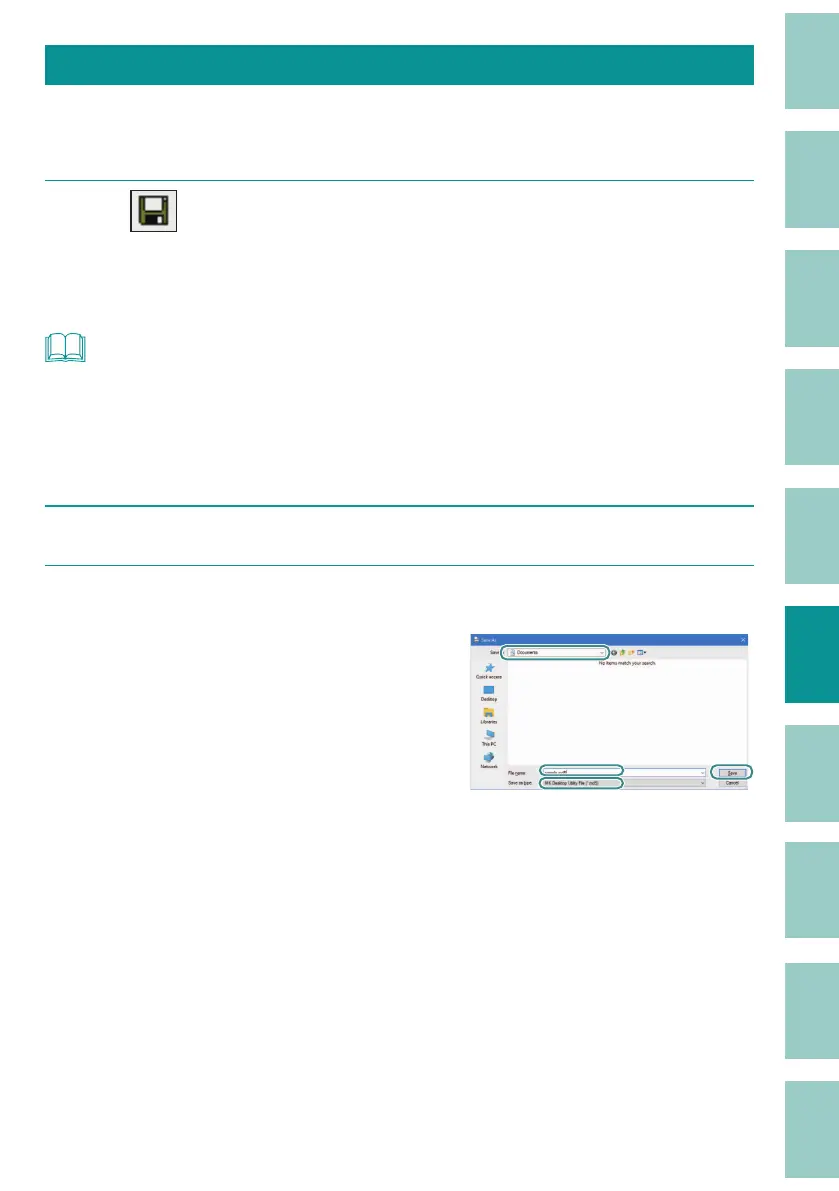
Specify [Save in], [File name] and, [Save as type] and then click [Save].
Select "MK Desktop Utility File (*.md5)" or "CSV
File (*.CSV)."
The default settings for the save location are as
f
ollows:
C:/Users/[User Name]/Documents



 To Next Page