25
Contents
Preparation/
Setup
Print Using a
Computer
Appendix
IndexPrint/SaveInput/Edit
Names of
Components
Maintenance/
Printer Settings
Trouble-
shooting
Loading a Label Tape Cassette
IMPORTANT
• Dispose the used label tape cassette according to local government regulation.
NOT
• The procedure for removing set print media from the printer, please refer to
"Replacing the Print
Media (P.27)"
.
1
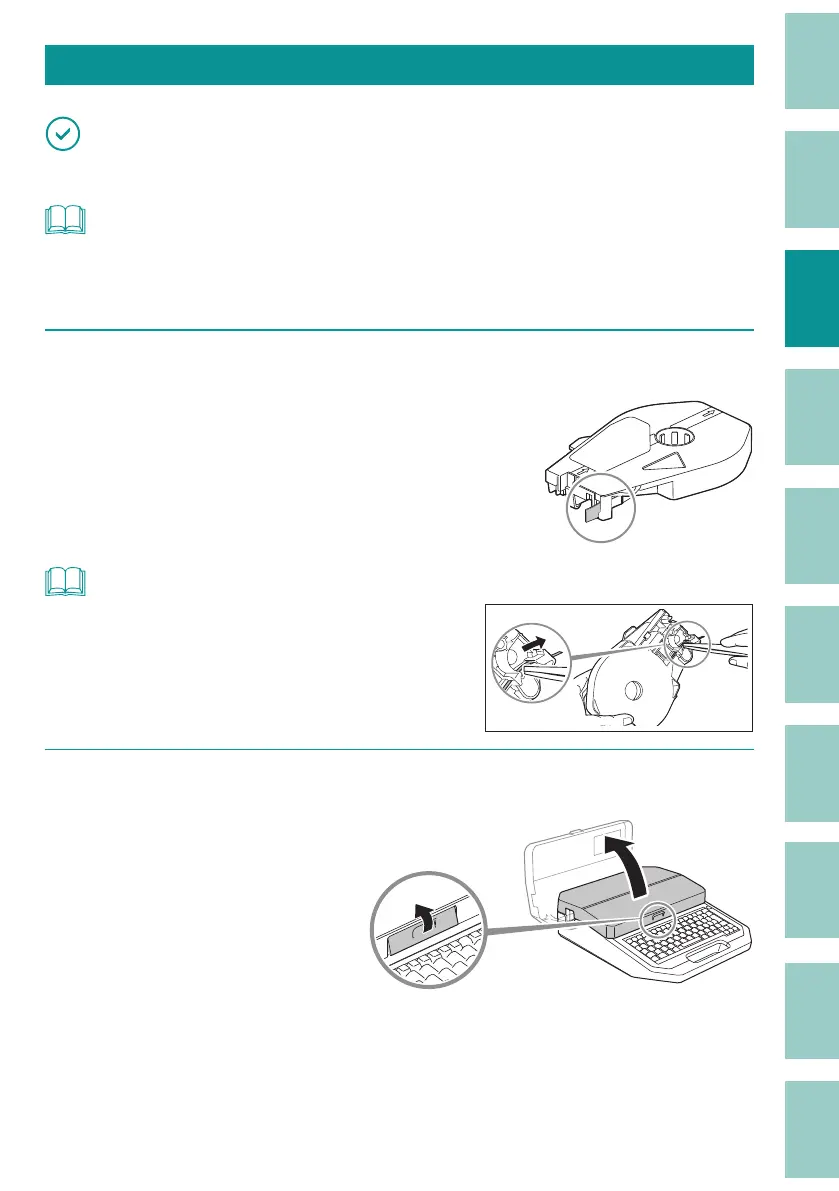
Check the condition of the cassette.
If the release paper has a high spot, or the tips
are not aligned, cut that portion o .
Pull out the end of the tape by about
5 mm t
o 7 mm as shown in the gure.
NOT
• If label tape or other material has gotten into the
cassette, use tweezers to pull out the tape tip, as shown
in the gure.
2
Open the cover.



 To Next Page