142
Contents
Preparation/
Setup
Print Using a
Computer
Appendix
IndexPrint/SaveInput/Edit
Names of
Components
Maintenance/
Printer Settings
Trouble-
shooting
Numbering
Automatically create pages by assigning consecutive numbering or letters to a xed string of
characters. The possible numbering settings are as follows.
Setting Set range
Decimal 0 to 9999
Hexadecimal 0 to FFFF
Upper case letter A to Z
Lower case letter a to z
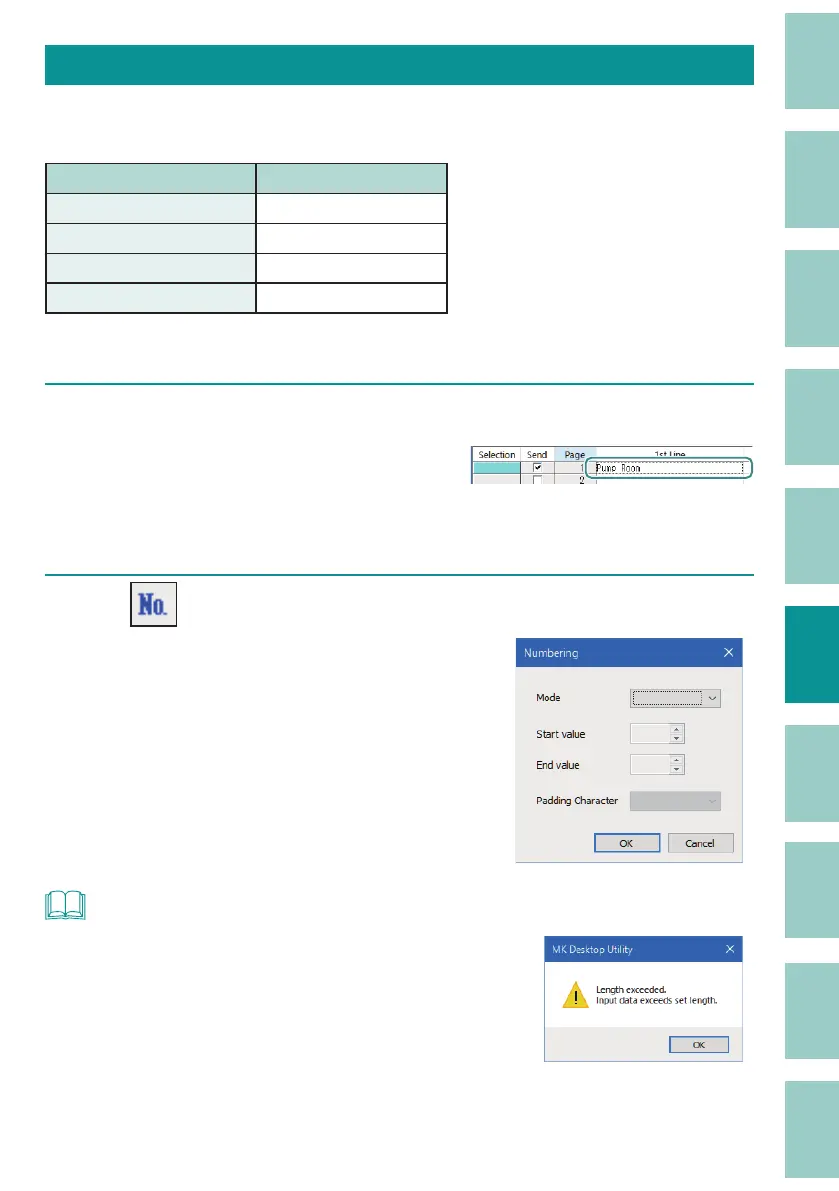
[Example] Create a page for "Pump Room 1" to "Pump Room 10"
1
Enter "Pump Room."
Move the cursor to the position where you
want to enter the numbering.
If a cell is set while selected, the number will
be ent
ered at the end of the text.
2
Click (Numbering).
Or, select [Numbering] from the [Edit] menu.
NOT
• If not even a single character can be entered when the set
length is speci ed, a message will be displayed. Change the
format setting.
(P.138)



 To Next Page