54
Contents
Preparation/
Setup
Print Using a
Computer
Appendix
IndexPrint/SaveInput/Edit
Names of
Components
Maintenance/
Printer Settings
Trouble-
shooting
Setting the Cut Length
About Cut Length
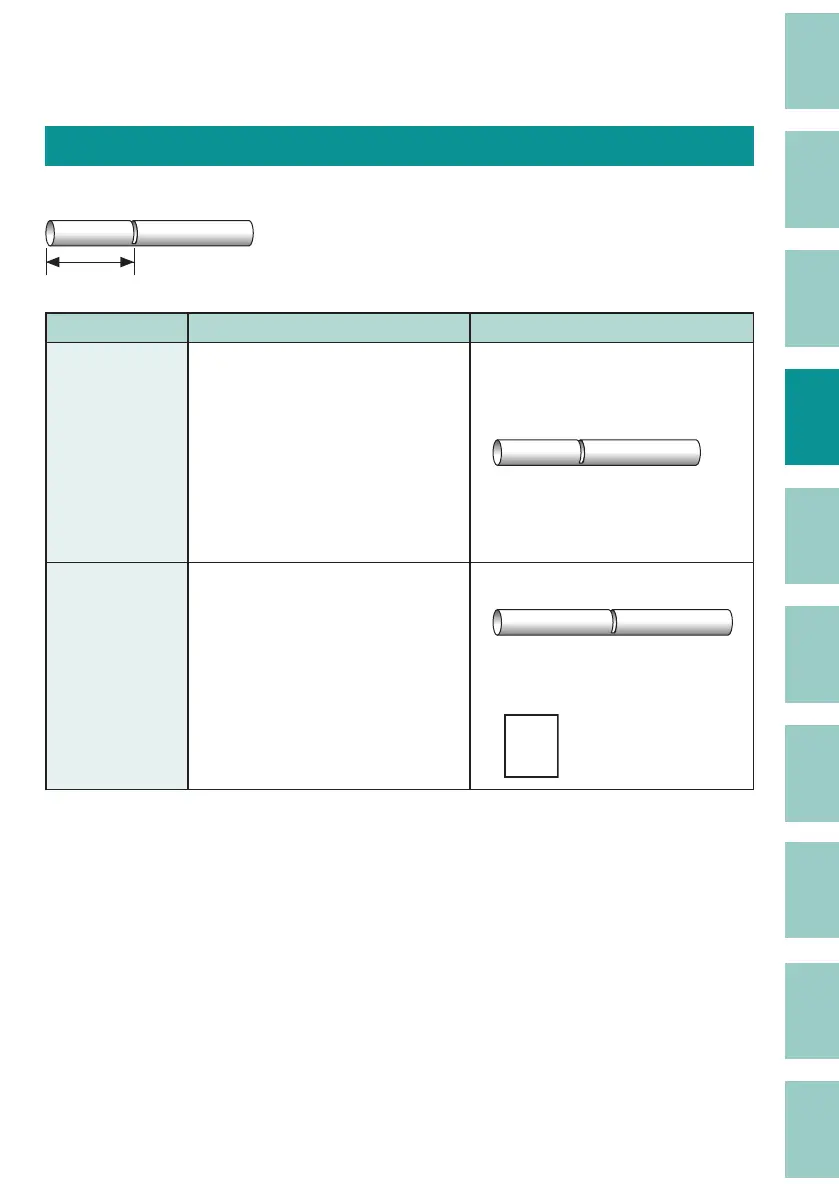
The length of one tube (or one label) is called the " Cut Length." The default setting is "Automatic."
A1 Pump Room
Cut length
Setting Details Print Image
Automatic
(Default Setting)
Automatically sets and prints the
optimal cut length based on the
number of characters entered,
the size of the characters, and the
spacing between the characters.
The alignment is centered, and the
margins are 2 mm on the left and 2
mm on the right.
A1 Pump Room
Specify
Prints with the speci ed cut length.
When "Specify" is selected for
"Cut Length," you can specify the
alignment (and margin), plate print
area, and all line centering.
e.g.) "Left" alignment
A1 Pump Room
e.g.)
Plate Print Area: "Expansion,"
All
line centering: "On"
A-123
R11



 To Next Page