27
Contents
Preparation/
Setup
Print Using a
Computer
Appendix
IndexPrint/SaveInput/Edit
Names of
Components
Maintenance/
Printer Settings
Trouble-
shooting
Replacing the Print Media
To replace the print media installed in the printer with a di erent one, follow the procedure
below.
NOT
• For information on the print media that can be used with this product, refer to
"Print Media (P.228)"
.
■
For Thin Tubes (ø1.5 mm)
1
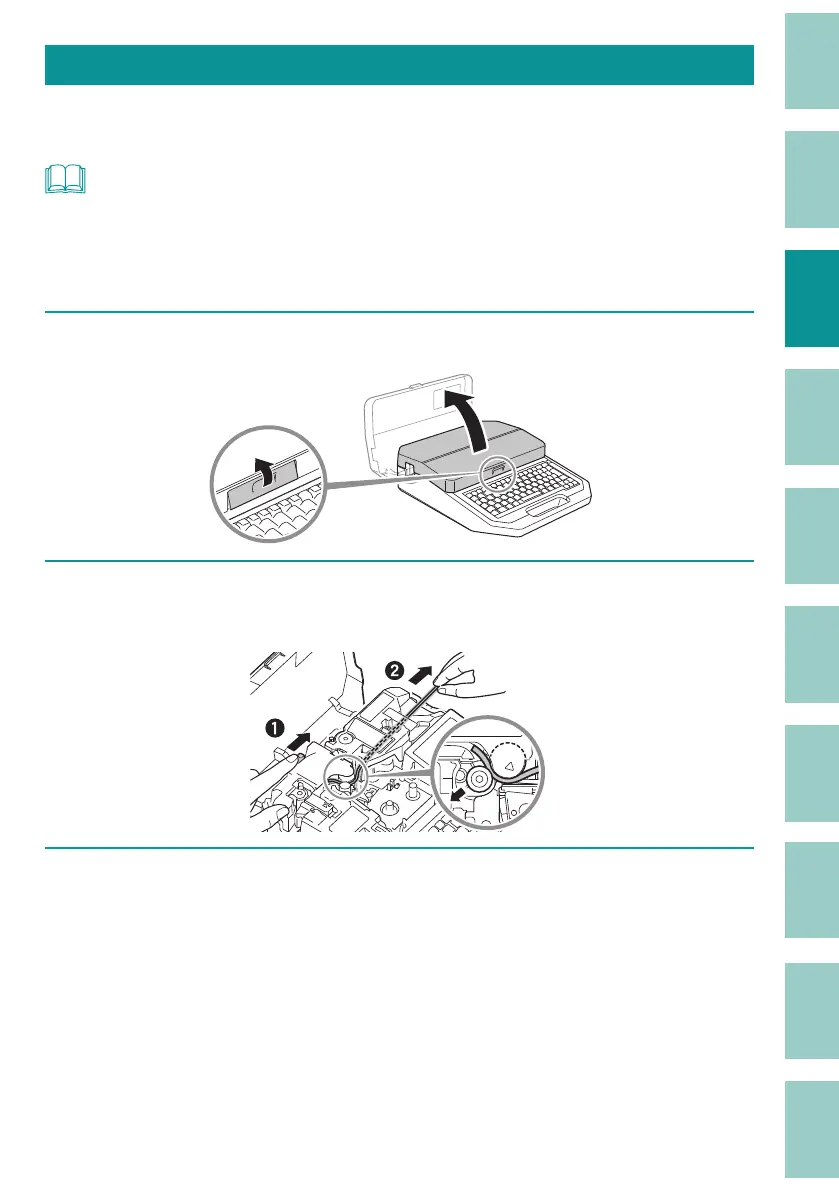
Open the cover.
2
As shown in the gure, pull the tube out while pressing the jam recovery
lever in the direction of the arrow.
3
Load the print media.
(P.21)



 To Next Page