18
Contents
Preparation/
Setup
Print Using a
Computer
Appendix
IndexPrint/SaveInput/Edit
Names of
Components
Maintenance/
Printer Settings
Trouble-
shooting
Installing the Ribbon Cassette
IMPORTANT
• When printing on a plates, use a black, 40m ribbon cassette. Other ribbon cassettes (black, 150m;
white, 85m) will not print correctly.
• For more information on the ribbon cassette that can be used, refer to
"Consumable Supplies and
Options (P.229)"
.
• Dispose the used ribbon cassette according to local government regulation.
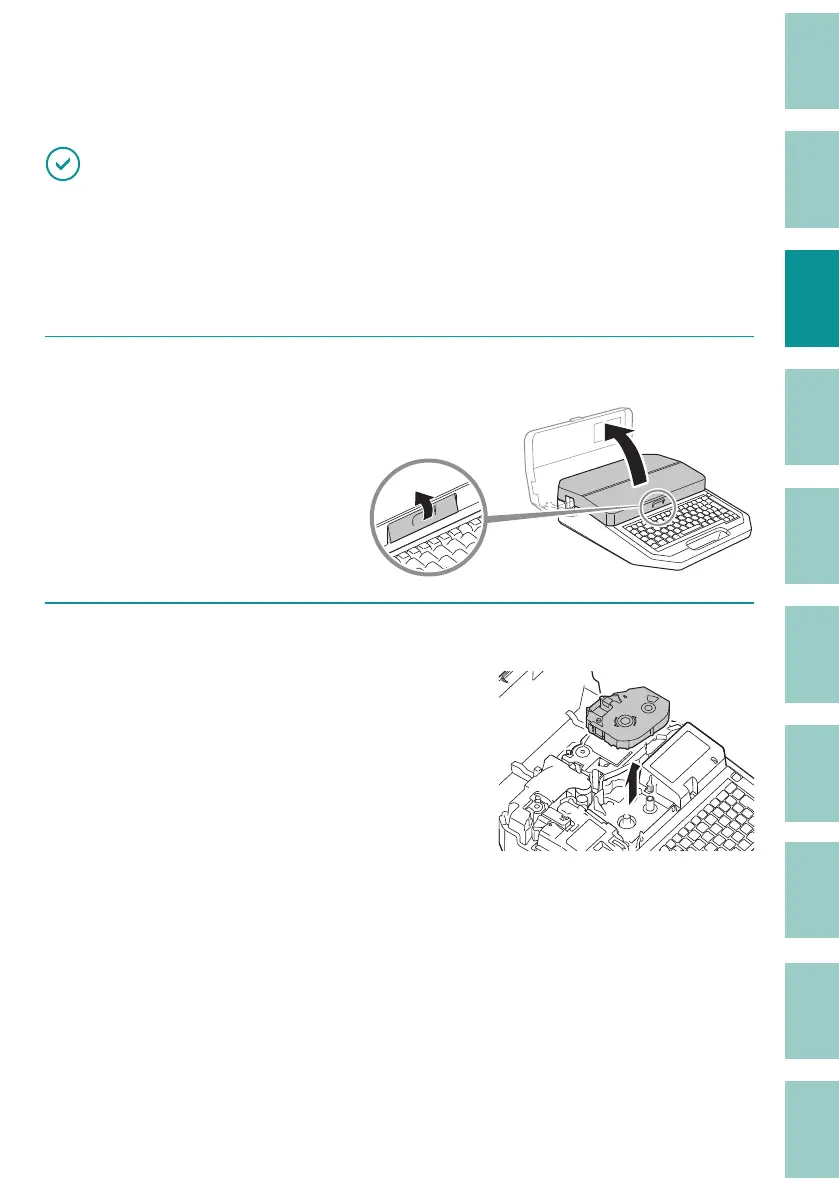
1
Open the cover.
2
When replacing the ribbon cassette, remove it from the printer.



 To Next Page