185
Contents
Preparation/
Setup
Print Using a
Computer
Appendix
IndexPrint/SaveInput/Edit
Names of
Components
Maintenance/
Printer Settings
Trouble-
shooting
Cleaning the Transport Roller
If printing is not clear or the print media cannot be fed properly, the transport roller may be dirty.
We recommend cleaning the rollers about once a month.
WARNIN
• Do not use alcohol, thinner, or other ammable solvents to clean the unit. Doing so
may result in re or electric shock.
1
Open the cover and remove the ribbon cassette, and attachment (or label
tape cassette).
2
Close the cover, and then press the [Settings] key.
3
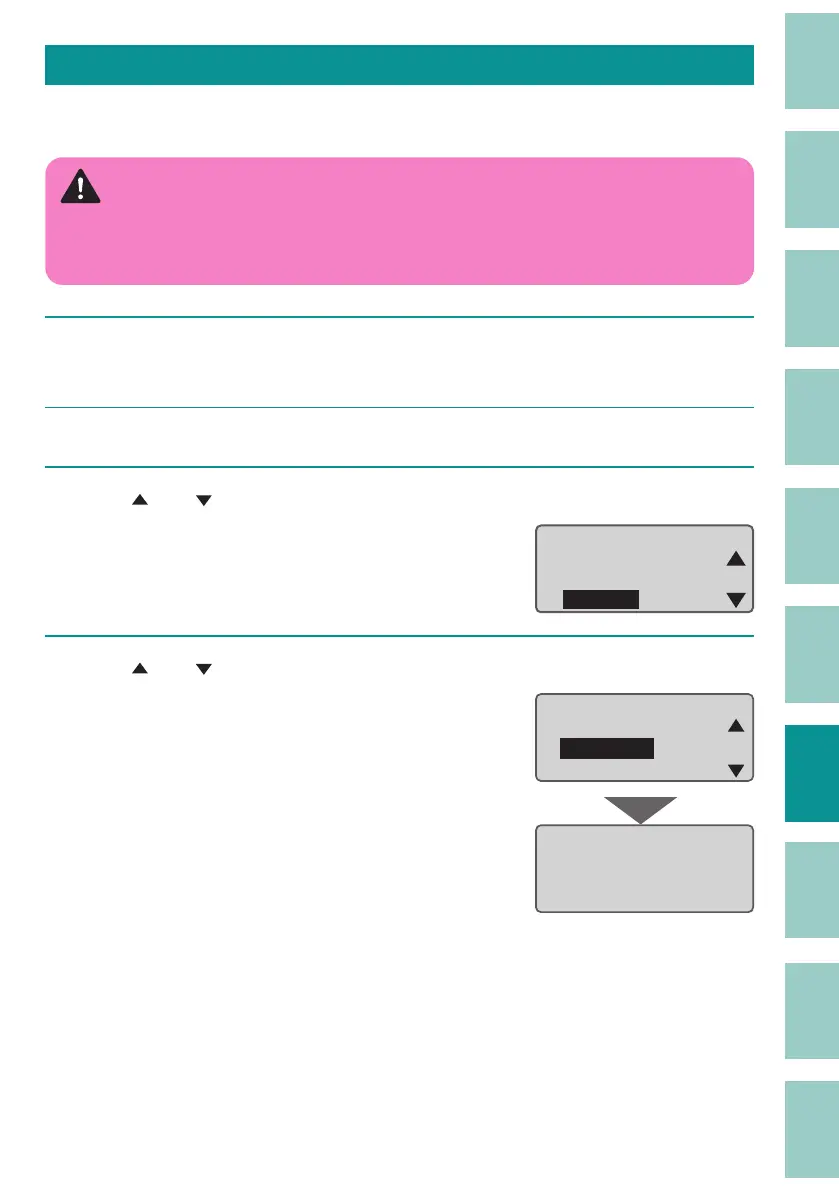
Use [ ] or [ ] to select "Others" and press the [Enter] key.
ɻɻ
Settings
Others
Print adjust
Setting
4
Use [ ] or [ ] to select "Cleaning," and press the [Enter] key.
After pressing a key, instructions will be
displayed on the screen.
Others
Cleaning
Remove
Forced full cut
Cleaning mode
Open safety cover
and remove dust.



 To Next Page