70
Contents
Preparation/
Setup
Print Using a
Computer
Appendix
IndexPrint/SaveInput/Edit
Names of
Components
Maintenance/
Printer Settings
Trouble-
shooting
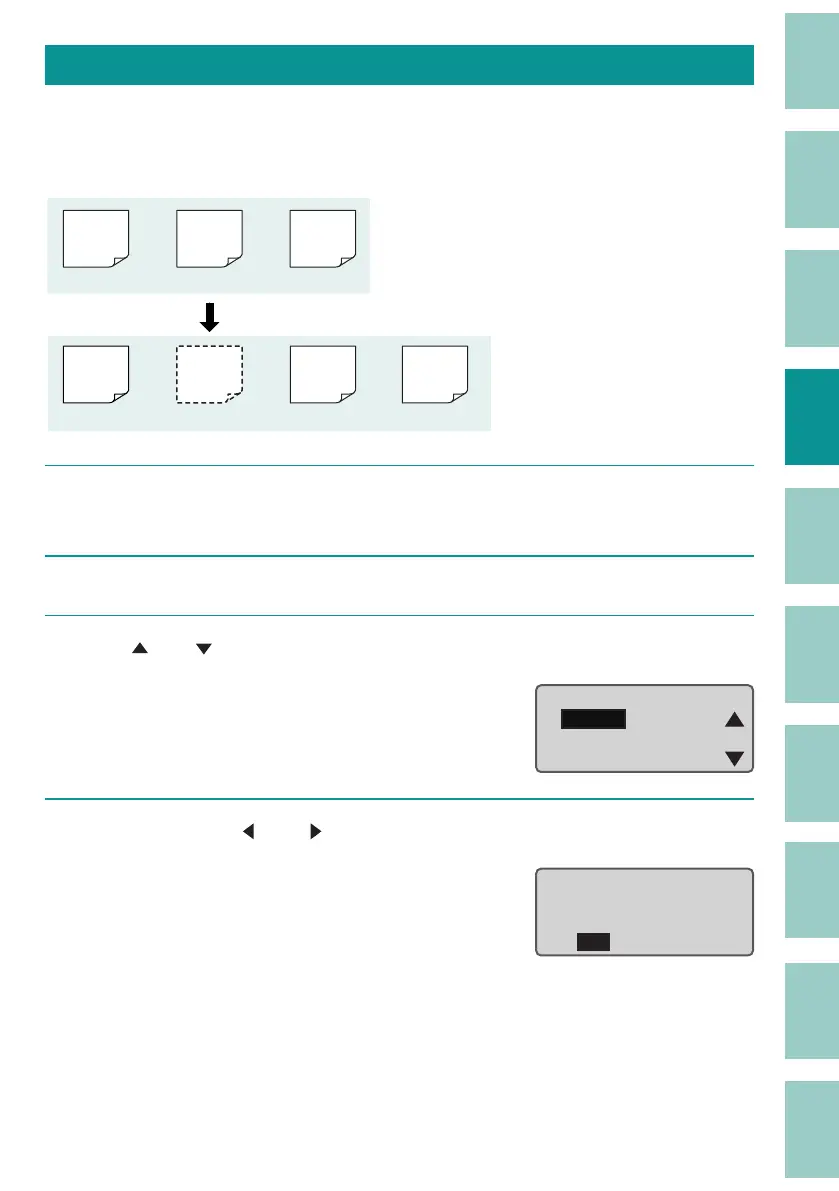
Inserting a Page
Inserts a blank page at the speci ed location.
[Example] Insert a new blank page between the rst and second pages.
200V
200V
C1
C1
(Page 1) (Page 2) (Page 3)
(Page 1) (Page 2) (Page 3) (Page 4)
Pump
Room
Pump
Room
1
Display the page at the position where you want to insert a blank page (page
2).
2
Press the [Edit] key.
3
Use [ ] or [ ] to select "Insert," and then press the [Enter] key.
A con rmation screen will appear.
Page Edit
Insert
Delete
Copy
4
Select "Yes" with [ ] or [ ] and press the [Enter] key.
A blank page will be inserted on the second
page
, and you will be returned to the
character input display.
Yes No
Insert at page 2 ?



 To Next Page