147
Contents
Preparation/
Setup
Print Using a
Computer
Appendix
IndexPrint/SaveInput/Edit
Names of
Components
Maintenance/
Printer Settings
Trouble-
shooting
8
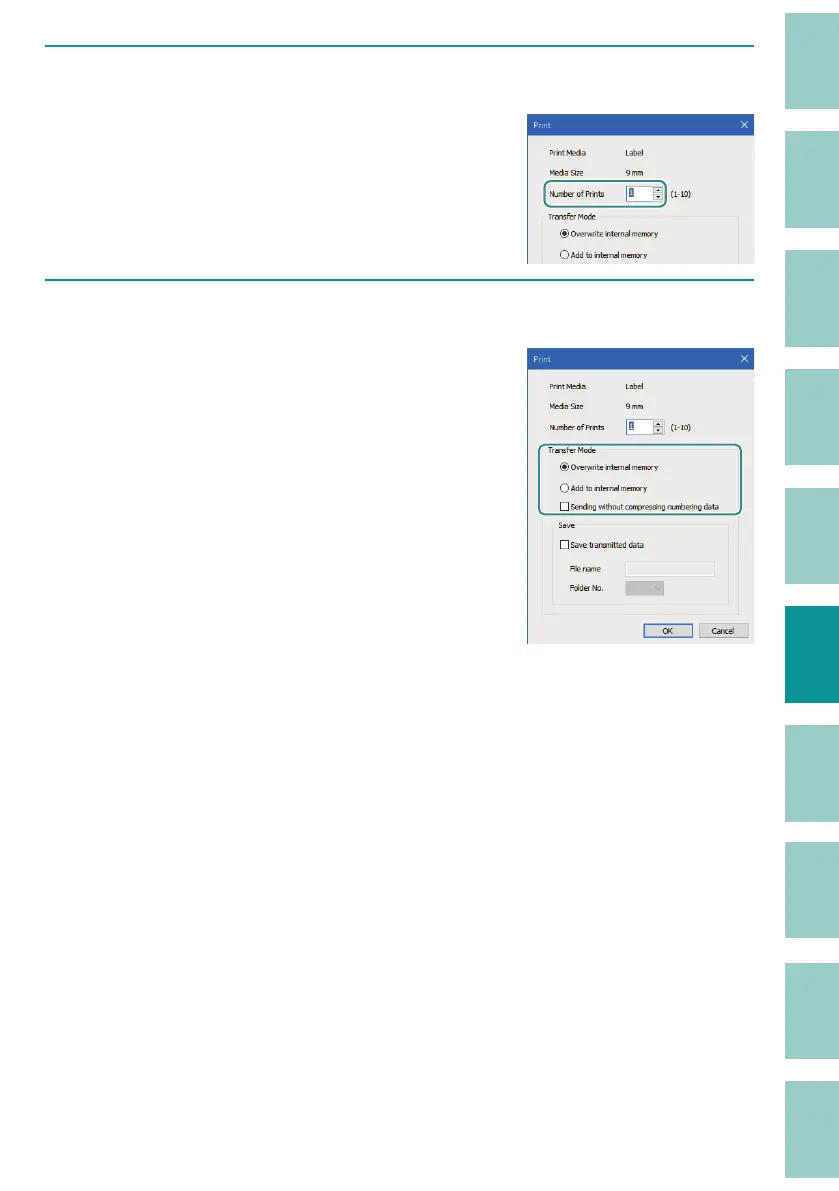
Specify the number of tubes (or labels) to be printed.
Specify the number of tubes (or labels) to be
printed in the range of 1 to 10.
9
Specify the transfer mode.
Select either [Overwrite internal memory] or
[Add to internal memory] as the transfer mode.
The data just sent to the printer will be retained
on the printer’s character input display even
after printing (or saving) is completed.
Select [Sending without compressing
number
ing data] if you have created numbered
pages.



 To Next Page