150
Contents
Preparation/
Setup
Print Using a
Computer
Appendix
IndexPrint/SaveInput/Edit
Names of
Components
Maintenance/
Printer Settings
Trouble-
shooting
11
Click [OK].
After the data is created on the printer's
character input display as per the transfer
mode used, printing will begin. Also, the data
on the character input display will be retained
after printing is completed.
NOT
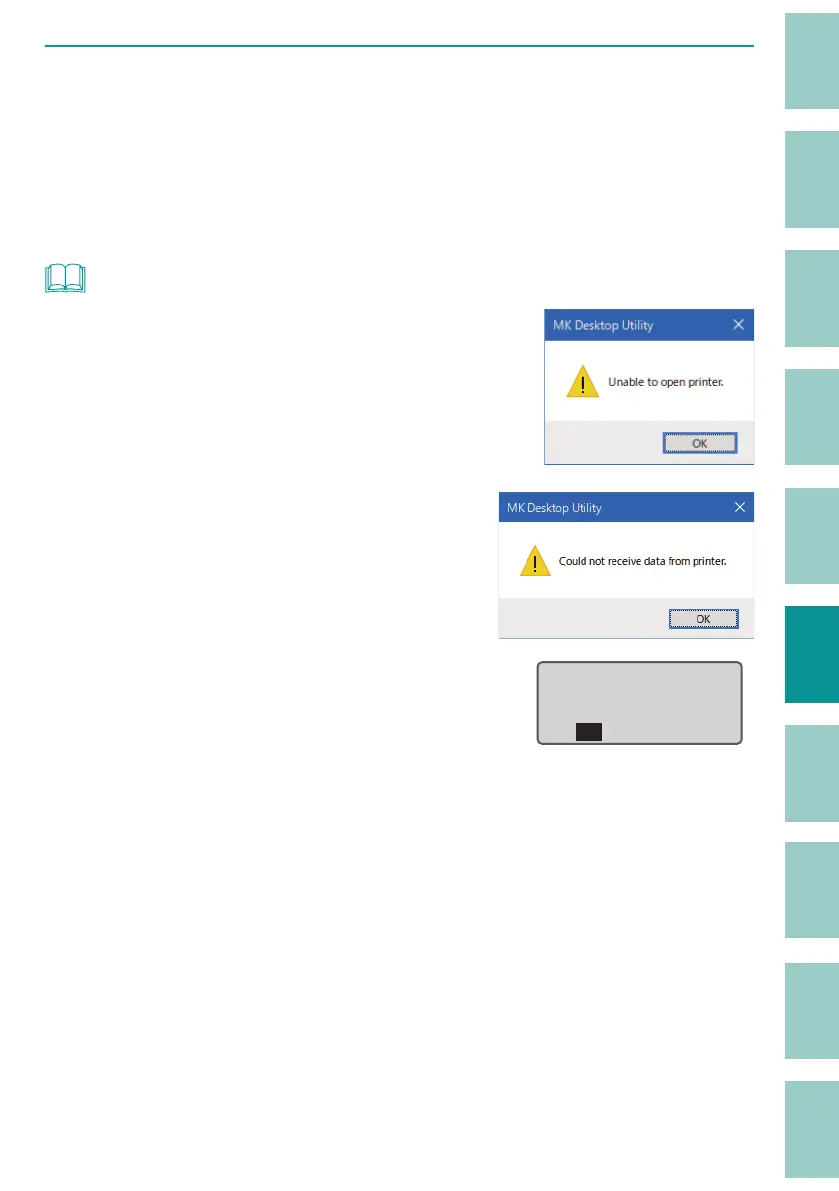
• If the message "Unable to open printer." appears, con rm
the following.
- The printer is turned on and the computer is connected
to the printer with a USB cable.
- The printer is selected correctly.
(P.144)
• If the message "Could not receive data from printer."
appears, the printer has not switched to the PC connection
mode. Switch the printer to PC connection mode.
(P.144)
• If you try to save a le with the same name as a le that has
already been saved, the following message will appear on
the printer display. If you want to overwrite the le, click [Yes].
already exists.
Overwrite?ɻ
XXXXXXXXɻ
Yes No
• The font used in the preview of the MK Desktop Utility is di erent from the font of the printer, so the
font style may di er between the preview and the printed result.



 To Next Page