169
Contents
Preparation/
Setup
Print Using a
Computer
Appendix
IndexPrint/SaveInput/Edit
Names of
Components
Maintenance/
Printer Settings
Trouble-
shooting
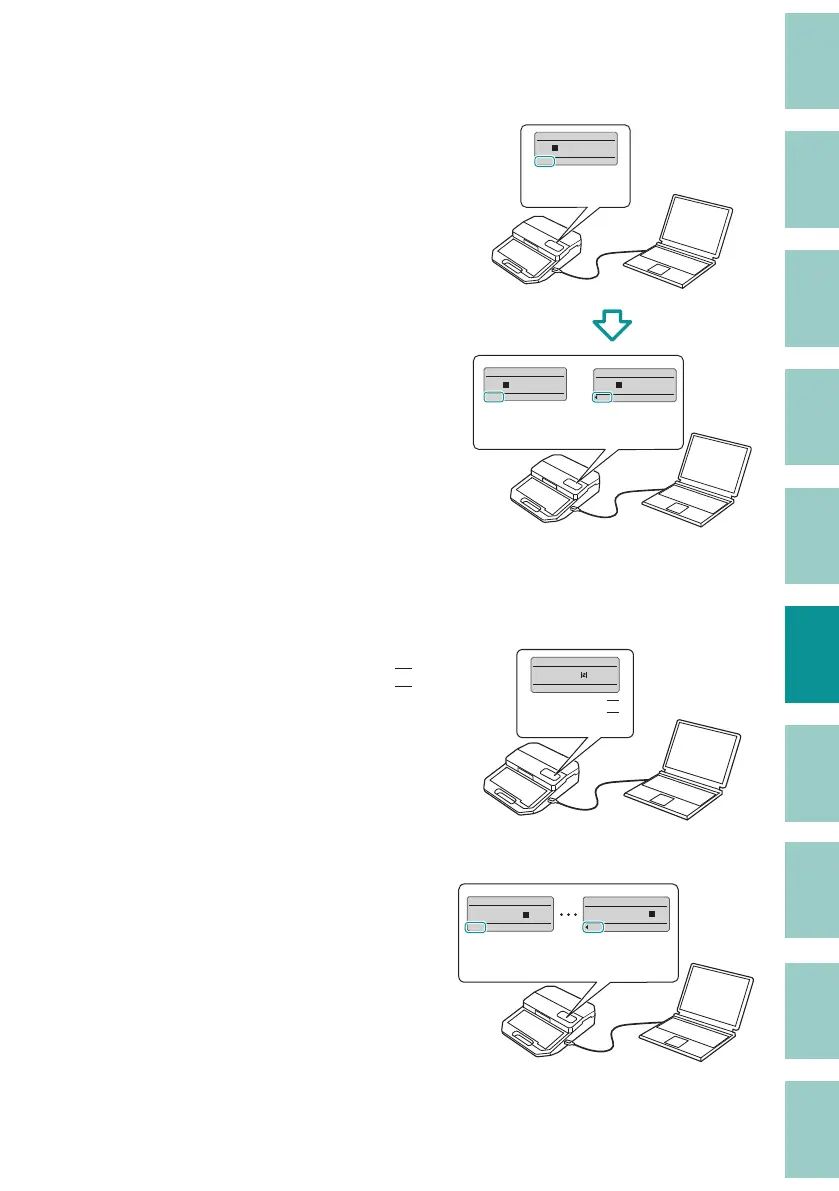
[Add to internal memory]
Select this option when you want to add the
data you selected in step 5 to the data stored
in the printer and save it. The additional data
will be added after the last page of the data in
the printer.
[Example]
ABC
(Page 1)
ABC
ABC
(Page 1)
0002
200V
200V
(Page 2)
ABC
0001
Save
200V
200V
[Sending without compressing numbering data]
- Without a check mark
The numbering part is converted to the
control character of the numbering (
N
) and
sent to the printer as a single page of data.
[Example]
0001
Pump Room
N
Pump Room
(Page 1)
- With a check mark
Send all pages to the printer.
[Example]
Pump Room 1 to Pump Room 100
(Page 1 to Page 100)
Pump Room 100
0100
Pump Room 1
0001



 To Next Page