172
Contents
Preparation/
Setup
Print Using a
Computer
Appendix
IndexPrint/SaveInput/Edit
Names of
Components
Maintenance/
Printer Settings
Trouble-
shooting
4
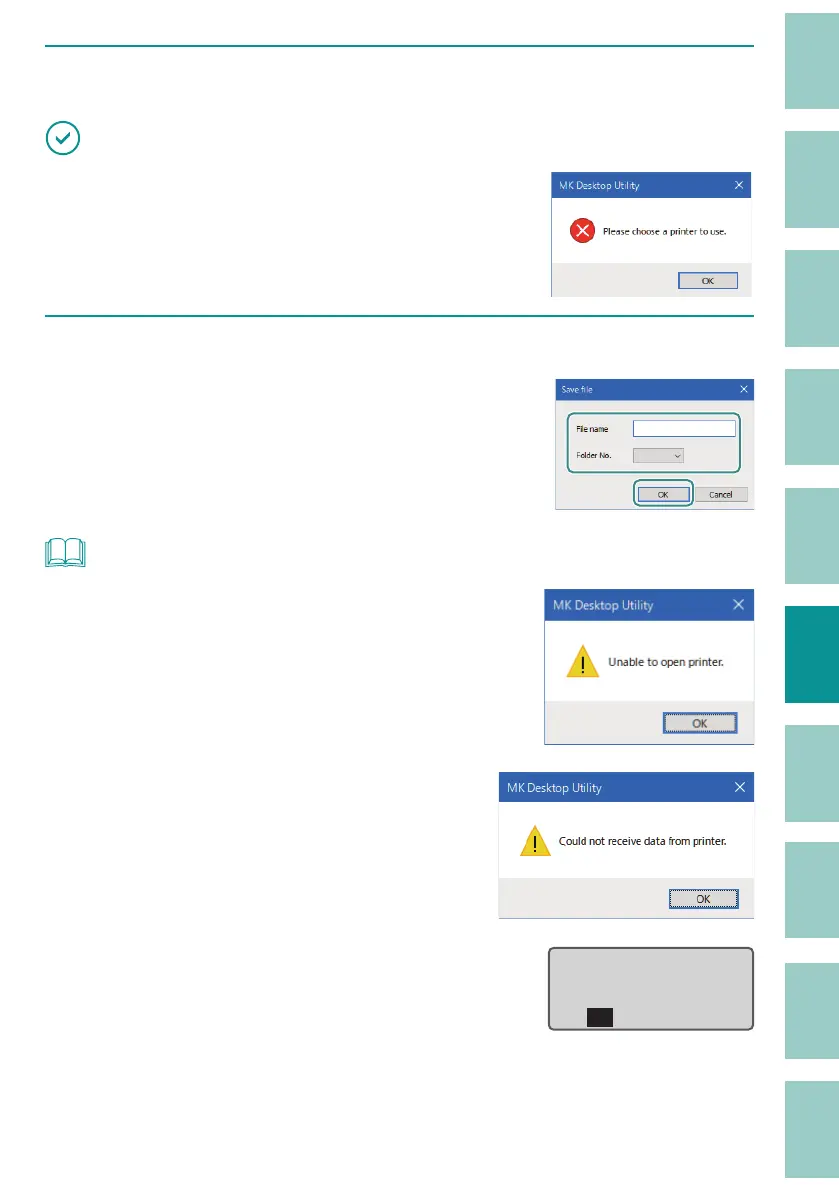
Click [Save le] on the [Remote] menu.
IMPORTANT
• If the message is displayed, the printer to use is not
selected. Select the printer from [Select printer] on the [File]
menu.
(P.171)
5
Specify [File name] and [Folder No.], and then click [OK].
The data held in the character input display will
be saved to the speci ed folder in the printer.
NOT
• If the message "Unable to open printer." appears, con rm
the following.
- The printer is turned on and the computer is connected
to the printer with a USB cable.
- The printer is selected correctly.
(P.171)
• If the message "Could not receive data from printer."
appears, the printer has not switched to the PC connection
mode. Switch the printer to PC connection mode.
(P.171)
• If you try to save a le with the same name as a le that has
already been saved, the following message will appear on
the printer display. If you want to overwrite the le, click [Yes].
already exists.
Overwrite?ɻ
XXXXXXXXɻ
Yes No



 To Next Page