EasyManua.ls Logo

Canon MK5000 - Page 236

Canon MK5000
240 pages
Print Icon
To Next Page IconTo Next Page
To Previous Page IconTo Previous Page
Loading...
232
Contents
Preparation/
Setup
Print Using a
Computer
Appendix
IndexPrint/SaveInput/Edit
Names of
Components
Maintenance/
Printer Settings
Trouble-
shooting
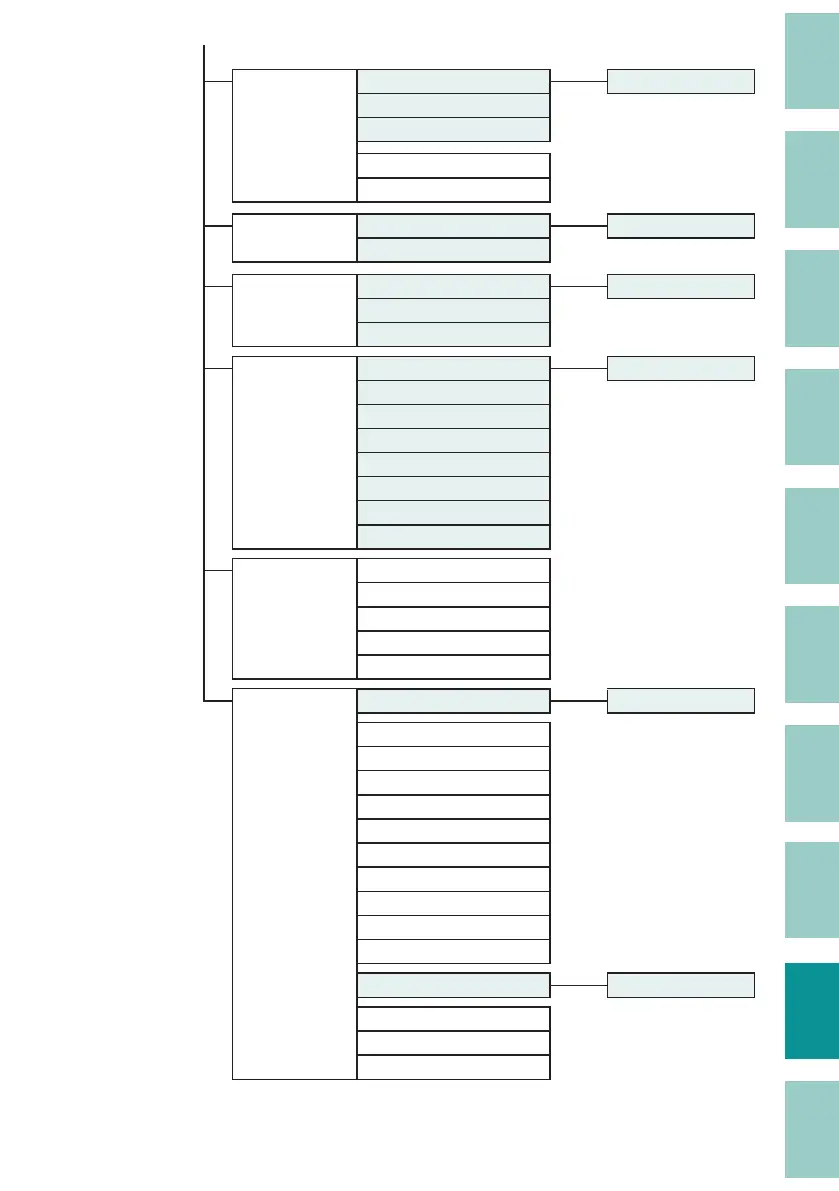
Print Settings Half cut [Set Cut] key
Full cut
Plate Full cut
Underline 6, 9
Center Line
Delete All Text only [Del All] key
Text+settings
File Save [File] key
Load
Delete
Print adjust Top position [Adjust] key
Vertical Position
Length
Half Cut Depth
Half Cut Motion
Full Cut Depth
Full Cut Motion
Print density
Settings Print speed
Display contrast
Backlight (ADPTR)
Backlight (BAT)
Sound
Others Remove [Remove] key
Cleaning
Forced full cut
Feed
Replace cutter
Rewind movement
Auto O (adapter)
Auto O (battery)
Auto Backlight O
Print Priority
Init. DeleteCheck
Page Display [Page] key
Counter
Device Info.
Firmware update

Table of Contents

Other manuals for Canon MK5000

Related product manuals