37
Contents
Preparation/
Setup
Print Using a
Computer
Appendix
IndexPrint/SaveInput/Edit
Names of
Components
Maintenance/
Printer Settings
Trouble-
shooting
■
How to Use the Cursor
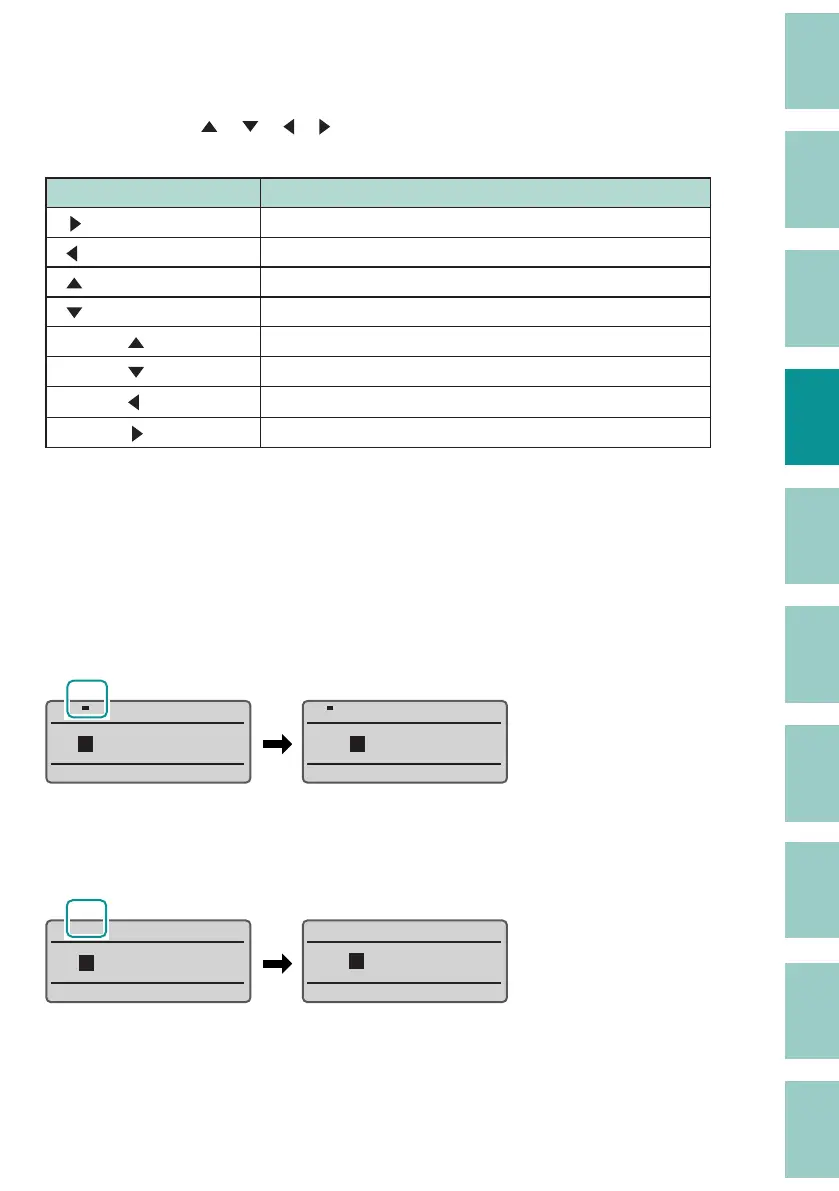
The mark that indicates the position for entering text is called the "cursor."
Use the arrow keys ([
], [ ], [ ], [ ]) to move the cursor when using this device. The key
operations for moving the cursor are as follows.
Key press Cursor movement
[
] Move to right one character or to the next page.
[
] Move to left one character or to the previous page.
[
] Go to the line above.
[
] Go to the line below.
[Shift] + [
] Go to the top of the page.
[Shift] + [
] Go to the end of the page.
[Shift] + [
] Go to the top of the previous page.
[Shift] + [
] Go to the top of the next page.
■
Insert Mode and Overwrite Mode
You can switch between "Insert Mode" and "Overwrite Mode" to suit where you want to input
text. Press the [Ins] key to switch between "Insert Mode" and "Overwrite Mode."
Insert Mode:
When you move the cursor to the middle of a text string and input a character, the input
character will be inserted to the left of the cursor position.
AB DE
C
INS INS
ABA DE
C
Overwrite Mode:
When you move the cursor to the middle of the text and enter a character, the character at the
cursor position will be overwritten with the character you entered.
INSINS
AB DE
C
ABA E
D



 To Next Page