62
Contents
Preparation/
Setup
Print Using a
Computer
Appendix
IndexPrint/SaveInput/Edit
Names of
Components
Maintenance/
Printer Settings
Trouble-
shooting
5
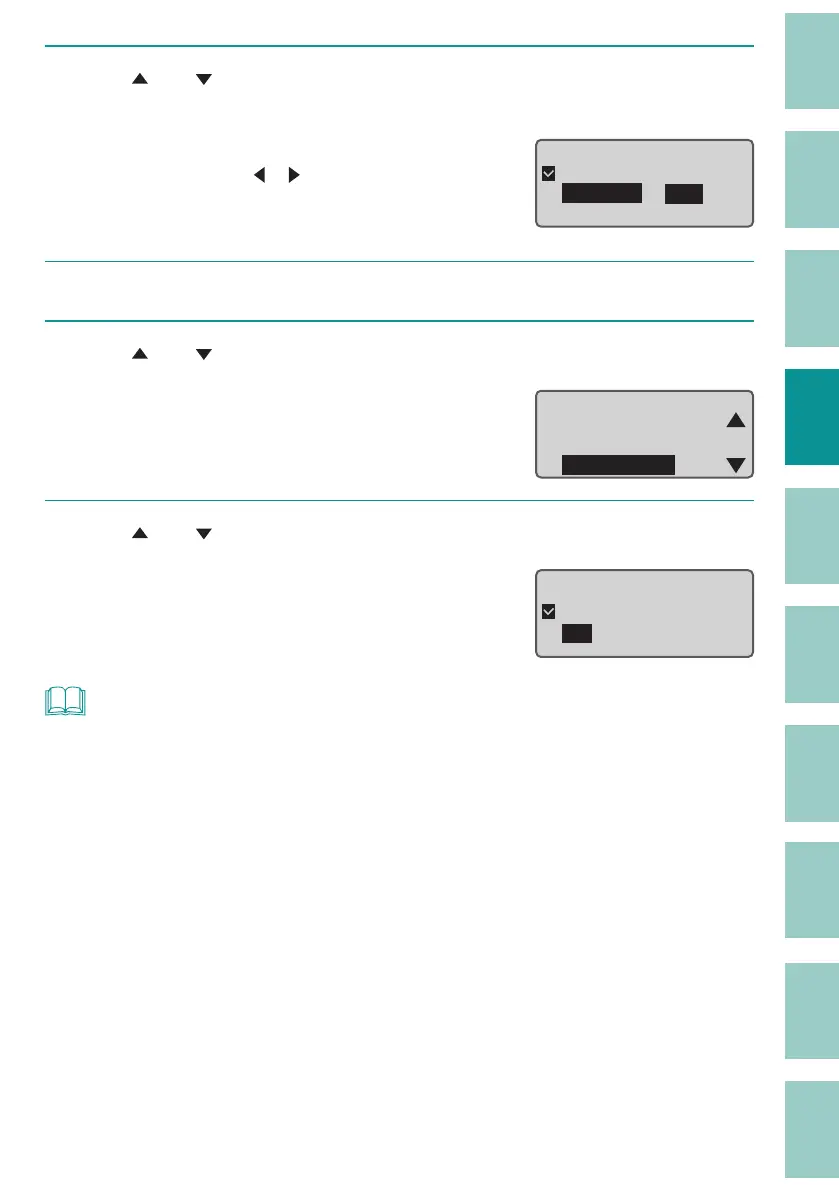
Use [ ] or [ ] to select "Specify," enter "19.0" (Cut Length), and then press
the [Enter] key.
The value can be set by entering numbers or
using arrow keys ([
]/[ ]).
Press the [Enter] key to return to the character
input displa
y.
Cut Lengthɻ
ɻɻ
ɻAutomatic
ɻSpecify ʁ 19.0㎜
[ 15.7 to 150.0㎜ ]
6
Press the [Seg Len] key.
7
Use [ ] or [ ] to select " All centering."
Cut Length
Alignment
Plate Print Area
All centeriQJ
8
Use [ ] or [ ] to select "On," and then press the [Enter] key.
Press the [Enter] key to return to the character
input display.
All line centering
ɻɻ
ɻ2Q
ɻ2⒐
NOT
• The All line centering can be set for each page.
• You may not select All line centering in the following cases.
- When the cut length is set to "Automatic."
- When the alignment is set to anything other than "Centered."
- When the number of lines is set to "1 Line."
- The orientation is "Vert/Hor char."



 To Next Page