83
Contents
Preparation/
Setup
Print Using a
Computer
Appendix
IndexPrint/SaveInput/Edit
Names of
Components
Maintenance/
Printer Settings
Trouble-
shooting
3
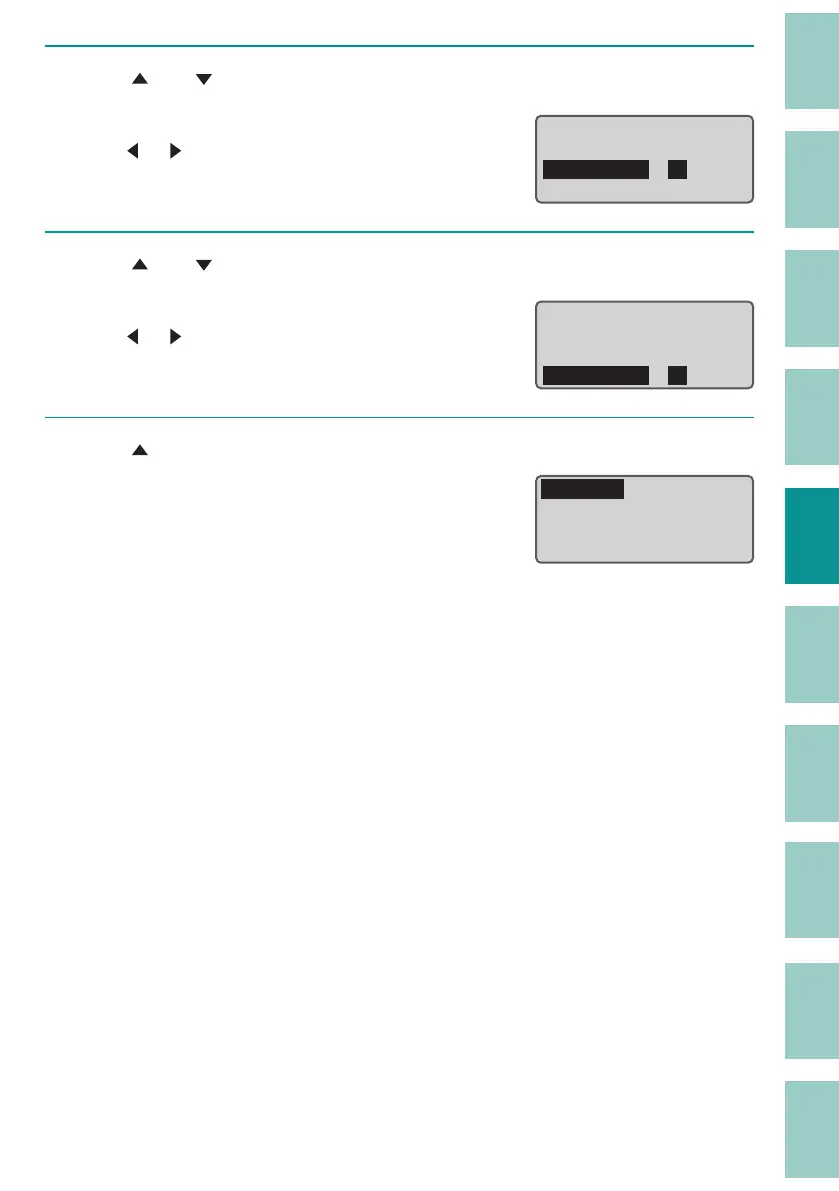
Use [ ] or [ ] to select "Start page" and enter [2].
Use the numeric keys or the arrow keys
([
]/[ ]) to enter the data.
Print /Preview
ɻɻ
Range :
Start page
End page
:2
Specied
:2
4
Use [ ] or [ ] to select "End page" and enter [4].
Use the numeric keys or the arrow keys
([
]/[ ]) to enter the data.
Print /Preview
ɻɻ
Range :
Start page
End page
:2
Specied
:4
5
Use [ ] to select "Print" and print.
(P.77)
Print Preview
ɻɻ
Sets to print: 1
Tube
Range:
Specied
Љ3. 0ᶳ



 To Next Page