COPYRIGHT © 1998 CANON INC. CANON PC400/420/430,FC200/220 REV.0 JAN.1998 PRINTED IN JAPAN (IMPRIME AU JAPON)
6-10
CHAPTER 6 FIXING SYSTEM
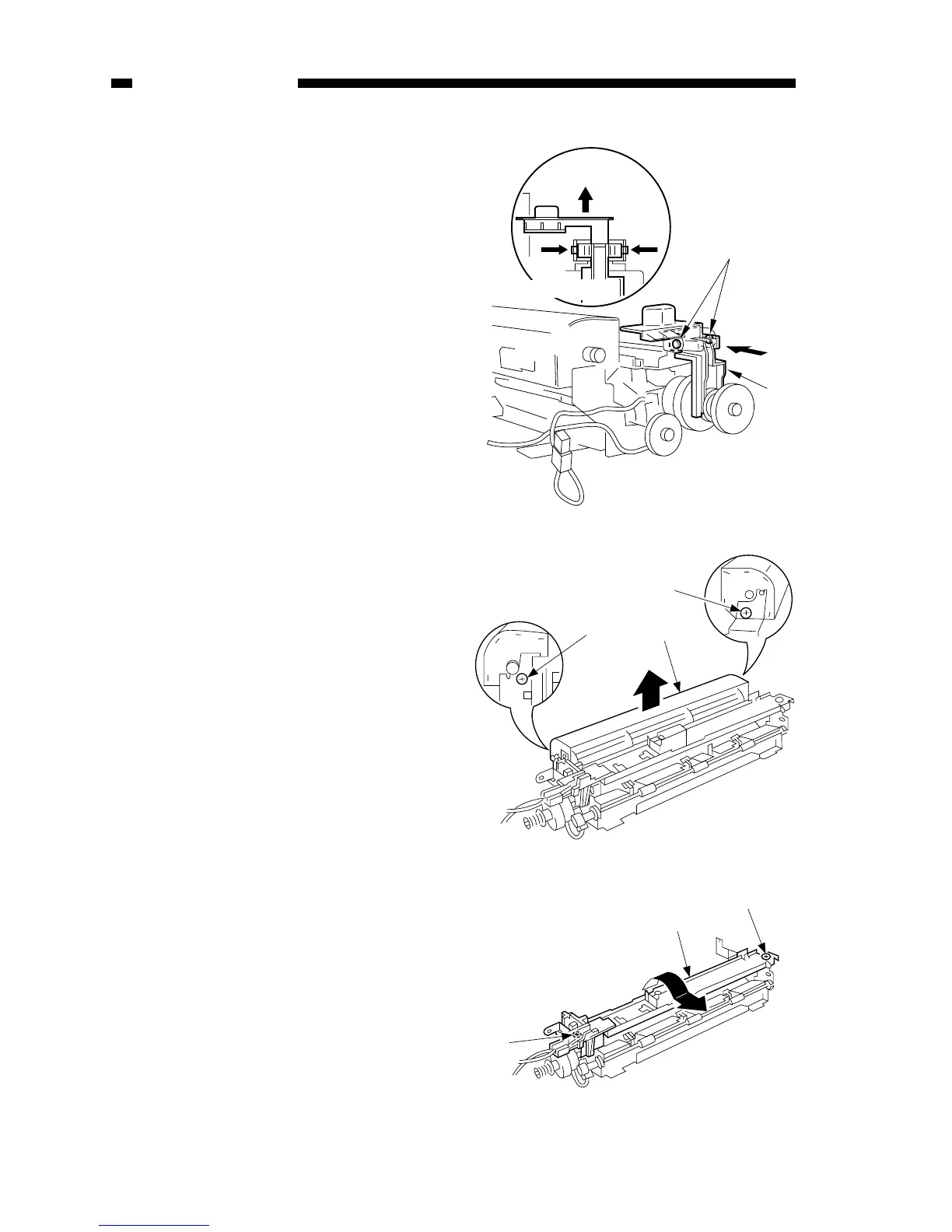
4) Remove the two screws e, and
remove the heat exhaust fan r.
Figure 6-208A
Figure 6-209A
5) Remove the two screws u, and turn
the upper stay i in the direction of
the arrow to remove.
3) Remove the two hooks r, and
remove the drive releasing arm t.



 To Next Page