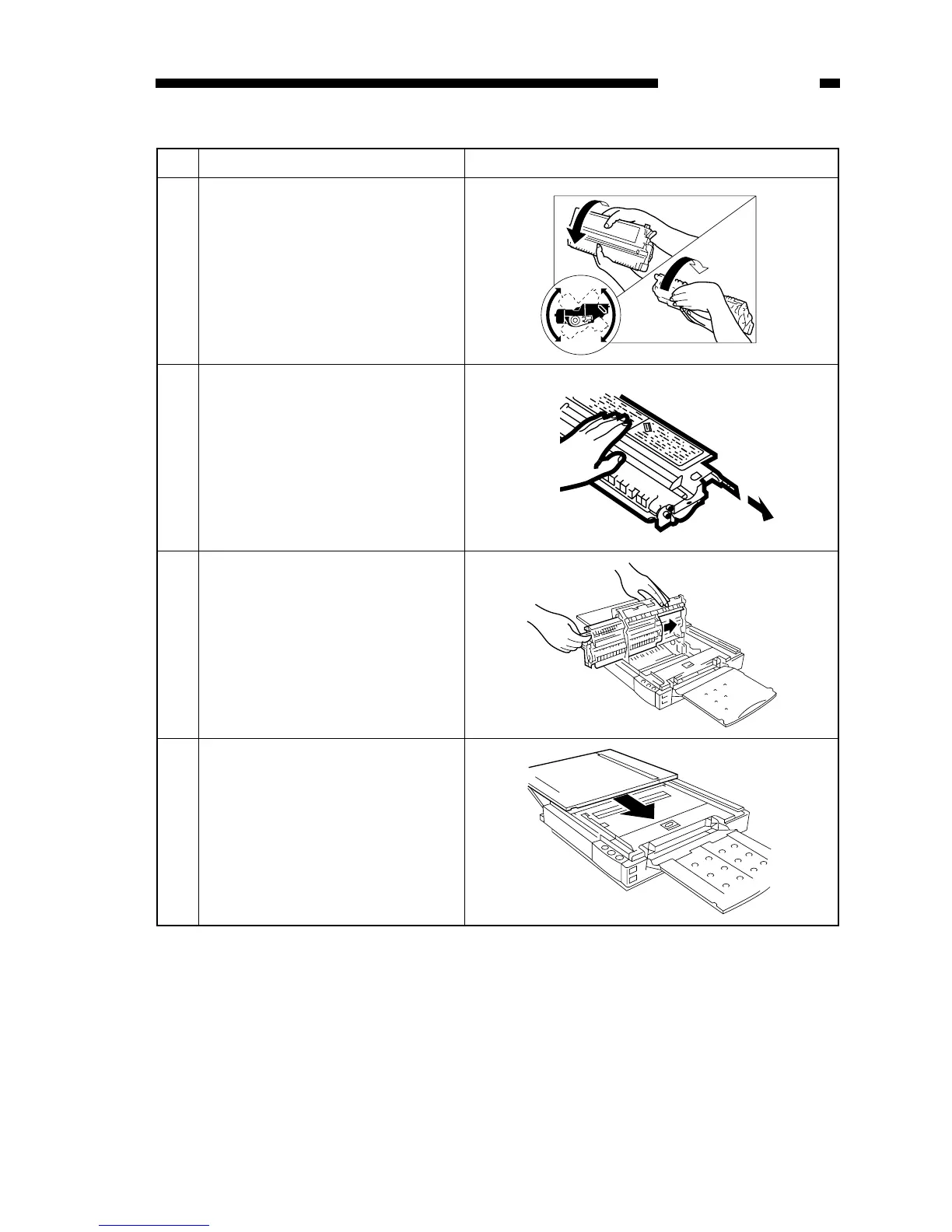
Step Work Description
Place the cartridge on a level place;
then, detach the tip of the seal, and pull
it fully out (about 50 cm).
8
Hold the cartridge with its Warning
label facing left, and slide in the
cartridge slowly until it stops.
9
Close the top cover, and return it to the
center.
10
Hold the cartridge with its Warning
label facing up, and rotate it in both
directions about 90°.
7



 To Next Page