Record item Description
OrigOrientation
(orientation of
the originals)
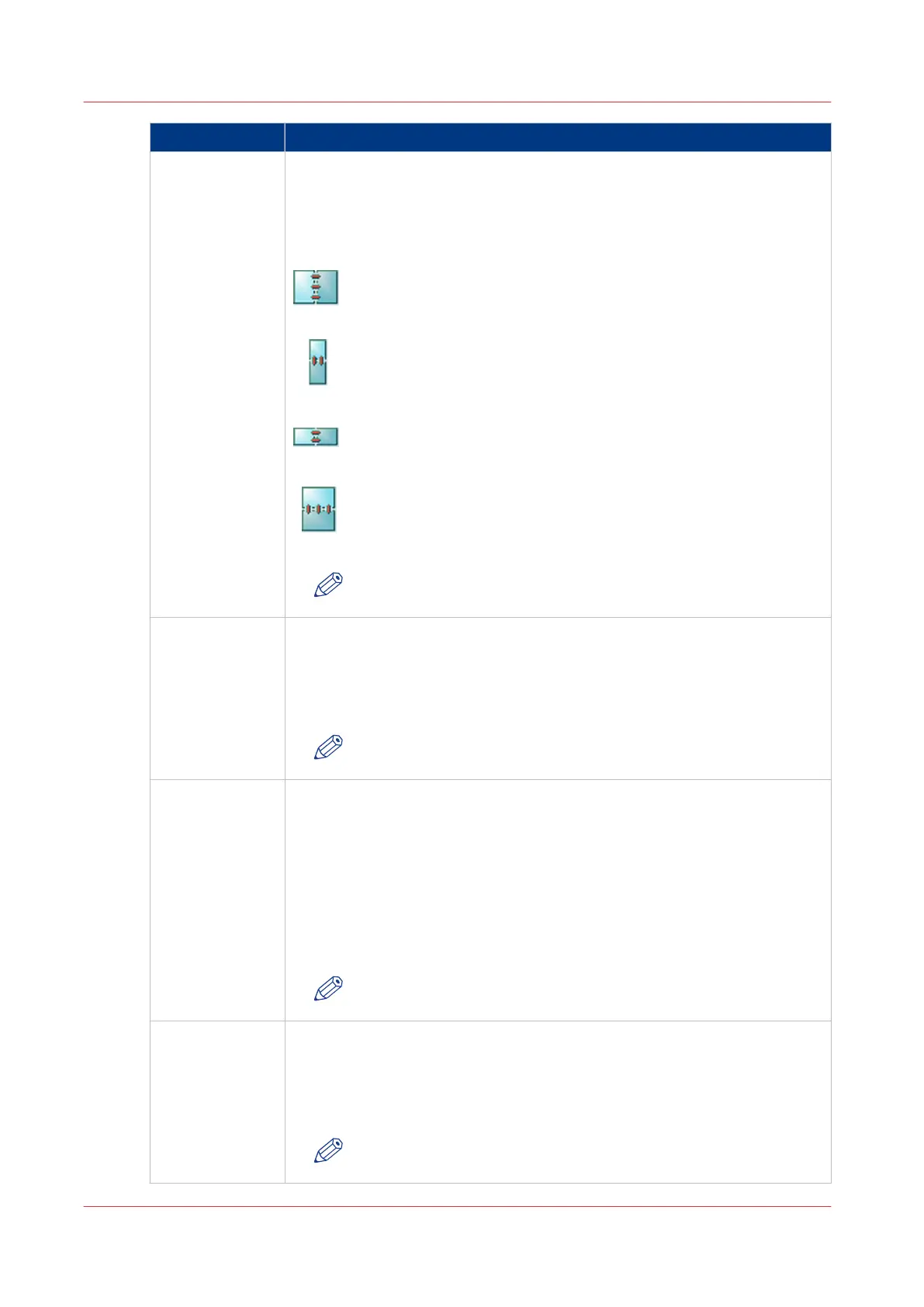
The default orientation and binding of the originals on the scanner.
• portrait book
• portrait calendar
• landscape book
• landscape calendar
[50] portrait book
[51] portrait calendar
[52] landscape book
[53] landscape calendar
NOTE
You can overrule this setting on the control panel.
OrigDuplex
(number of sides
of the originals
that will be scan-
ned)
The number of sides of the originals on the scanner that will be scanned.
• on
The originals are scanned 2-sided
• off
The originals are scanned 1-sided
NOTE
You can overrule this setting on the control panel.
OrigKind
(type of originals)
The image type of the originals.
• photo
The originals contain (mainly) photos or illustrations.
• text
The originals contain (mainly) text.
• auto
The system chooses the best settings automatically.
• mixed
The originals contain a mixture of photos and texts.
NOTE
You can overrule this setting on the control panel.
OrigZoom
(zoom of the
originals)
The percentage by which the originals on the scanner will be increased or
decreased.
Any value from 25 to 400.
When this item remains empty, the value is 100. Then the originals and the
output have the same size.
NOTE
You can overrule this setting on the control panel.
4
Use the Scan Profiles File (sjt.csv)
258
Chapter 8 - Carry Out Scan Jobs
Canon varioPRINT 135 Series














 To Next Page