Step Action Illustration
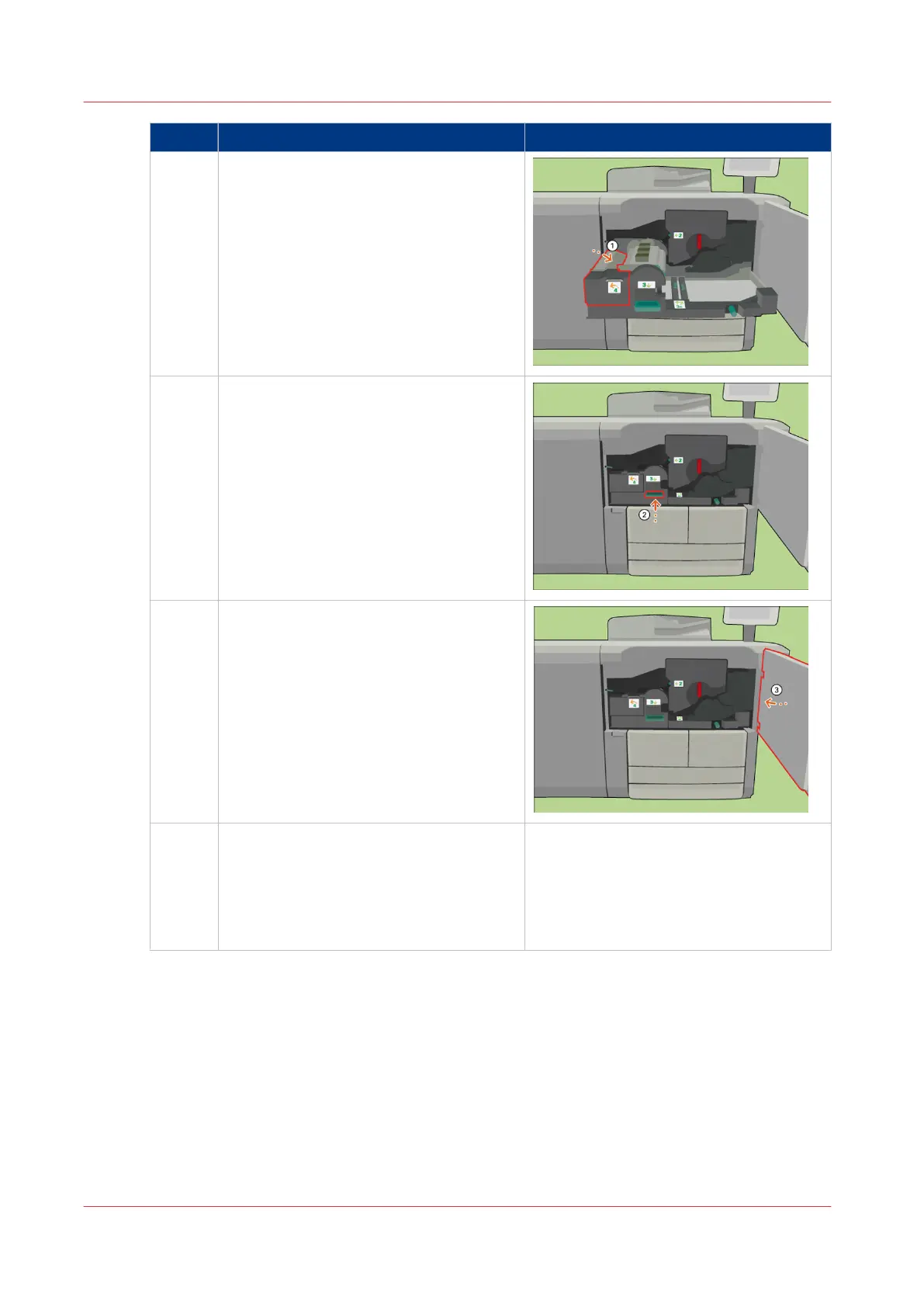
17 [Use handle 4 to close the turn unit.]
18 [Use handle 3 to slide the transport unit
back.]
19 [Close the front door.]
20 Answer the question [Which heat ex-
changer foils did you put back?] with
[New] to confirm that you installed new
heat exchanger foils.
When you did not replace the heat ex-
changer foils, touch [Existing].
Replace the Heat Exchanger Foils
392
Chapter 18 - Printer Operation Care (POC)
Canon varioPRINT 135 Series














 To Next Page