Chapter 3 – Illuminator Description
Section 3.5 – Illumination Door and Drawer
3-16
NOTE:
You can illuminate two containers at the same time, but they must
contain the same type of set code. For example, you cannot
illuminate a large volume and a small volume platelet set during
the same illumination. You cannot illuminate one container of
plasma and one container of platelets during the same illumination.
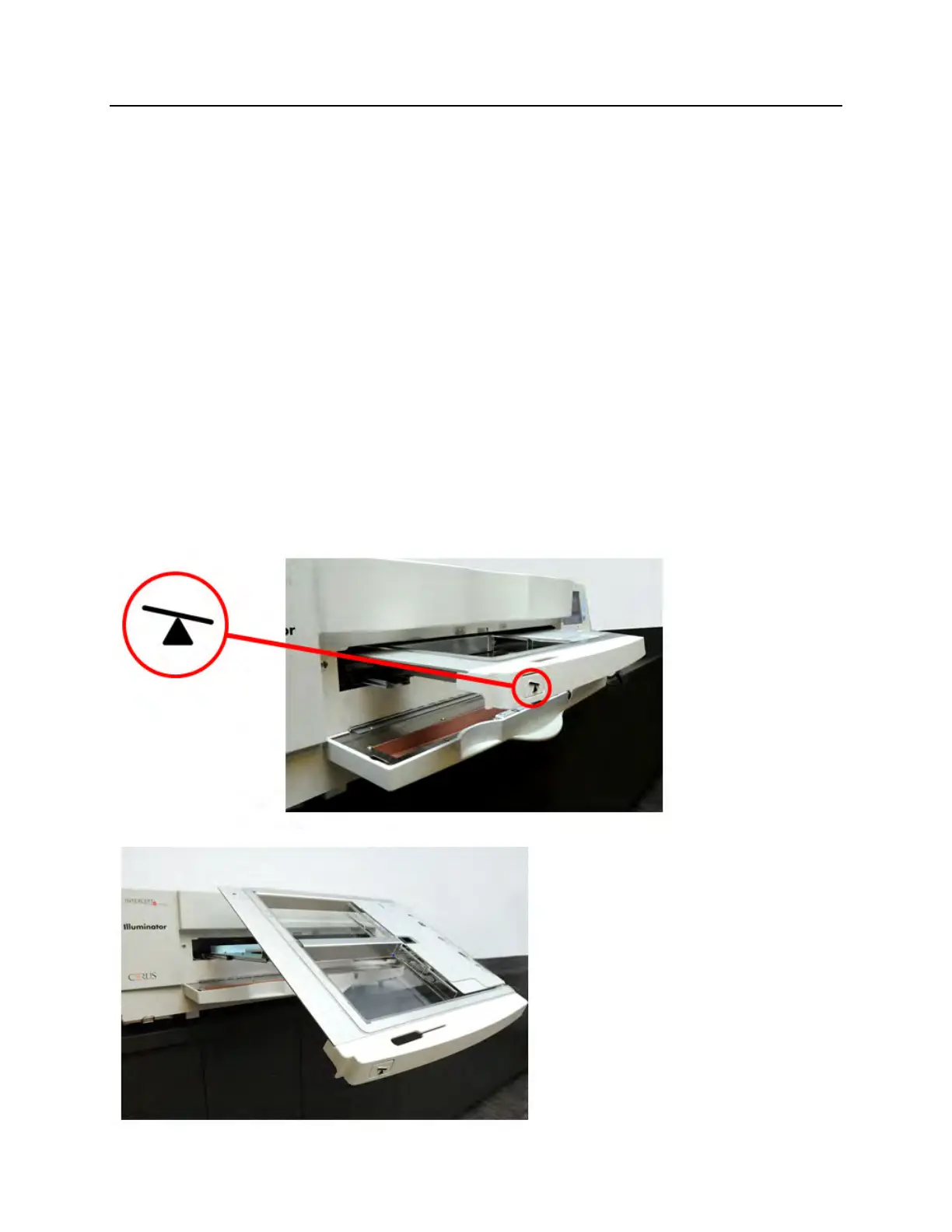
Illuminator trays may be tilted downward to make set loading and
unloading and tray cleaning easier. Follow the instructions below:
1. Open the front door of the illuminator.
2. Pull out the drawer.
3. Press the white button with the fulcrum symbol to tilt the drawer
downward.
NOTE:
The tray is designed to be able to hold the volume of a blood
product in the event of a leak.



 To Next Page