Connection Port to Services on an Endpoint Security Management Server
R81 Harmony Endpoint Server Administration Guide|37
Important:
SSL connection ports on Security Management Servers R81 and higher
n
A Security Management Server listens to SSL traffic for
all
services on the TCP port
443 in these cases:
l
If you performed a clean installation of a Security Management Server R81 and
enabled the Endpoint Policy ManagementSoftware Blade.
l
If you upgraded a Security Management Server with disabled Endpoint Policy
Management Software Blade to R81 and enabled this Software Blade after the
upgrade.
In these cases, when Endpoint Security SSL traffic arrives at the TCP port 443, the
Security Management Server automatically redirects it (internally) to the TCP port
4434.
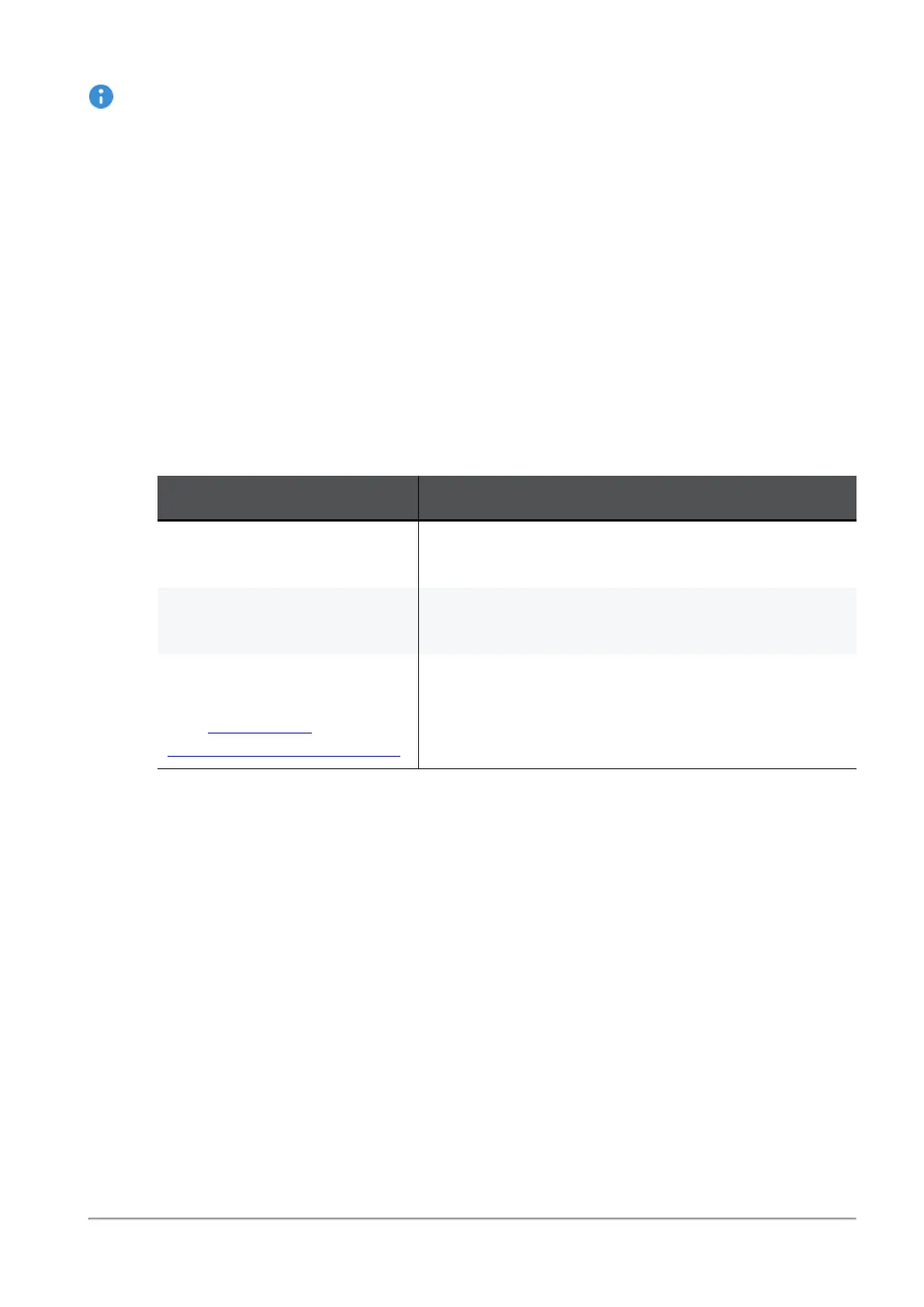
Service URL and Port
Gaia Portal
https://<IP Address of Gaia
Management Interface>
SmartView Web Application
https://<IP Address of Management
Server>/smartview/
Management API Web
Services
(see
Check Point
Management API Reference
)
https://<IP Address of Management
Server>/web_api/<command>
n
If you upgraded a Security Management Server with enabled Endpoint Policy
Management Software Blade to R81, then the SSL port configuration
remains
as it
was in the previous version, from which you upgraded:














 To Next Page