8 - INTERNET OF THINGS
INTERNET OF THINGS (ME)
ME2000S - User Manual
117 - 133
1
2
8.1 Accessing the machine via FTP
The machine can be accessed via FTP from an external host (Personal Computer) with an Ethernet interface.
CAUTION
All operations are protected by a Username and Password.
8.2 Remote access to the user interface via Ethernet or Wi-Fi
The machine is based on VNC technology and can be operated remotely via a LAN or Wi-Fi connection.
8.3 Availability of Web services
CAUTION
The machine uses DHCP.
Contact your network administrator to congure the machine with the correct IP address.
When the machine is connected to the company network (via an Ethernet cable or Wi-Fi), you can access it from
any PC connected to the network and can view/set certain functions:
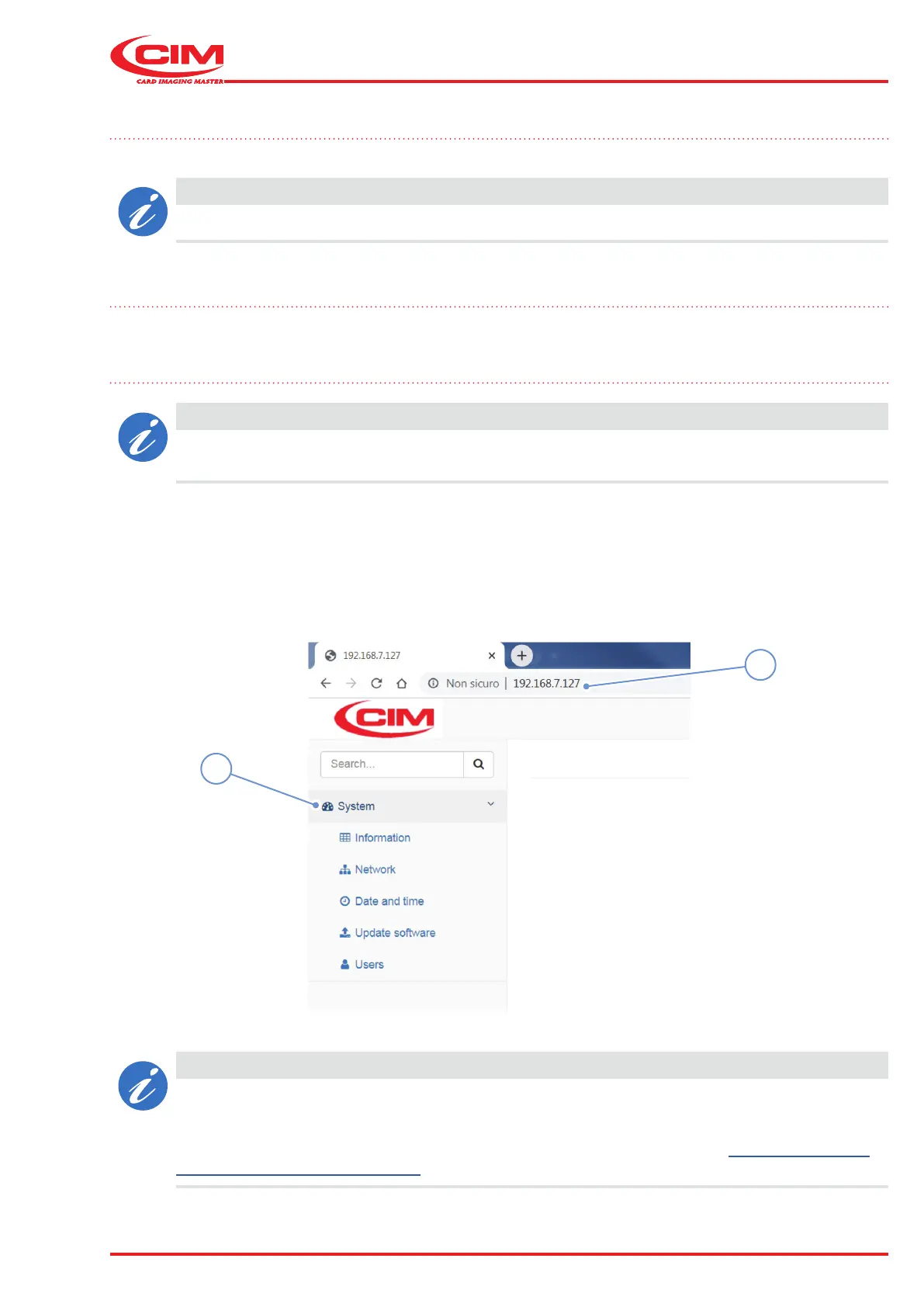
1) Open a web browser (Edge, Firefox, Chrome etc.)
2) Enter the machine's IP address in the address bar (1) and press Enter.
3) Select the “System” menu (2) to open the main menu.
CAUTION
The standard user is assigned as a "Guest” user. This only allows the information to be viewed,
without being able to modify it.
In order to modify parameters, you have to log in as a "SuperUser".
To obtain the "Superuser" password, you must send a request via email to cimtech@cimitaly.it -
techsupport-usa@cimusainc.com together with the serial number of the machine involved.



 To Next Page