5 - INSTALLATION
INSTALLAZIONE (ME)
ME2000S - User Manual
46 - 133
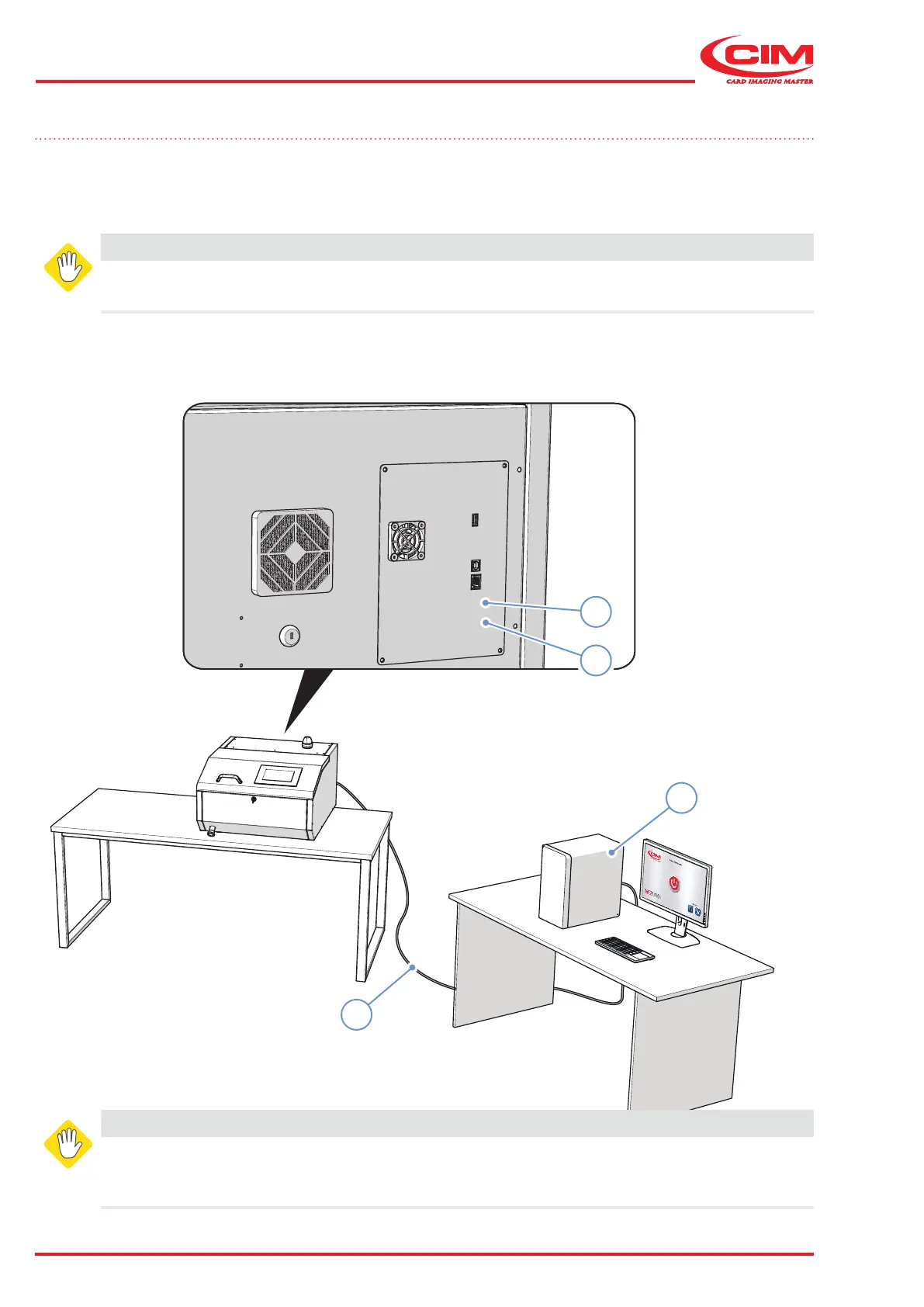
5.5 Connection to computer (ON-LINE mode)
ME2000S can be supplied with a 2 metre long cable (optional) for USB connection.
If an extension cable is required, the maximum permitted length is 5 metres, to be used in conformity with the
wiring scheme
Alternatively, ME2000S can be connected to the local area network (LAN) using an Ethernet cable via the socket (4).
WARNING
Connect the USB cable when the machine is turned o.
1) Connect the USB cable (1) coming from the computer (2) to the socket (3).
WARNING AVERTISSEMENT
For continued protecton against risk of re,
replace only with the same type and rating fuse.
Pour une protection continue contre le risque
d’incendie, ne remplacez qu’avec le même type
et valeur de fusible.
2
3
4
1



 To Next Page