6 - USE AND OPERATION
Impostazioni iniziali (ME2000S)
ME2000S - User Manual
54 - 133
A
B
1
2
3
1 mm
0,039 inch
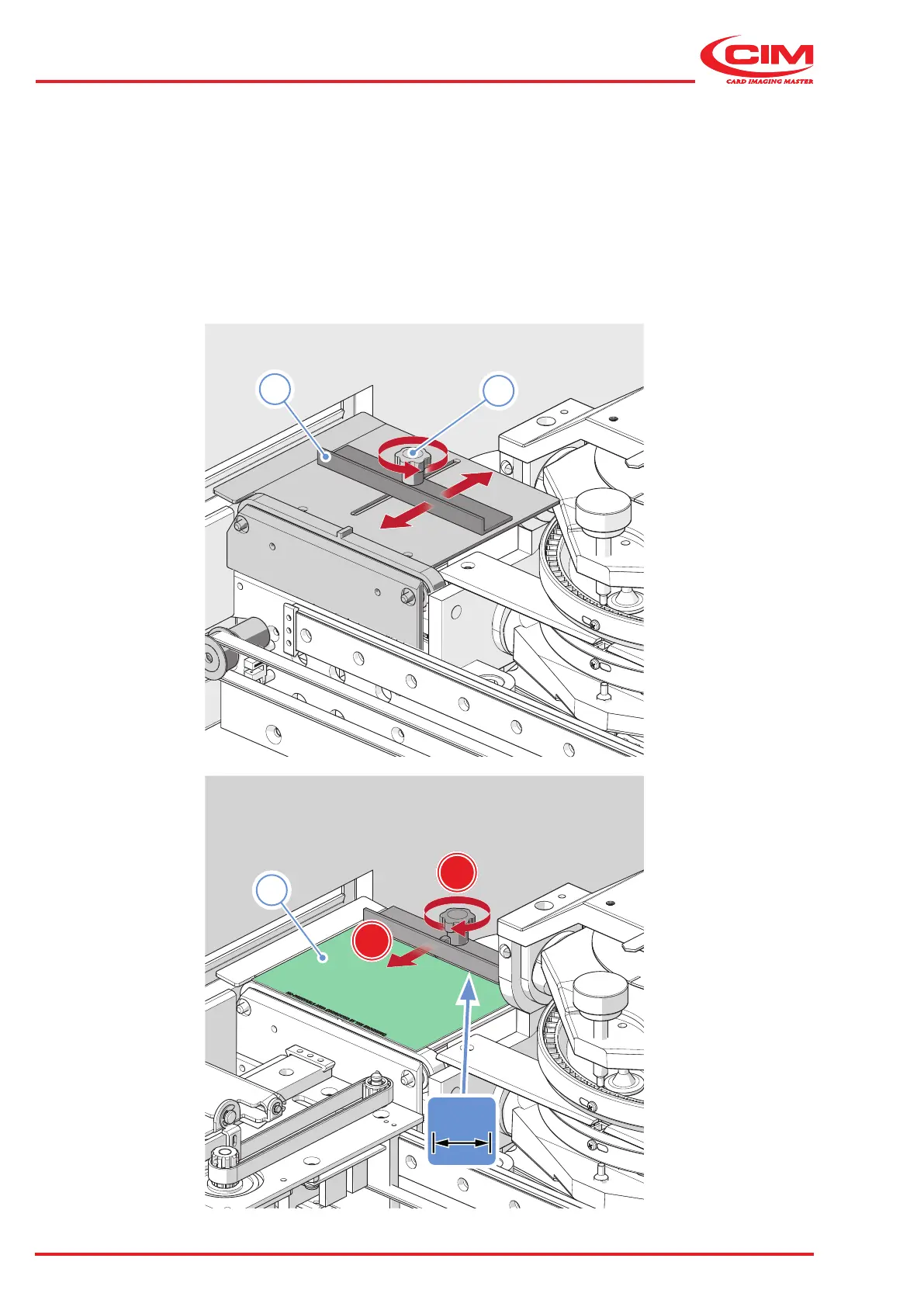
6.4.1 Unloading hopper ejector adjustment
1) Loosen the black knob (1) of the bracket (2).
2) Place a tag (3) on the ejection surface.
3) Move (A) the bracket towards the tag. Leave a gap of 1 millimetre between the bracket and the tag.
4) Tighten (B) the black knob.



 To Next Page