6 - USE AND OPERATION
Schermate display (ME)
ME2000S - User Manual
78 - 133
CONFIGURATION LAN MECHANICAL
PARAMETERS
PROTOCOLS
EMBOSSING
WHEEL
TAG TYPES
HOME
BACK
SET UP
TOP
TRANSLATION
TABLE
SAVE CONFIG
LOCALLY
5
6
7
8
3
4
2
1
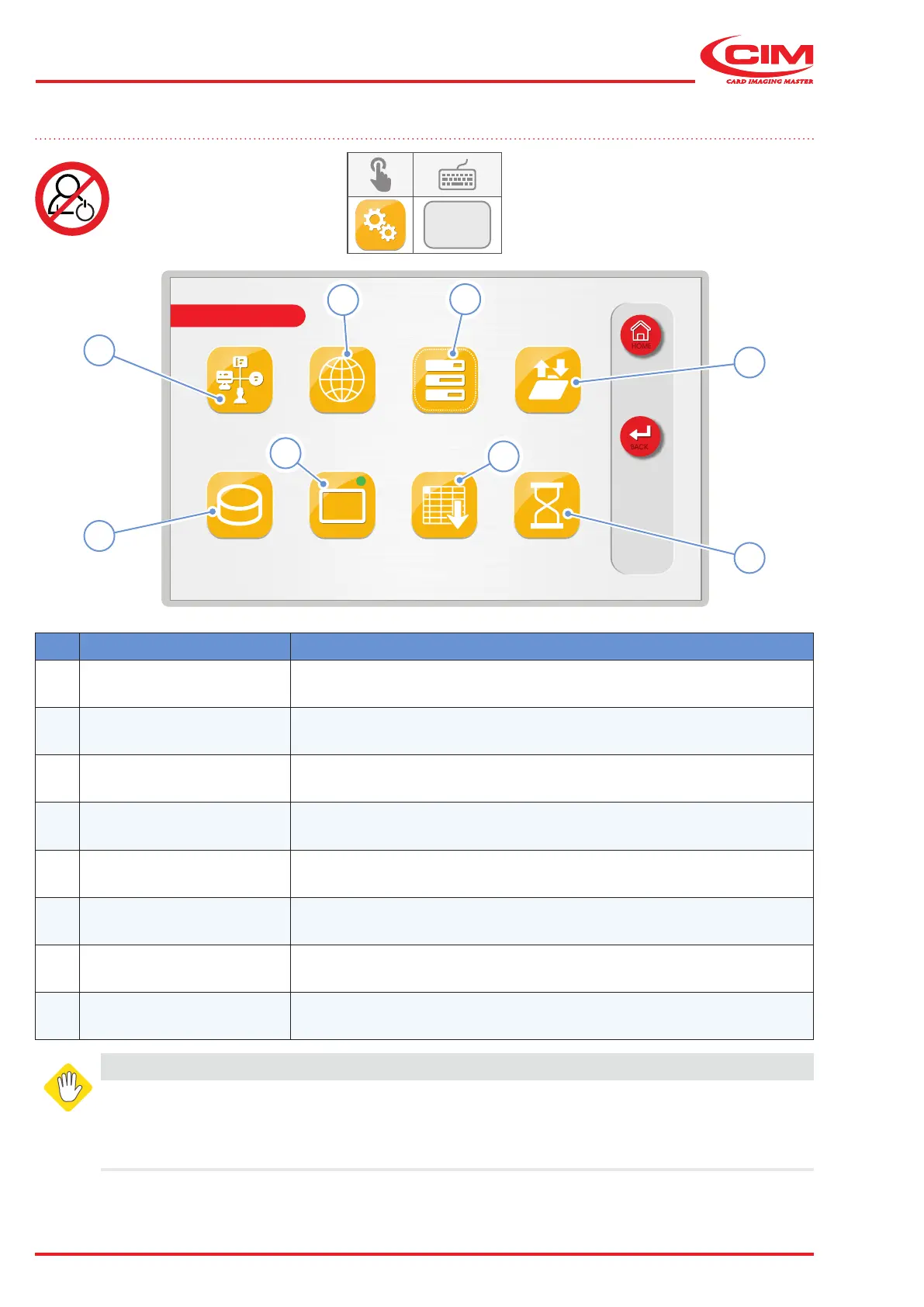
6.10 SETUP
F2
Ref. Function Description
1 [F1] CONFIGURATION Sets the general parameters of the machine.
2 [F2] LAN
Sets the network communication parameters between the machine and
the computer.
3
[F3]
MECHANICAL
PARAMETERS
Sets the mechanical parameters of the machine.
4 [F4] PROTOCOLS Sets the communication protocol.
5 [F5] EMBOSSING WHEEL
Set the type wheel conguration and displays the layout of the fonts
installed on the machine.
6 [F6] TAG TYPES Sets the size of the tags that the machine can produce.
7 [F7]
TOP TRANSLATION
TABLE
Sets the association of input characters with output characters.
8
[F8]
SAVE CONFIG
LOCALLY
Saves all the current parameters and settings to the machine's memory.
WARNING
This menu is password protected for safety reasons.
All the functions in the "SETUP" menu should only be set by qualied personnel or in any
case under their supervision. Some parameters, if not properly set, can cause the machine to
malfunction and may cause serious damage. Some parameters are set directly by the manufacturer



 To Next Page