6 - USE AND OPERATION
Impostazioni iniziali (ME2000S)
ME2000S - User Manual
55 - 133
1
2
3
1
4
1
3
2
4
1 mm
0,039 inch
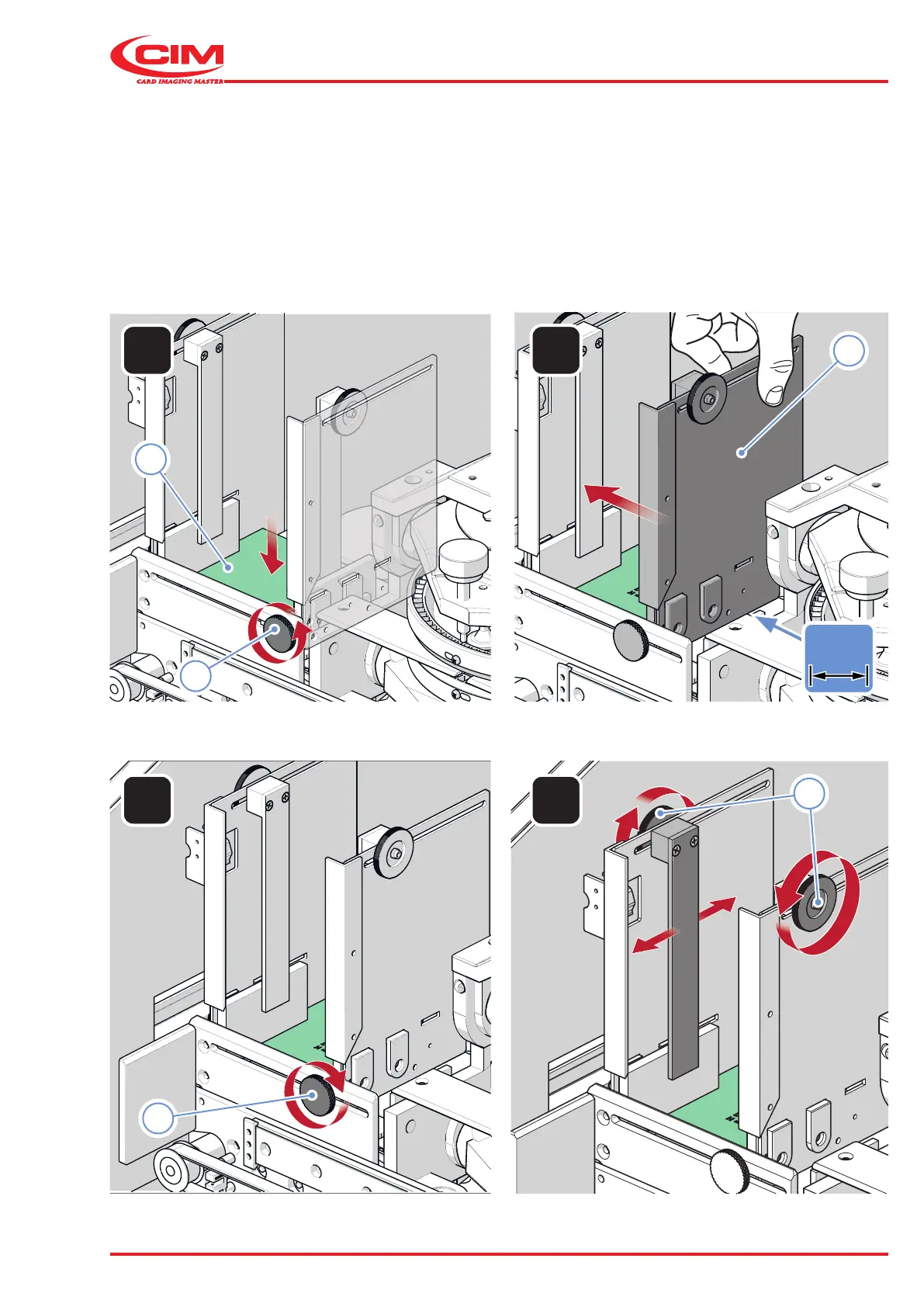
6.4.2 Unloading hopper lift adjustment
1) Loosen the knob (1) on the bottom of the support.
2) Place the tag (2) on the spring holder.
3) Move the right support (3) towards the tag until there is a gap of about 1 mm.
4) Tighten the knob (1).
5) Loosen the knobs (4) and repeat the procedure described in the loading hopper section.



 To Next Page