6 - USE AND OPERATION
Avviamento del sistema (ME)
ME2000S - User Manual
57 - 133
Press Start button
LAST JOBS
LOADING ...
On line: 4
LCD EDIT SETUP SERVICE
MAIN MENU
Select Menu button
A B
C
1
2
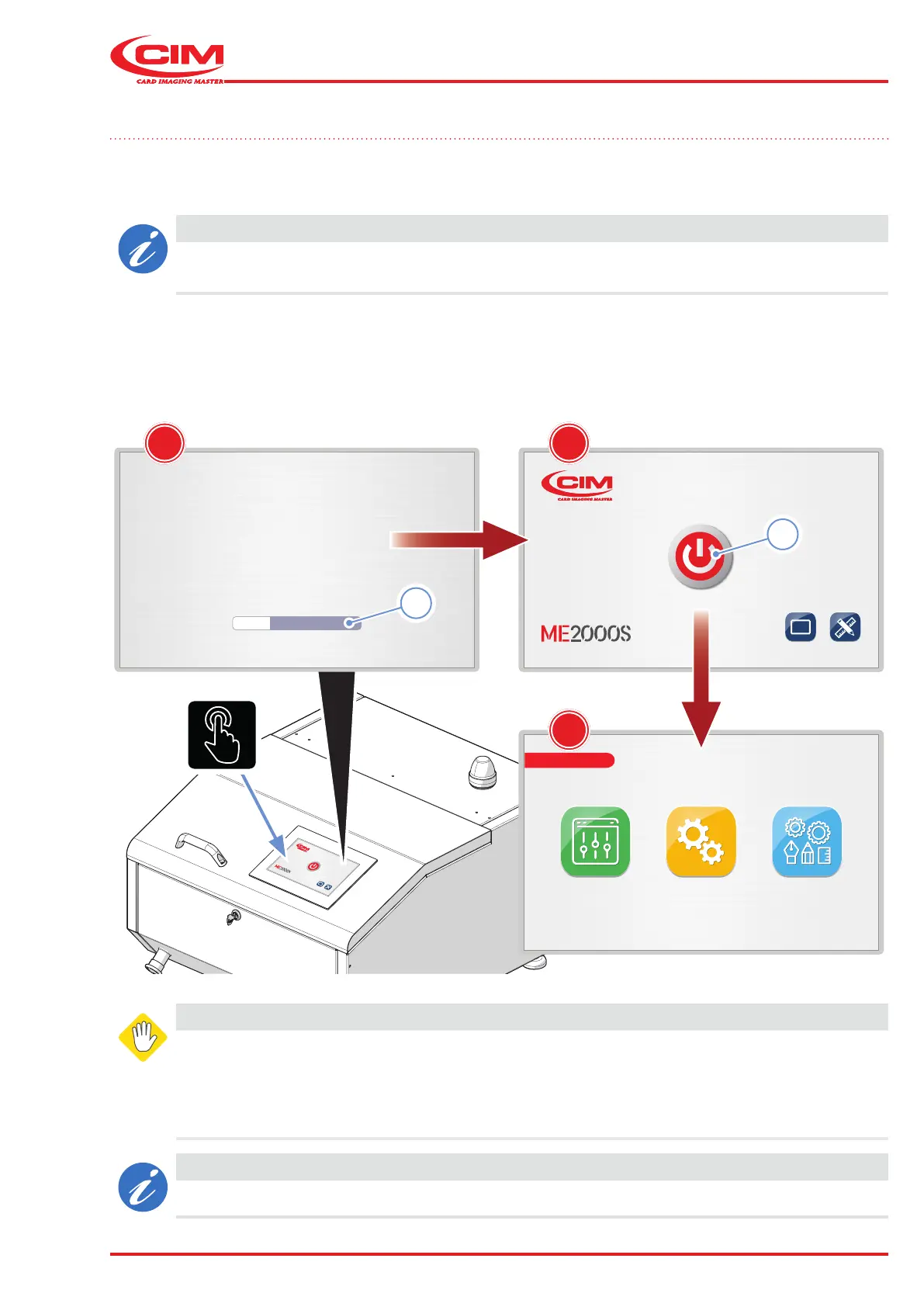
6.6 Starting the system
When the machine is started, it carries out a self-test cycle without showing any messages on the display.
After about 20 seconds, the screen (A) appears on the display, showing the system loading status (1). Once the
start-up procedure has been completed, the machine activation window (B) appears.
CAUTION
The display is fully touchscreen so you just have to touch the commands and controls displayed
on it to navigate and interact with the various screens.
1) Press the button (2) to activate the machine (the "reset" cycle starts. If there is a tag in the machine, it will be
ejected and the internal units will move to the machine "0” position).
2) The Main Menu screen (C) appears, indicating that the machine is ready for operation.
WARNING AVERTISSEMENT
If you hear unusual noises or sounds during
start-up or the display lights up but nothing
appears on the screen, switch o the machine
immediately and contact the after-sales service.
Si vous entendez des bruits ou des sons
inhabituels lors du démarrage ou si l’écran
s’allume mais que rien n’apparaît sur l’écran,
éteignez immédiatement la machine et
contactez le service après-vente.
CAUTION
If there are problems during start-up, please refer to the diagnostics section.



 To Next Page