2 - MACHINE DESCRIPTION
Pannello comandi LCD (ME)
ME2000S - User Manual
30 - 133
On line: 4
LCD EDIT SETUP SERVICE
MAIN MENU
Select Menu button
TAG PREVIEW FORMATS AUTOMATIC
JOB (USB)
SAVE JOB
REPORT TO
USB
AUTOMATIC
JOB (FTP)
AUTO
HOME
BACK
AUTO
LCD EDIT
CONFIGURATION LAN MECHANICAL
PARAMETERS
PROTOCOLS
EMBOSSING
WHEEL
TAG TYPES
HOME
BACK
SET UP
TOP
TRANSLATION
TABLE
SAVE CONFIG
LOCALLY
LANGUAGE TAG TEST OPERATIONAL
MODE
SYSTEM
INFORMATION
COUNTER TEST
HOME
BACK
SERVICE
SAVE CONFIG
TO USB
UPDATE
SOFTWARE
DISABLE COVER ERROR CODES TOUCH CALIB SAVE LOGS TO
USB
HOME
BACK
SERVICE
+ +
++
[Enter]
[F1] [F2] [F3]
[]
Press Start button
LAST JOBS
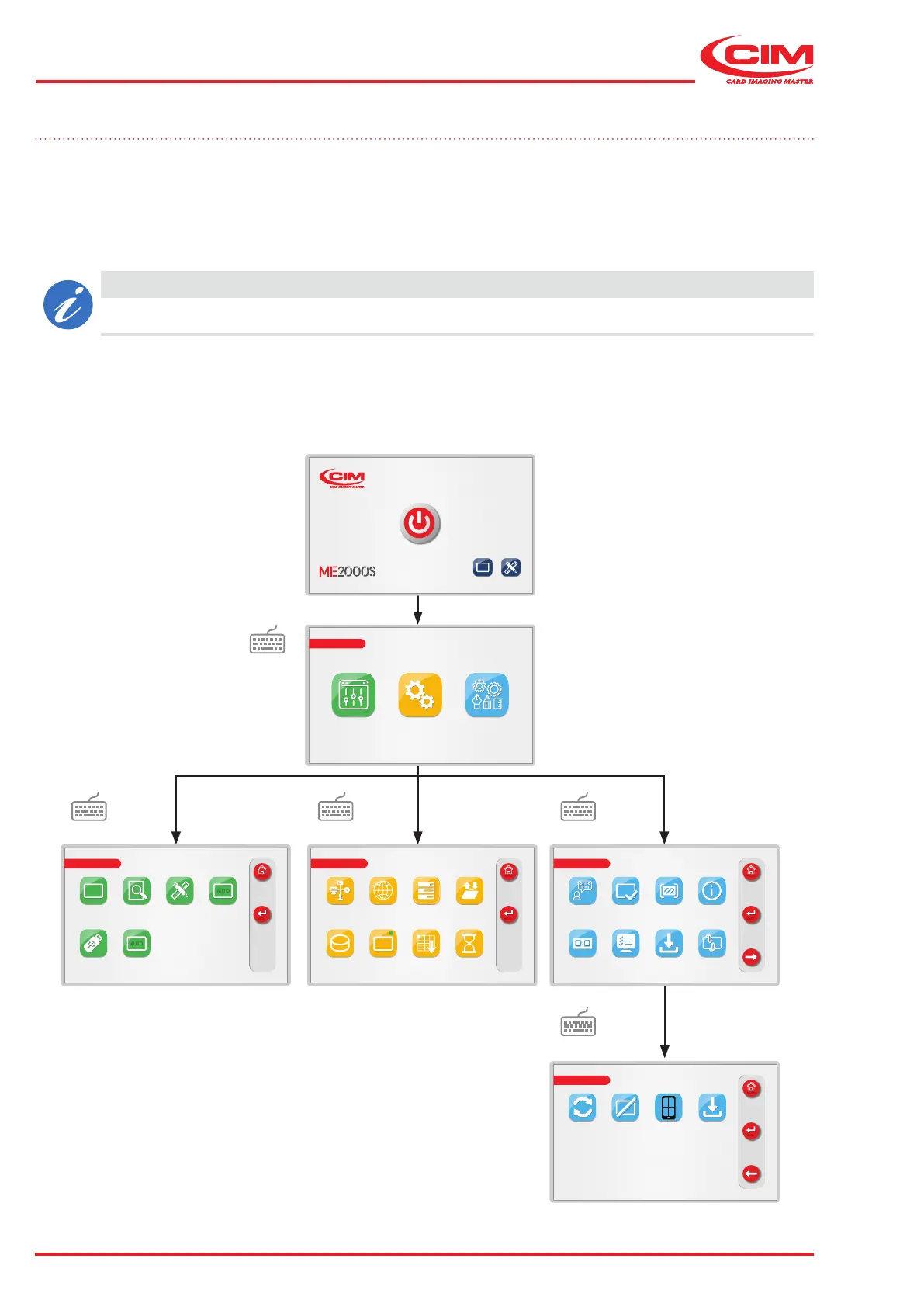
2.8 LCD control panel
The ME2000S control panel allows you to view:
• the operating status of the machine
• the functions related to the production of tags
• the operating parameters
• the machine settings
• symbols, logos and characters.
CAUTION
Refer to chapter 6 for a detailed explanation of the various screens that appear on the control panel.
It is also possible to connect a USB keyboard (not supplied) to enable faster data entry and to navigate between
screens using the function keys (F1, F2 etc.).



 To Next Page