6 - USE AND OPERATION
Schermate display (ME)
ME2000S - User Manual
92 - 133
LANGUAGE TAG TEST OPERATIONAL
MODE
SYSTEM
INFORMATION
COUNTER TEST
HOME
BACK
SERVICE
SAVE CONFIG
TO USB
UPDATE
SOFTWARE
5
6
7
8
3
4
2
1
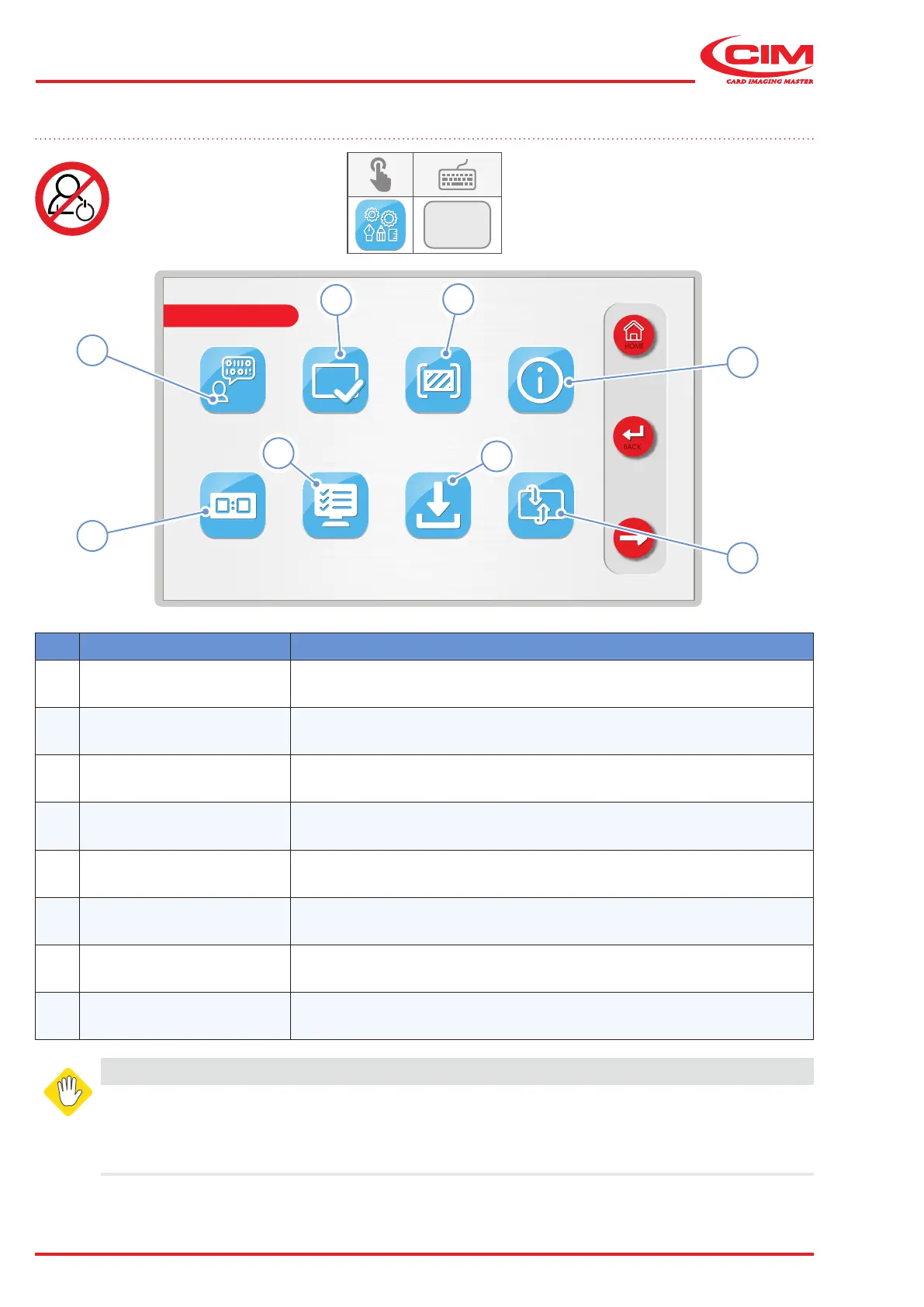
6.11 SERVICE
F3
Ref. Function Description
1 [F1] LANGUAGE Allows you to set the language of the interface from those available.
2 [F2] CARD TEST Carries out embossing tests.
3
[F3]
OPERATIONAL
MODE
Sets up some modes of operation.
4 [F4]
SYSTEM
INFORMATION
Provides technical information about the machine.
5 [F5] COUNTER
Displays the total and partial counters relating to the number of tags
produced.
6 [F6] TEST Carries out tests on various machine components.
7 [F7]
SAVE CONFIG TO
USB
Saves the LcdEdit formats, parameters and machine settings to a USB
memory stick.
8
[F8]
UPDATE SOFTWARE Updates the machine's rmware.
WARNING
This menu is password protected for safety reasons.
All the functions in the "SERVICE" menu should only be set by qualied personnel or in any
case under their supervision. Some parameters, if not properly set, can cause the machine to
malfunction and may cause serious damage. Some parameters are set directly by the manufacturer



 To Next Page