7 Operations Listed By Purposes 85
5.2 Collecting Data in USB Memory
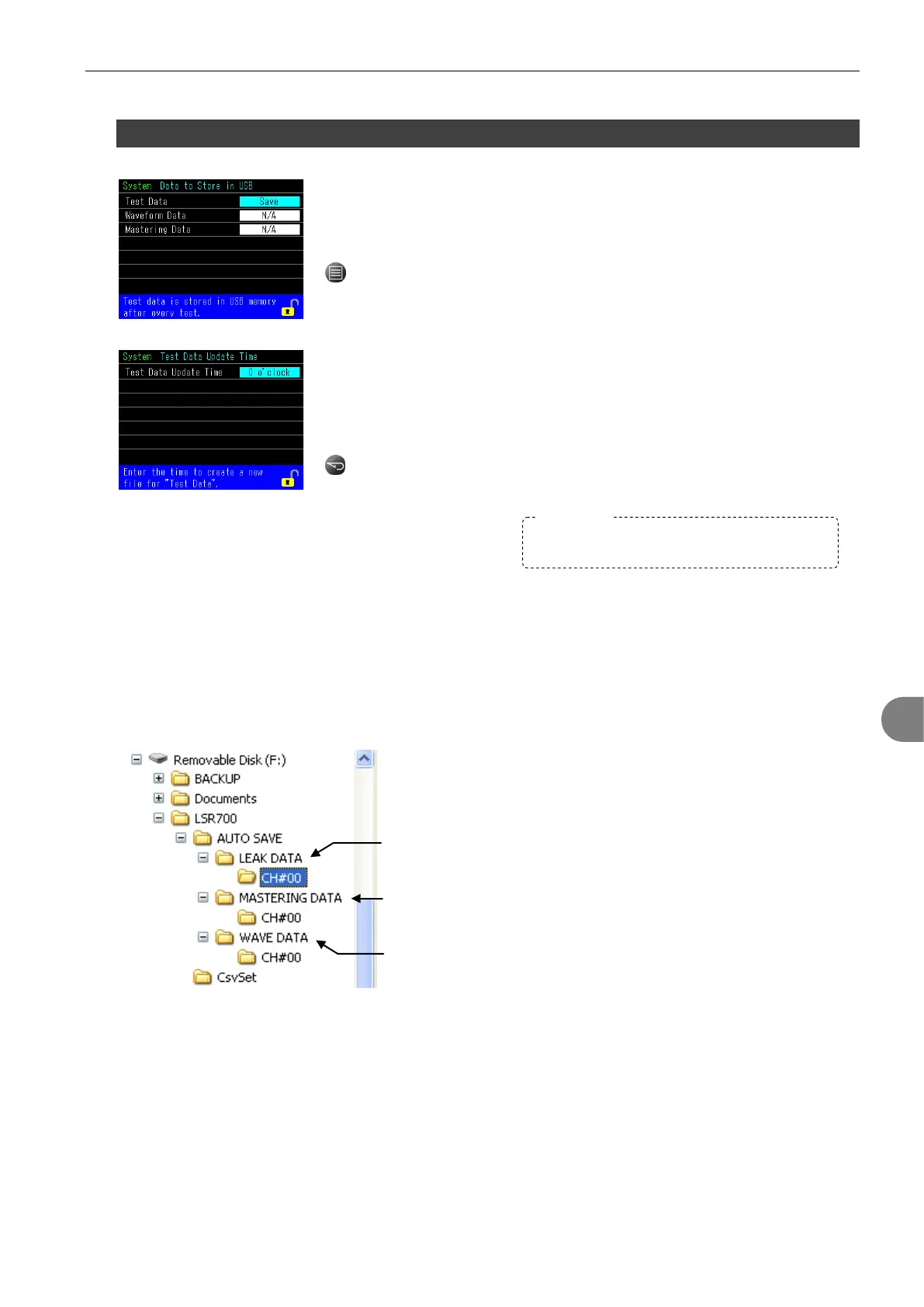
Data to store in USB Memory can be selected from Test Data, Waveform Data
and Mastering Data. More than one can be selected.
Select Data to store in USB memory.
> Main Menu > System > Data to Store in USB
When Test Data is selected above, a new file is created once a day at the
programmed time. Usually timer is set any time between the last shift and
the first shift.
Set the time to create a new file for Test Data
> System > Test Data Update Time
Viewing The Stored Data in USB
Pull out the USB memory from LS-R700 and connect it to your computer.
All the data is in CSV format
Data is automatically named by the date and time and stored in each folder sorted by channels.
Folder for “Test Data”
Folder for “waveform Data”
Folder for “Mastering Data”
Please leave the USB Memory on the USB port
all the time for the data collection.


 To Next Page