Applications
Analog Input: Image to CPU AI Memory and V Memory;
Analog Output: Image to CPU AQ Memory and V Memory;
Table 6-2 Valid address range for Memories
Important Note: For specified modules, the I/O Type and Length cannot be modified unless the
module type is Universal Module. The system would check the validity automatically for selected
address. If corresponding module type cannot be found under SM277C, you can add Universal
Module and make custom settings.
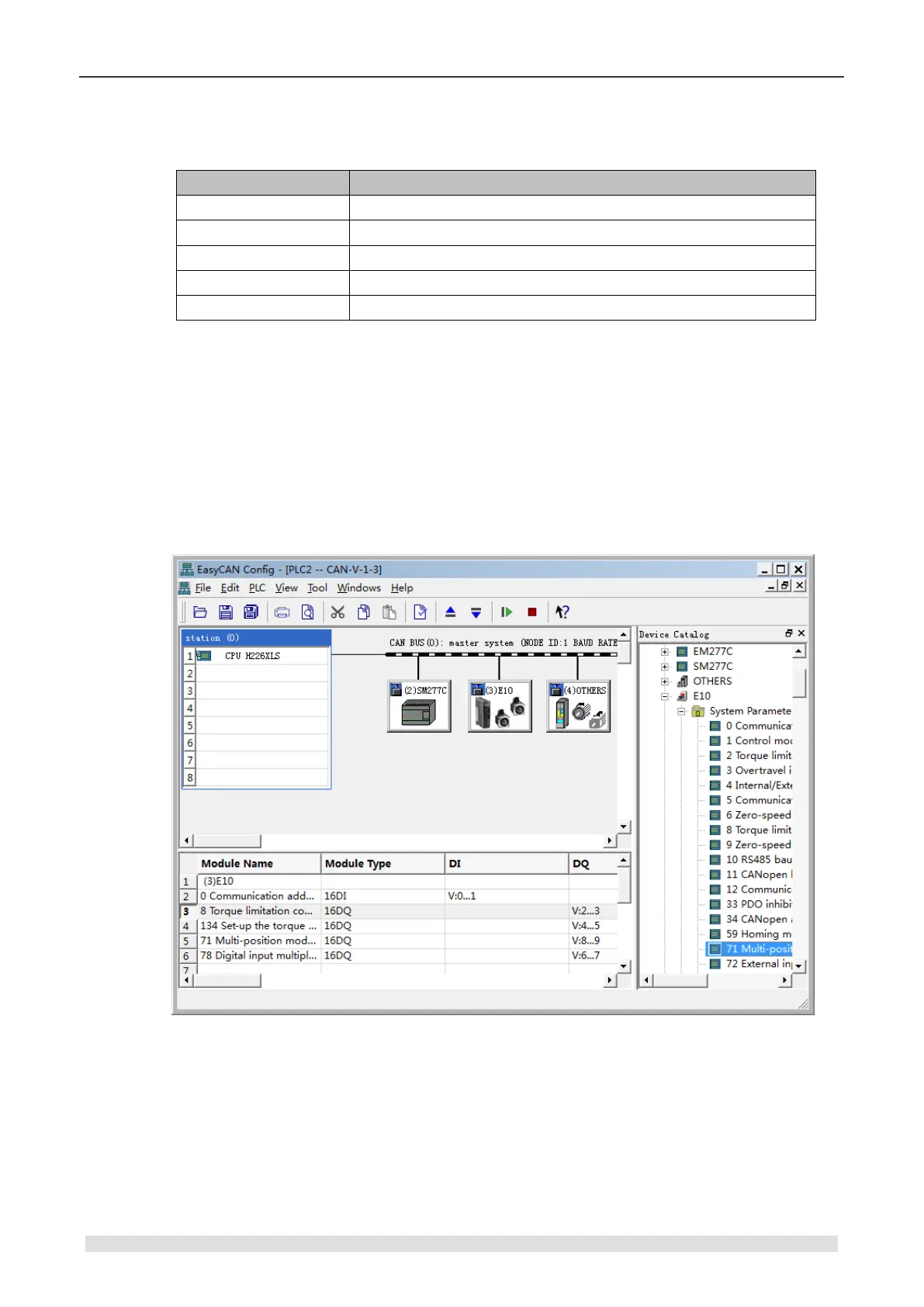
4) Configure Parameters for Slave CT E10
Click the Device Tree to open the various parameter types under CT E10, select required
parameters and add them into module list. After that the minimal available I/Q addresses would
be assigned automatically, you can modify that by double-clicking.
Figure 6-10 Configure slave E10
Modify IO Configuration
Double-click any parameter in the module list, the following dialog appears:


 To Next Page