CTH200 Series PLC User Manual
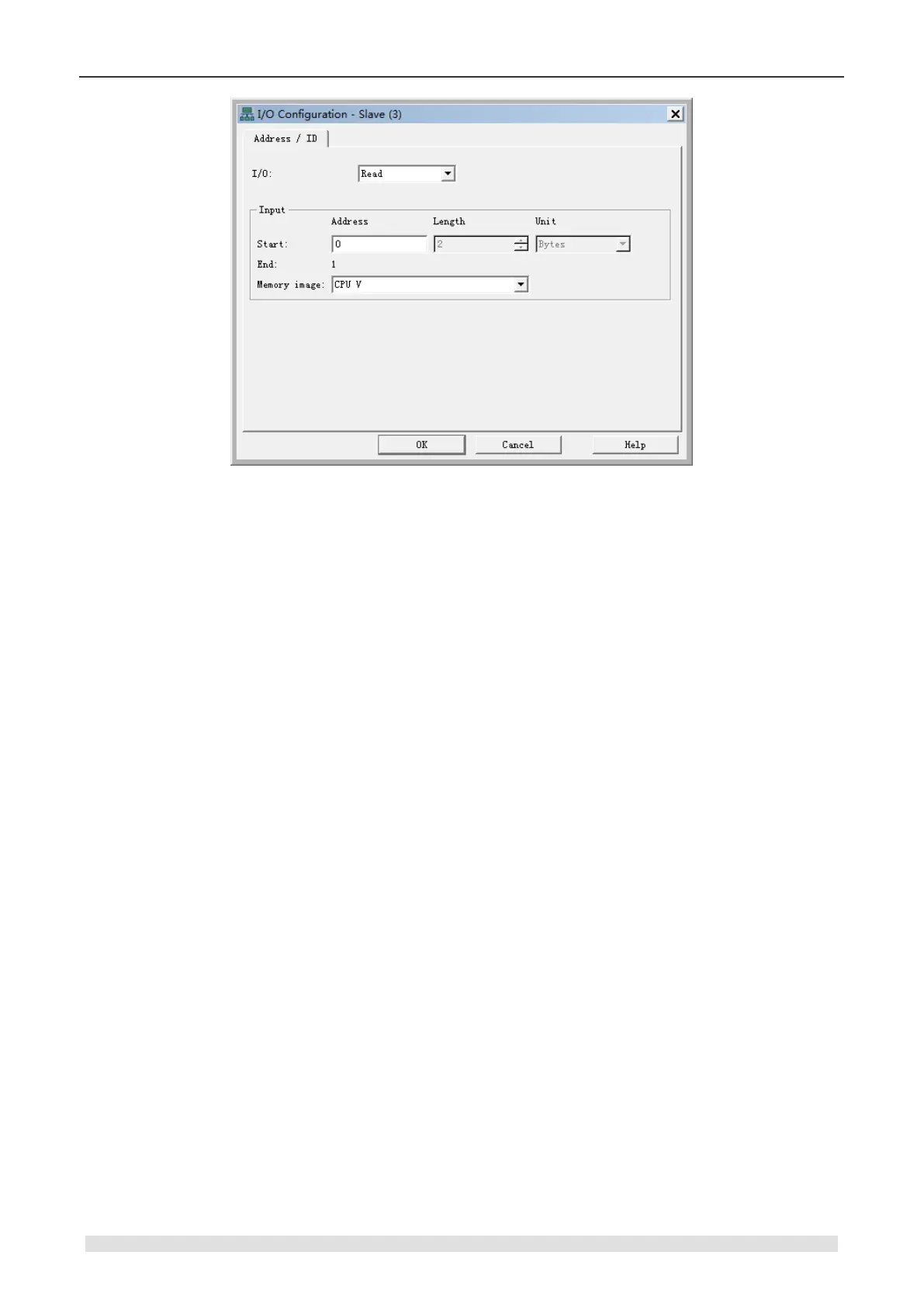
Figure 6-11 I/O configuration
I/O: Set the Read/Write attribute for parameters.
Start
• Address: set the Start address for parameters.
• Length: use Default value, not editable.
• Unit: use Default value, not editable.
End: Use the value calculated by system.
Memory image: Select the Memory image type for CPU, the available type is related with I/O
Read/Write type.
5) Configure Parameters for Third-party Slave
MagicWorks PLC V1.73 and above supports the third-party CANopen slave configuration, click to
expand the Device Tree on the right, open OTHERS slave node to select required parameters
and add them into module list. After that the minimal available I/Q addresses would be assigned
automatically, you can modify that by double-clicking.


 To Next Page