27
44000-UG-01-01-EN_CPI_Paypod Embedded Pay Station_User Guide_V1.1.pdf
Design and Function
Paypod™ Embedded Pay Station
Published by CPI
3.6.1.4 Coin Acceptance Unit
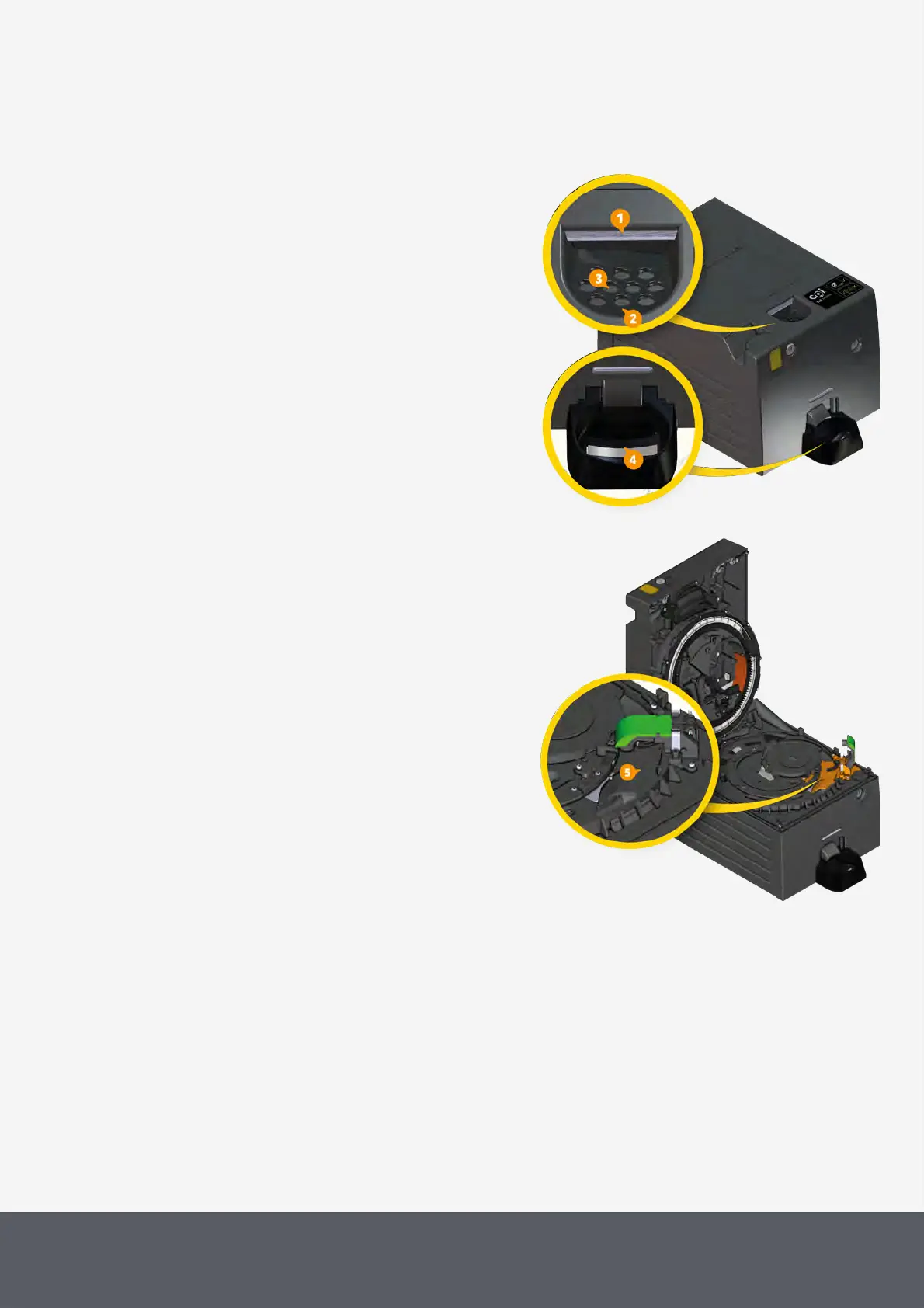
If the coin input LED [1] is green, one or more coins can be
dropped into the coin input funnel[2]. Sensors in the funnel
detect the coins and start the Paypod™ pay station for val-
idating and accepting the coins. The LED is now flashing
green.
To ensure that no foreign objects reach the coin path the
coin input funnel has holes allowing foreign particles to fall
in the dust tray[3]. Other larger objects are separated
from the coins in the acceptance unit and directed to the
coin return cup[4].
Coin Input Funnel and Return Cup
The core of the lockable coin acceptance unit is the coin
validator[5]. Here the coins pass sensors checking their
material properties and dimensions. A so-called accep-
tance band, which consists of an upper limit value and a
lower limit value, is stored for each coin denomination pro-
grammed in the Paypod™ pay station guaranteeing that
the pay station knows whether to accept a coin or not. If
the measured values of a coin are within the acceptance
band, the coin is accepted for sale and sorted to the appro-
priate coin recycling unit (hopper), whereas coins with
measured values outside of the acceptance band, will be
rejected and directed to the return cup [4].



 To Next Page