60
44000-UG-01-01-EN_CPI_Paypod Embedded Pay Station_User Guide_V1.1.pdf
Paypod™ Embedded Pay Station
Operation
Published by CPI
Do not unlock the lid and press the push-
button to open the lid when the payout
unit is open. This unlatches the coin ac-
ceptance unit and may damage the
device or result in injuries.
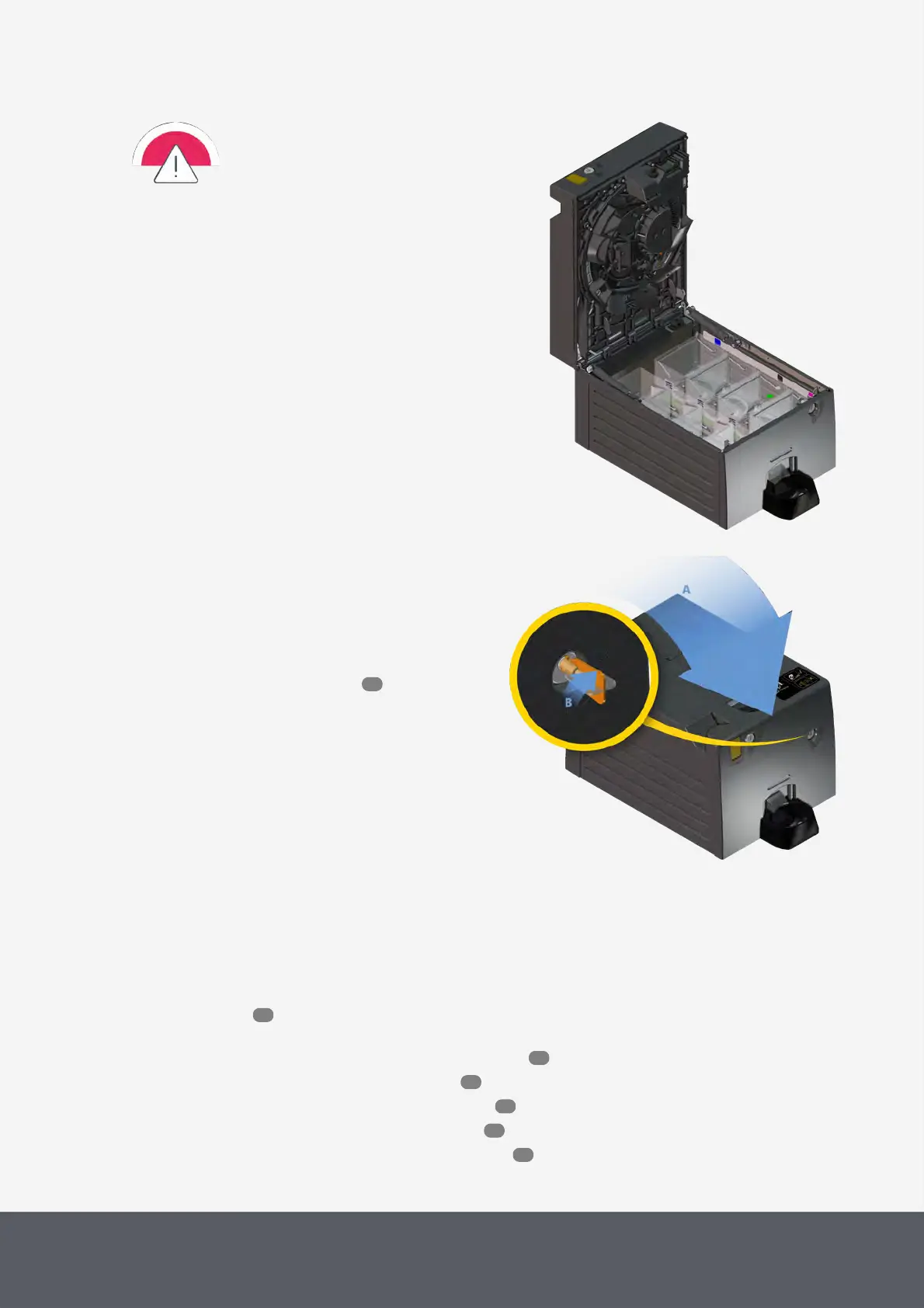
Coin Recycler's Payout Unit Open
To close the payout unit again
1 Close the coin recycler again[A].
The coin recycler will automatically perform a full reset.
2 Turn the key clockwise as far as it will go[B], pull it out
of the lock and store it in a safe place.
3 Close the Paypod™ pay station again.
Closing Coin Recycler's Payout Unit
4.10 Removing and Reinstalling Banknote recycling units
Read here how to remove a banknote recycler unit for maintenance purposes for instance. Depending on the Paypod™
pay station version you have, the pay station is equipped with a certain banknote recycler. Please refer to the rel-
evant instructions:
· Removing and reinstalling the E22banknote acceptance unit
· Removing and reinstalling the E22banknote vault
· Opening and closing the E22banknote transporting unit
· Removing and reinstalling the E22banknote cash box
· Removing and reinstalling the E23/E24banknote cash box
55
10
61
62
63
64
65



 To Next Page