78
44000-UG-01-01-EN_CPI_Paypod Embedded Pay Station_User Guide_V1.1.pdf
Paypod™ Embedded Pay Station
Handling Cash
Published by CPI
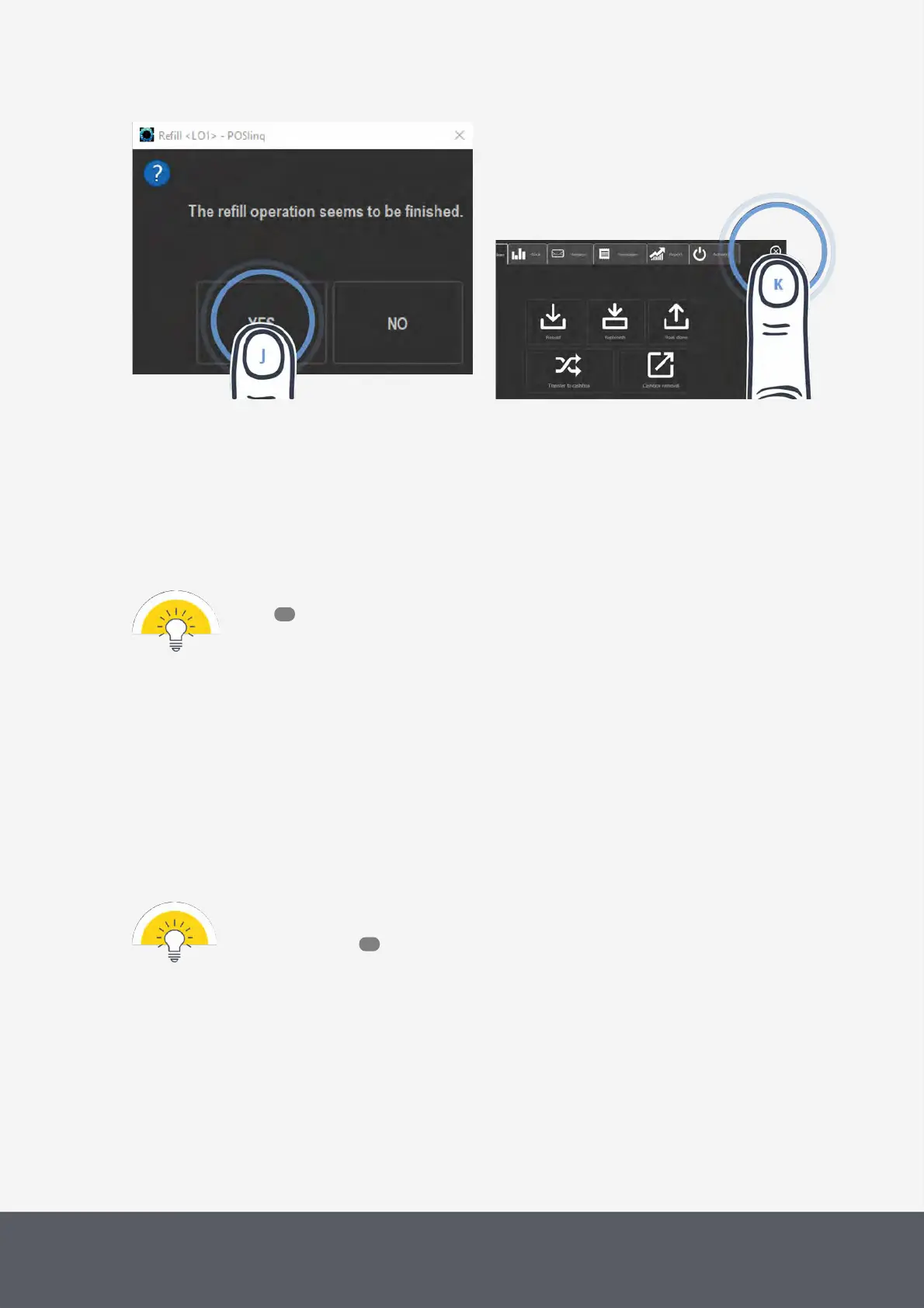
Completing Filling Process of E24 Banknote Loading Unit
Closing Administration Screen
15 Confirm upcoming message with YES[J].
The middleware returns to the administration screen.
16 Tap the X button to close screen[K].
Refilling the recycler units from the loading unit
Provided that the loader cassette is filled, banknotes are transferred to the recycling units automatically whenever
change is running low depending on the banknote recycler's configuration of a minimum stock of banknotes.
In case the loading unit is empty, the POSlinq™ middleware asks you to refill the loader cas-
sette .
5.2 Transferring Banknotes to Cash Box
If you would like banknotes to be separated from the recycling process and saved in the lockable cash box, use the
POSlinq™ middleware or your POS software to transfer surplus banknotes from the recycling unit(s) to the cash box.
This function is based on your permission level and normally resides with a manager or administrator. Please note that
all banknotes are transferred except for a minimum stock of banknotes which can be configured as an option. Bank-
notes cannot be transferred individually. In case the recycler unit(s) is/are full the transfer is done automatically.
In case, the E24banknote recycler is configured for usage of the loading unit, not only the bank-
notes in the recycling units but also all loading unit banknotes are transferred to the cash box for
emptying purposes .
76
89



 To Next Page