56
44000-UG-01-01-EN_CPI_Paypod Embedded Pay Station_User Guide_V1.1.pdf
Paypod™ Embedded Pay Station
Operation
Published by CPI
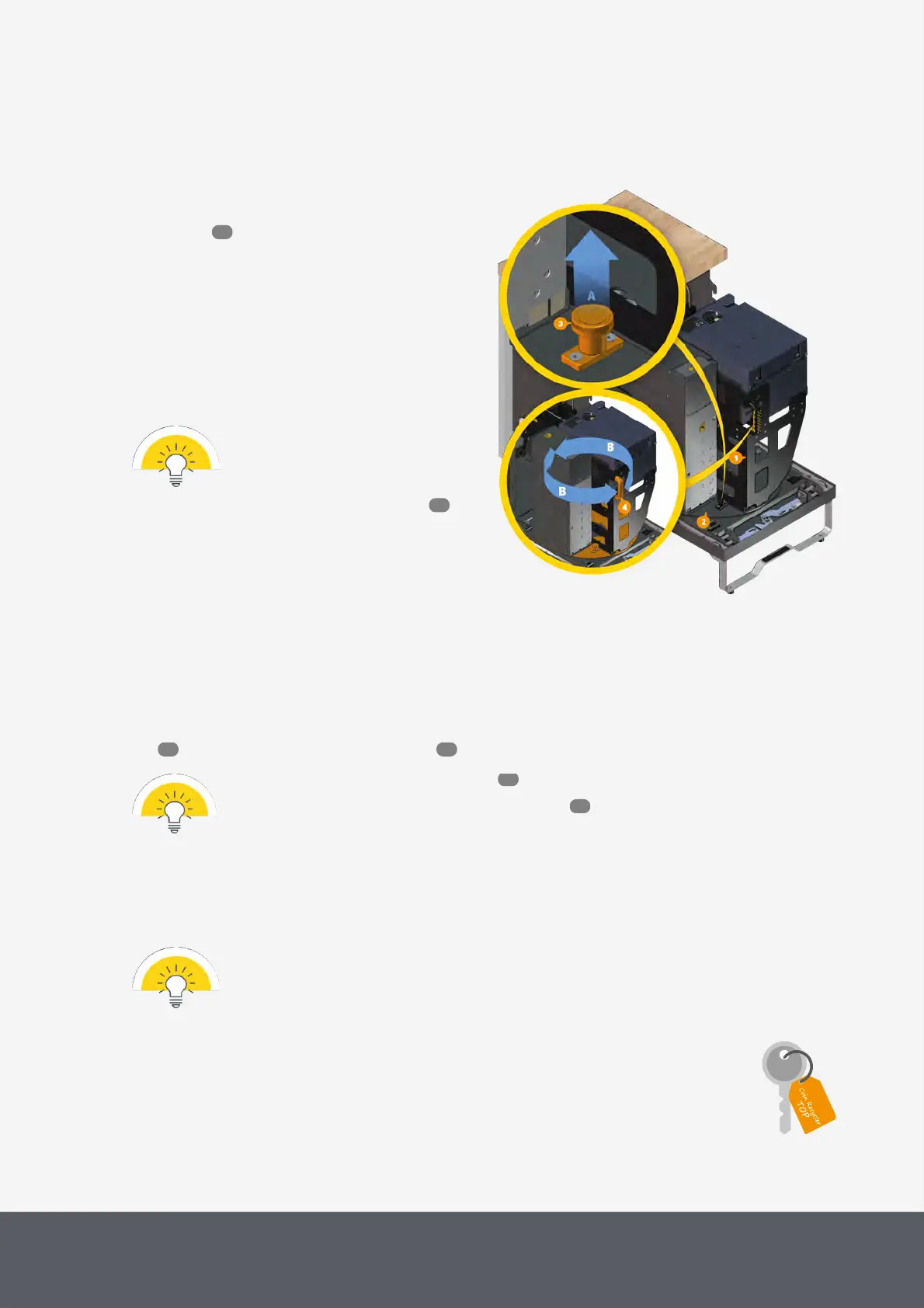
4.8 Easily Accessing the Payment Components
For easy access, the payment component cart[1] is
mounted on a turntable[2]. After having opened the pay
station door and extracted the payment component
cart, the payment components can be rotated clockwise or
counter-clockwise depending on which payment compon-
ent you want to access:
1 Lift locking peg[3][A].
The turntable is unlocked.
2 Use cart handle[4] to rotate the turntable[B].
The locking peg automatically locks in place with
every quarter-turn of the turntable.
Ensure that the cart handle points to the
front and the cart is locked in place
(locking peg in down position) before
moving the cart back into the chassis
and close the pay station door .
Turning Payment Component Cart's Turntable
4.9 Opening and Closing the Coin Recycler
The coin recycler can be opened from the top. Depending on the keys you have you can access either the acceptance
unit or the acceptance unit and the payout unit .
· Please refer to the pay station key locks for details on all pay station keys.
· To gain access to the coin recycler please read here .
4.9.1 Opening and Closing the Coin Recycler's Lid
Though the coin recycler stops running when the lid is open, you should always wait until a transac-
tion has been finished before you open the lid to not affect the coin counters.
The lid covers the coin acceptance unit of the coin recycler and can be opened and closed using the key
for the upper lock.
To open the lid
53
55
56 59
19
53



 To Next Page