121
44000-UG-01-01-EN_CPI_Paypod Embedded Pay Station_User Guide_V1.1.pdf
Troubleshooting
Paypod™ Embedded Pay Station
Published by CPI
8 If the note jammed is easy to retrieve and not twisted around the tape, carefully grasp the edge of the note and
slowly pull it towards you[G].
If the note jammed is not easy to retrieve or twisted around the tape, please contact your service partner.
Improper pulling out of jammed notes may result in damaged tapes and replacement of pay sta-
tion components!
We recommend you to only remove the banknote(s) jammed.
Any notes removed from the system will be reported as missing. Thus, please make sure that your
administrator will report the retrieved notes and adapt the cash counter.
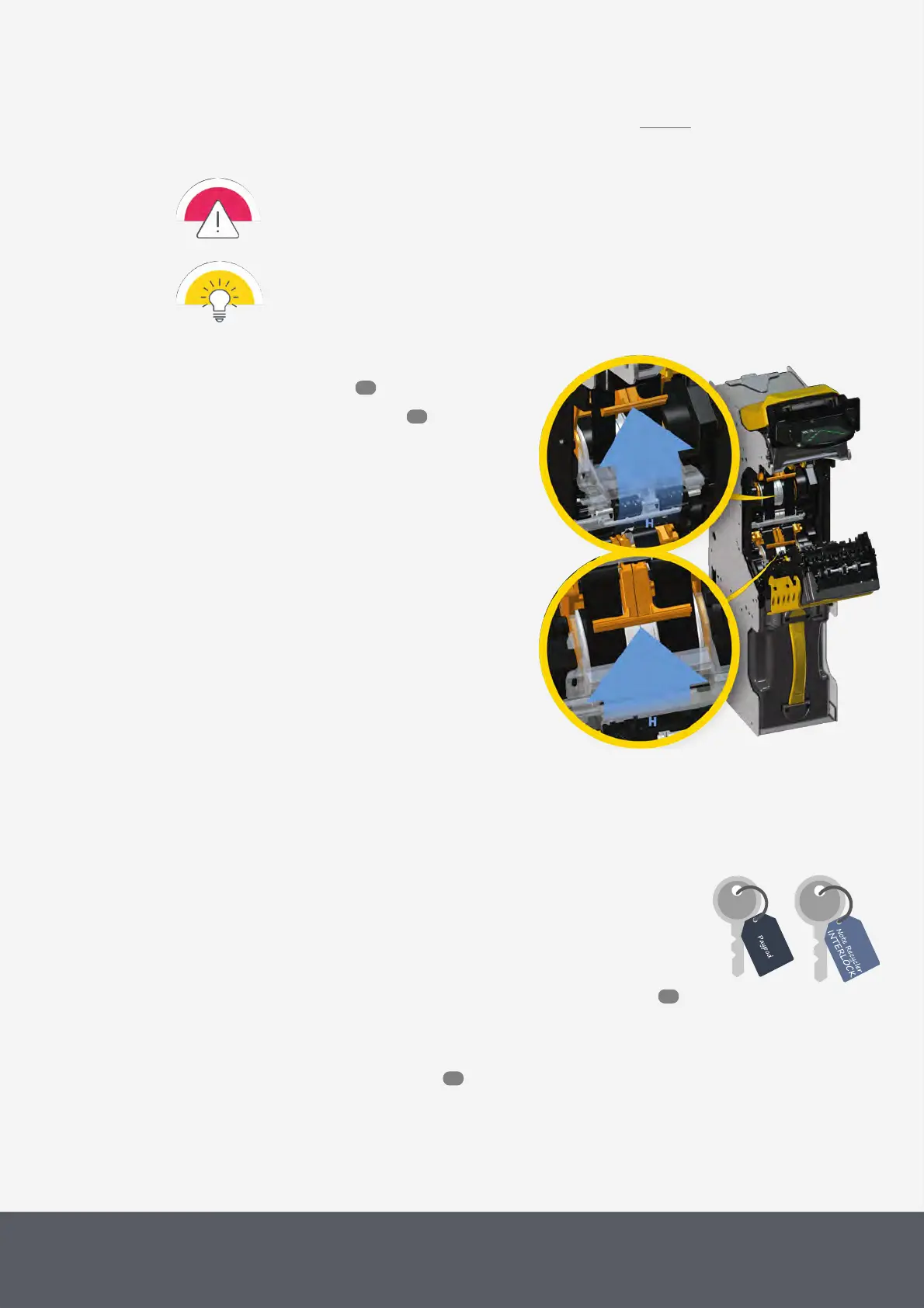
9 Close both recycler drums[H].
10 Close transporting unit again.
11 Close the Paypod™ pay station again.
Closing E22 Banknote Recycling Drums
7.2.1.3 Clearing a Banknote Jam in the E22 Cash Box
To retrieve the jammed note(s) and return functionality to the machine:
1 First, always try to remove the note from the transporting/recycling unit to not torn the note when remov-
ing the cash box.
If the banknote cannot be reached by opening the transporting unit:
2 Gain access to the banknote recycler .
(Behind the bezel, you see the yellow LED at the top of the recycler is flashing three times.)
64
55
119
53



 To Next Page