70
44000-UG-01-01-EN_CPI_Paypod Embedded Pay Station_User Guide_V1.1.pdf
Paypod™ Embedded Pay Station
Operation
Published by CPI
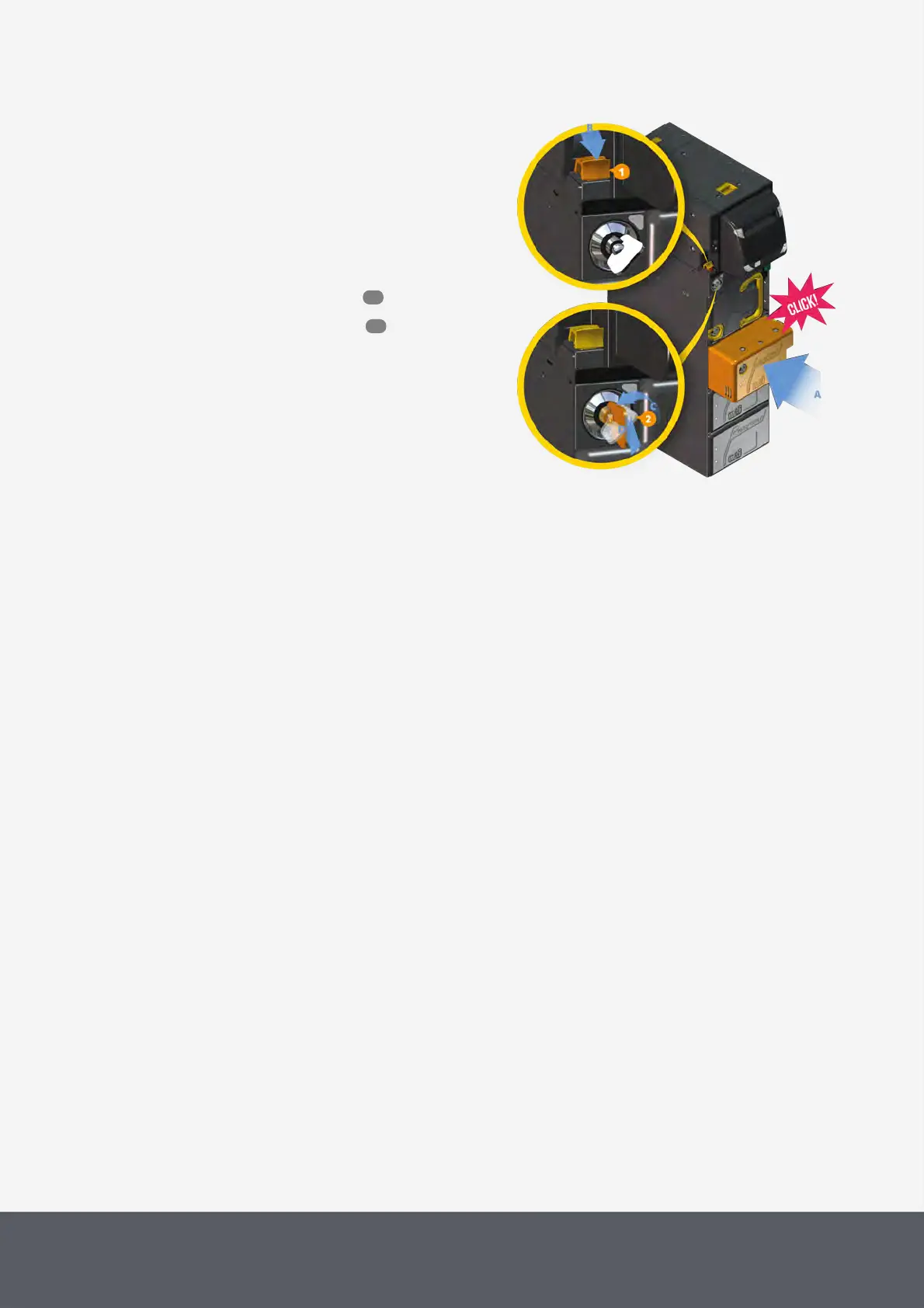
To reinstall the banknote loader cassette
1 Reinsert the cassette until it locks in place[A].
2 Push the yellow interlock system lever[1] back to the
front[B].
3 Turn the key[2] counter-clockwise[C], pull it out of the
lock[D] and also store it in a safe place.
The banknote recycling units are locked in place.
4 Close the Paypod™ pay station again.
5 Switch pay station off and on again to reset the
banknote recycler.
Reinserting E24 Banknote Loading Unit and Locking Interlock
System
4.10.7 Removing and Reinstalling the E23/E24 Banknote Recycling Units
The E23 and E24banknote recycling units may only be removed by your Service Partner.
55
46



 To Next Page