47
44000-UG-01-01-EN_CPI_Paypod Embedded Pay Station_User Guide_V1.1.pdf
Operation
Paypod™ Embedded Pay Station
Published by CPI
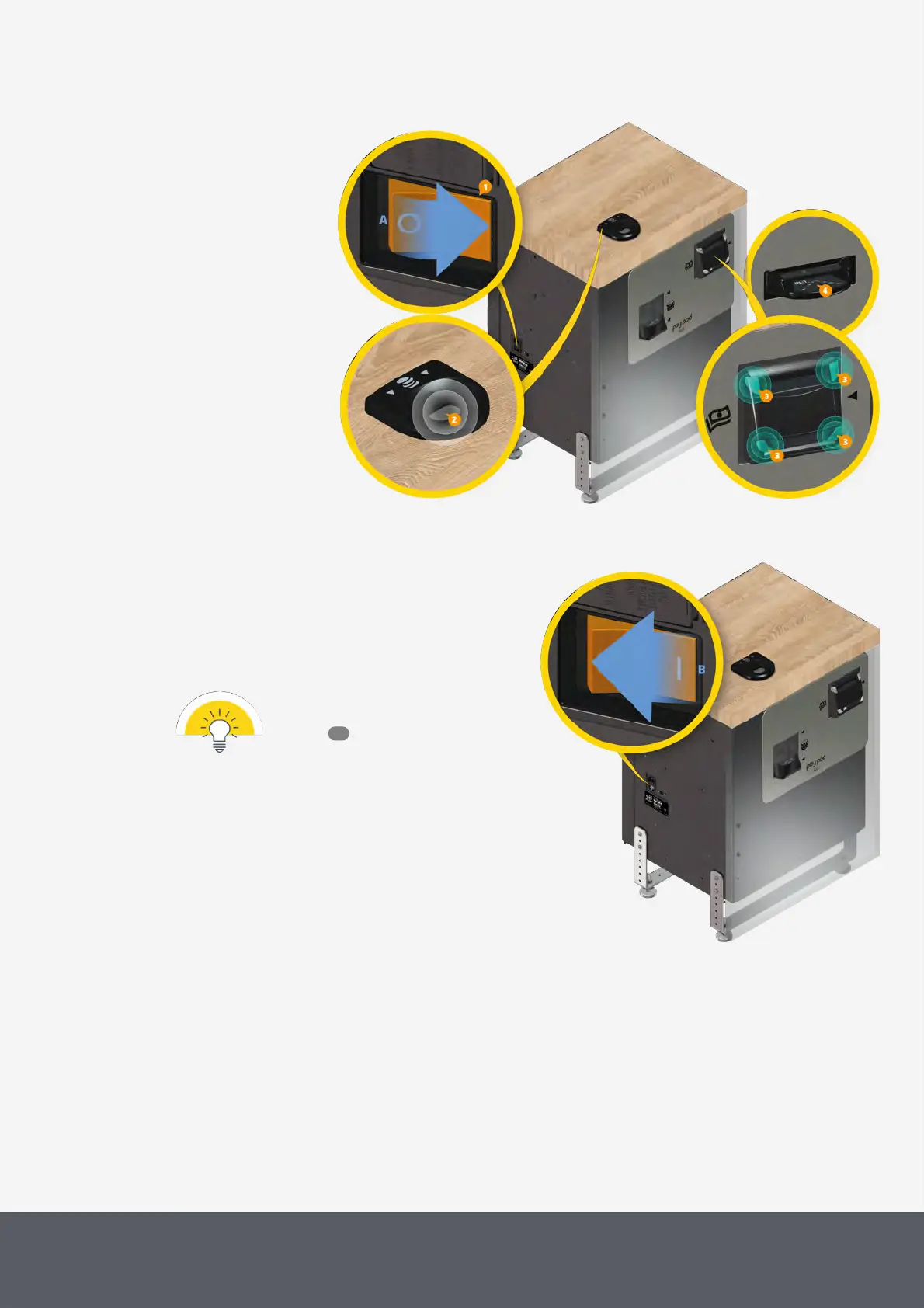
To switch the pay station off:
2 In any case, wait until a transaction has been fin-
ished.
3 Turn the on-off switch to the OFF position[B] to
switch the pay station off.
Details on how to behave in case of an
unintended disconnection from power
supply .
Switching the Paypod™ off
4.2 Starting POS Software and Logging On to/Off from POSlinq™ Middleware
Operating the Paypod™ pay station and its payment components is controlled by the POS software provided by the
customer's POS software provider. The check-out procedure thus differs from application to application in terms of
user interface and the interaction with it, whereas the consequent pay station transaction process always remains the
same.
13



 To Next Page