74
44000-UG-01-01-EN_CPI_Paypod Embedded Pay Station_User Guide_V1.1.pdf
Paypod™ Embedded Pay Station
Handling Cash
Published by CPI
5.1.2.1 Refilling Banknotes
The pay station is provided with banknotes by refilling the recycling unit(s) of the banknote note recycler. The POSlinq™
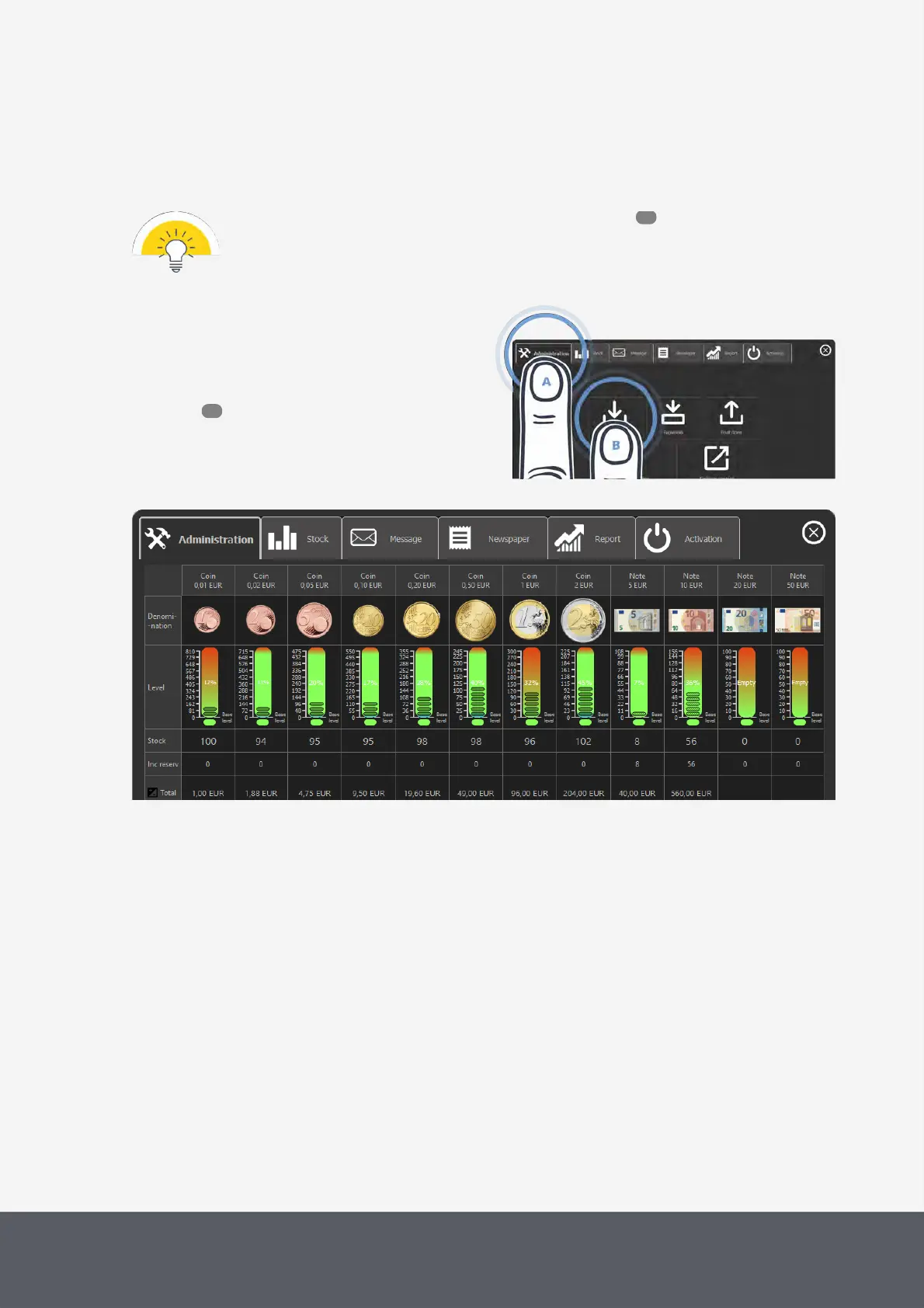
filling screen tells you how many banknotes you may replenish to maximum stock level.
· The banknotes to be refilled have to meet quality requirements .
· For the filling procedure you have to be logged on as an administrator.
To refill the banknotes
1 If necessary, wait until a transaction has been fin-
ished.
2 On the main screen of the POSlinq™ middle-
ware , select the Administration tab[A] and then
Reload[B].
The filling screen displays all coin and banknote de-
nominations programmed and their relevant filling
numbers:
Opening POSlinq™ Filling Screen
131
52



 To Next Page