75
44000-UG-01-01-EN_CPI_Paypod Embedded Pay Station_User Guide_V1.1.pdf
Handling Cash
Paypod™ Embedded Pay Station
Published by CPI
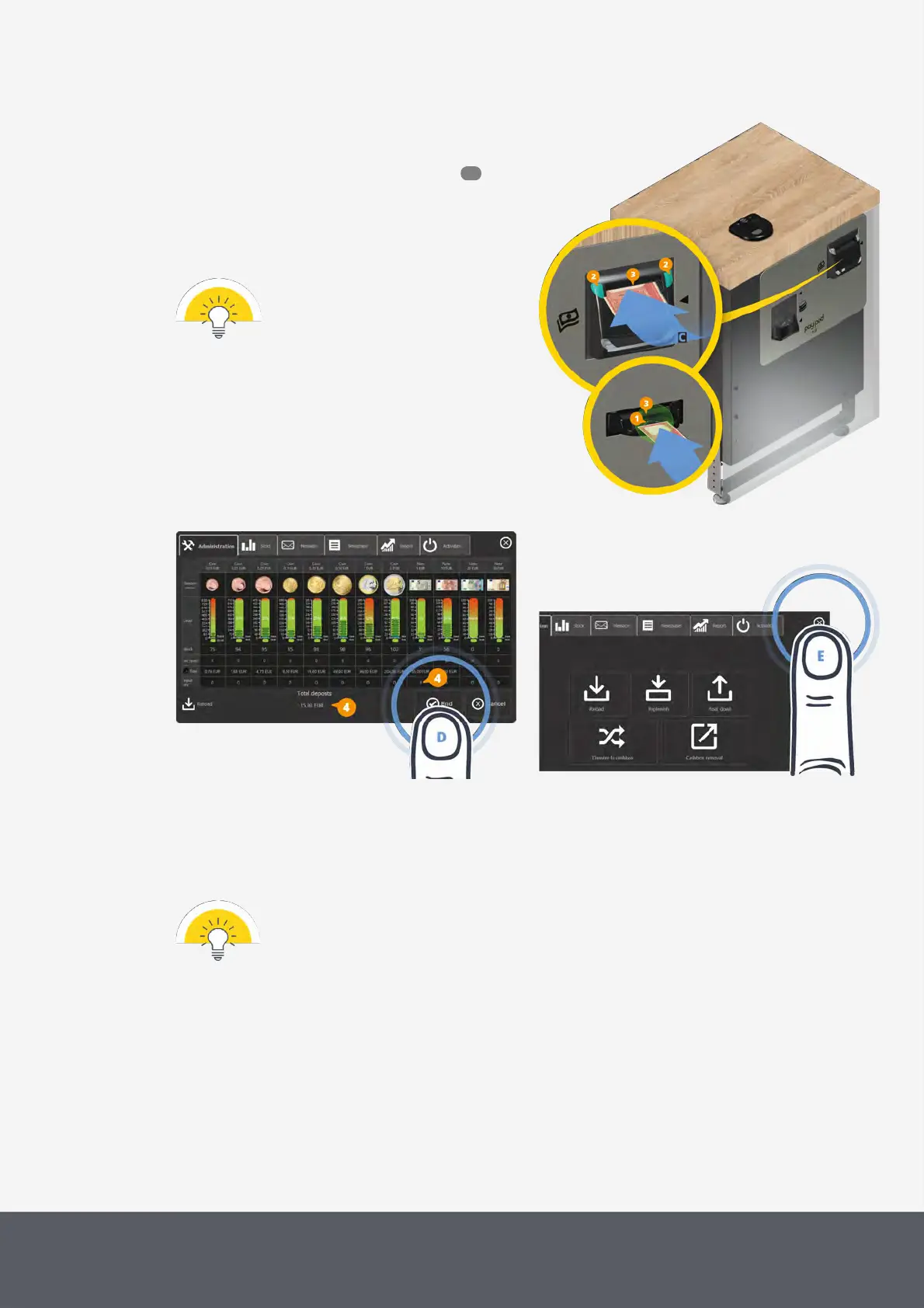
The E22banknote slot LEDs[1] flash green, the top
LEDs[2] of the E23/E24banknote slot are green.
3 Consider banknote quality requirements and in-
sert suitable banknotes[C] to be filled into the inser-
tion slot[3] one after the other.
The filling screen increases the counters[4] in-
volved.
The middleware's filling screen shows
the current number of banknotes in the
recycler. If notes are deposited though
the recycler cassette is full, these notes
are rejected.
Refilling Paypod™ Banknote Recycler
Completing Filling Process and Closing Filling Screen
Closing Administration Screen
4 On the filling screen, select End[D].
The middleware returns to the administration screen.
5 Tap the X button to close screen[E].
The pas station is back in operating mode and ready for the next transaction.
In case the refilling process is canceled, all money inserted so far will be returned.
The administrator receives a status e-mail giving details such as:
· POSlinq™ middleware reload
· Terminal ID
· Refilling details, banknotes deposited
· Alert report of recycling units' levels
· Paypod™ pay station inventory
· User ID
131



 To Next Page