84
44000-UG-01-01-EN_CPI_Paypod Embedded Pay Station_User Guide_V1.1.pdf
Paypod™ Embedded Pay Station
Handling Cash
Published by CPI
5.3.2.1 Dispensing Single Banknotes
Use your POS software to switch the Paypod™ pay station to an emptying or dispensing mode to dispense single
banknotes from the banknote recycler, provided you are logged on as an administrator.
To dispense single coins using the POSlinq™ middleware
1 If necessary, wait until a transaction has been fin-
ished.
2 On the main screen of the POSlinq™ middle-
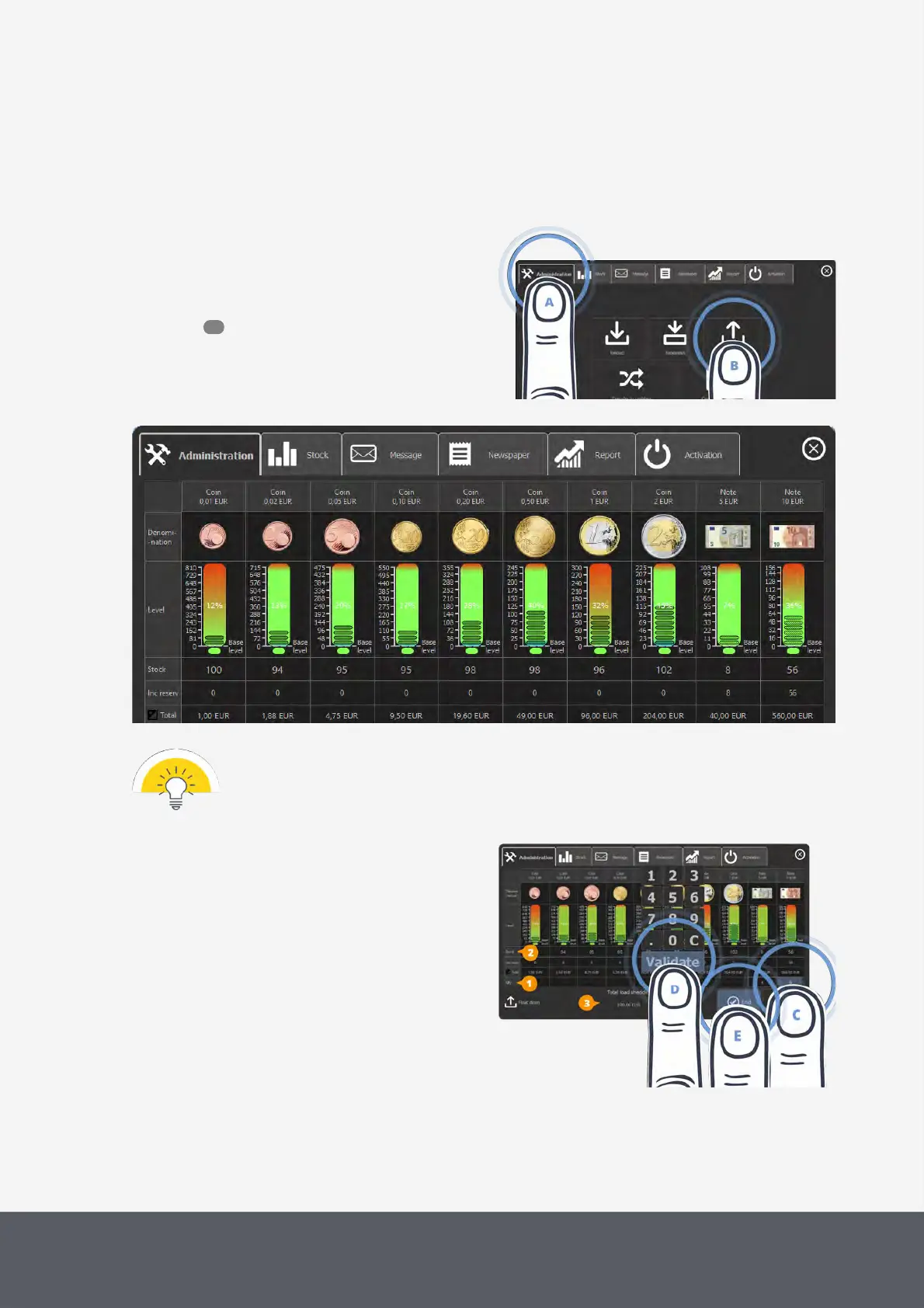
ware , select the Administration tab[A] and then
Float Down[B].
The float down screen displays the coin and bank-
note denominations and their relevant filling level
numbers:
Opening POSlinq™ Float-Down Screen
POSlinq™ Float Down Screen
The screen only displays those coins and banknotes with a stock.
Denominations which have no stock are not listed.
3 Tap the Quantity box[1] in the relevant denomina-
tion column[C] to use the numeric pad to enter the
number of banknotes to be dispensed. Enter the
number of banknotes showed in each Stock
field[2] for dispensing all notes.
The total amount of all notes to be dispensed is ad-
ded up in the Total Load Shedding field[3] at the
bottom of the screen.
Entering Banknotes to be Dispensed and Closing Float Down Screen
52



 To Next Page