85
44000-UG-01-01-EN_CPI_Paypod Embedded Pay Station_User Guide_V1.1.pdf
Handling Cash
Paypod™ Embedded Pay Station
Published by CPI
Collecting Banknotes Dispensed
Closing Administration Screen
4 Confirm number with Validate[D].
The numeric pad jumps to the next coin's/banknote's Quantity field or closes.
5 Select End[E] to dispense the notes.
Depending on the number of banknotes to be dispensed the E23/E24recycler collects up to 15banknotes to
dispense them in a bundle. This can take a few minutes. The E23/E24return LEDs[4] are then flashing green
indicating that the note bundle will be dispensed.
The E22recycler dispenses single banknotes one after another, a note needs to be collected before the next will
be dispensed.
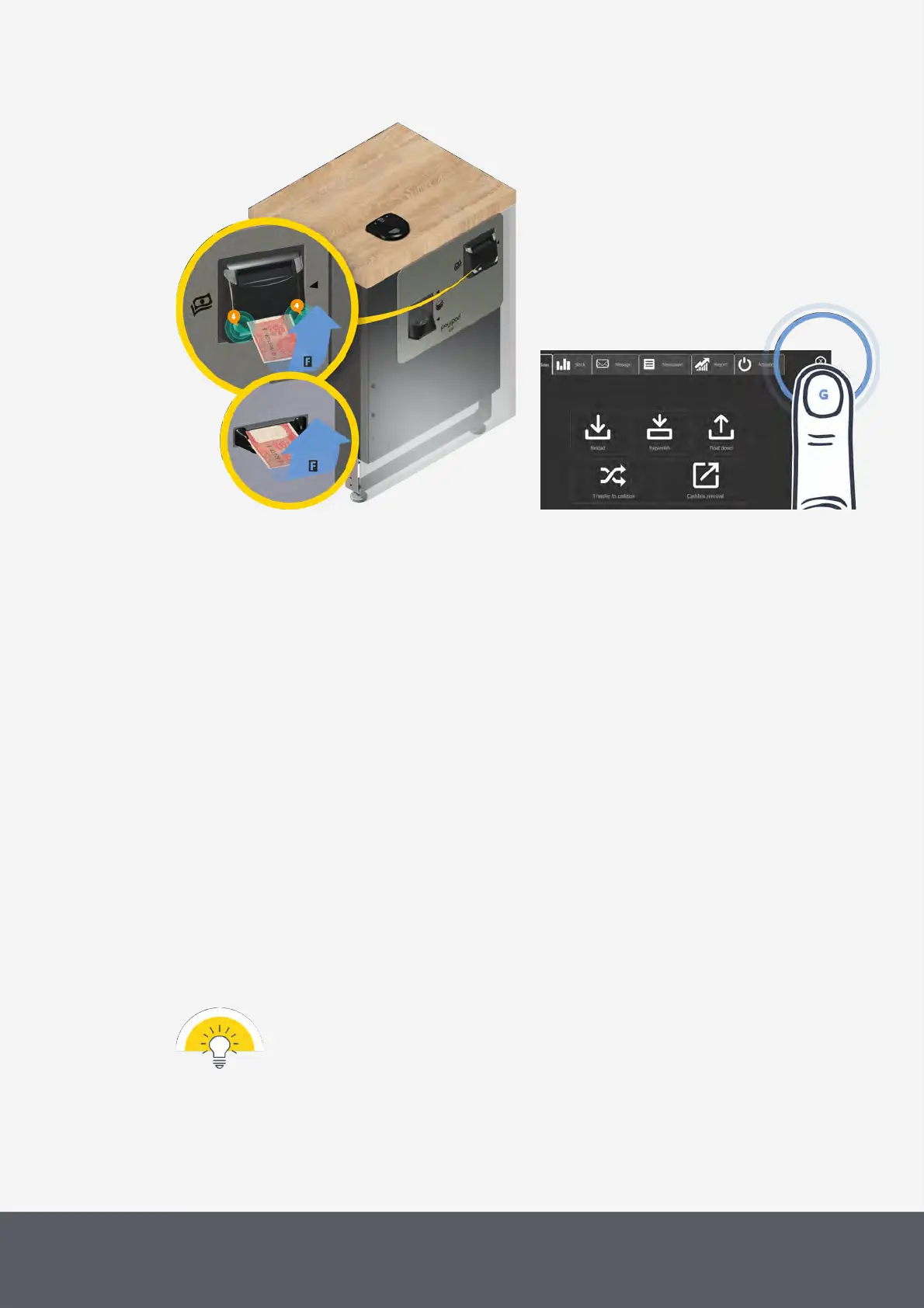
6 Collect banknotes[F] until all banknotes have been dispensed.
All coin counters involved have been decreased accordingly. The middleware returns to the administration
screen.
7 Tap the X button to close screen[G].
The pay station is back in operating mode and ready for the next transaction.
The administrator receives a status e-mail giving details such as:
· POSlinq™ middleware float down report type
· Terminal ID
· Emptying details, coins dispensed
· Alert report of recycling units' levels
· Paypod™ pay station inventory
· User ID
· POSlinq™ middleware version
This confirmation e-mail lists different parameters and numbers depending on the customized con-
figuration. It is also possible to configure various e-mails containing different details to be sent to dif-
ferent addresses.



 To Next Page