40
44000-UG-01-01-EN_CPI_Paypod Embedded Pay Station_User Guide_V1.1.pdf
Paypod™ Embedded Pay Station
Design and Function
Published by CPI
3.6.3.2 E23/E24 Banknote Recycler Key Locks
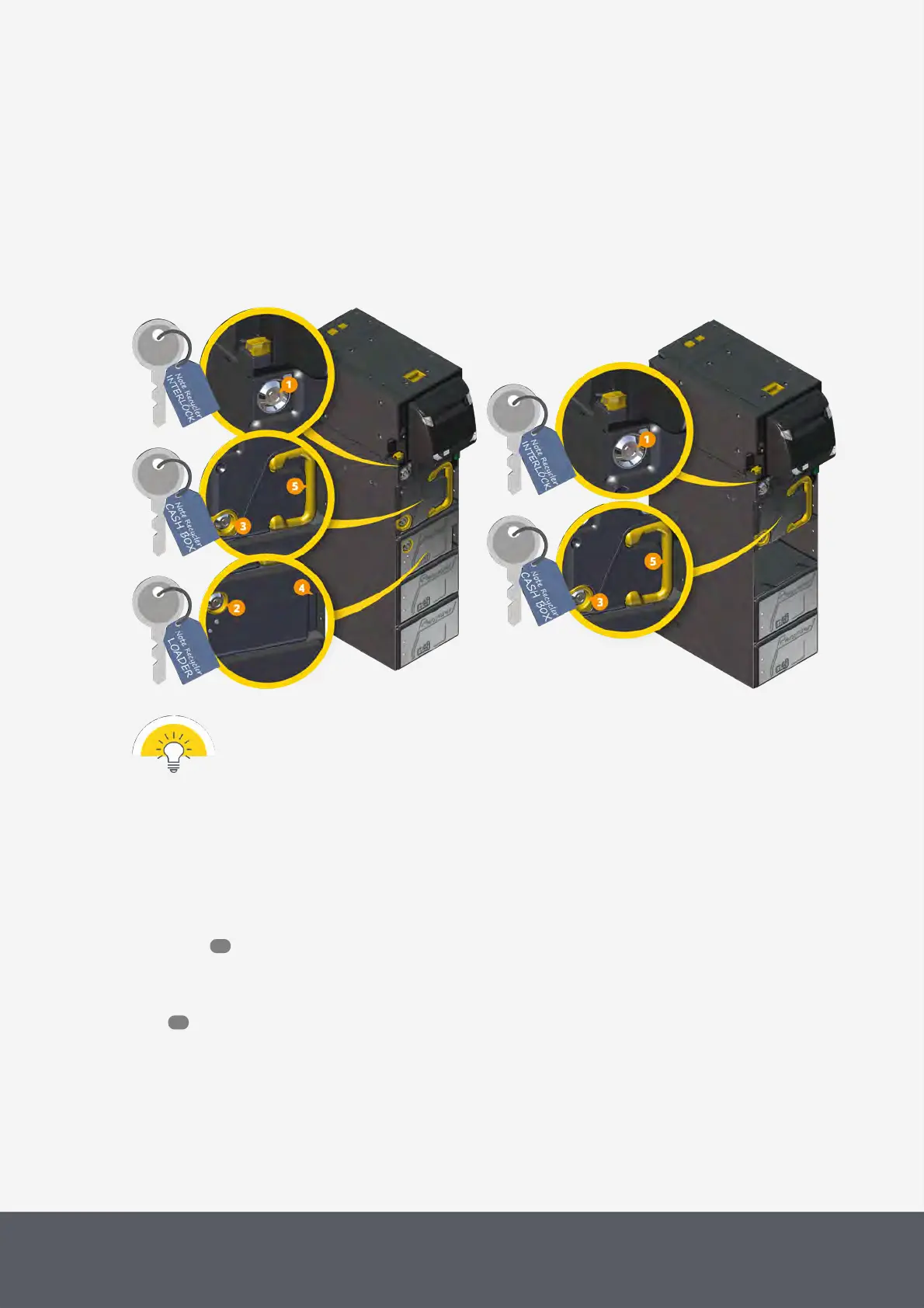
To keep your cash safe the banknote recycler units are secured by means of a so called interlock[1] system perman-
ently installed inside of the metal chassis guaranteeing that all cash units are locked in place with a lock and a lever.
Beyond that, the loading unit (E24 only) and the cash box are equipped with a separate lock[2] and[3] to prevent
them from being opened by unauthorized personnel. In order to empty the cash box for accounting purposes or refilling
the loading unit (E24 only), the authorized attendant possessing the appropriate key(s) as well as the interlock system
key may remove and open these units using the loader handle[4] or the cash box handle[5].
E24 Banknote Recycler's Locks and Keys
E23 Banknote Recycler's Locks and Keys
Hand over the key to open the loading unit (E24 only) and the cash box only to personnel allowed to
have direct access to the cash.
3.6.3.3 E23/E24 Banknote Recycler Status LEDs
The four LEDs[1] on the front bezel around the insertion and payout slot of the banknote recycler indicate its overall
operating status and expectation of cash to be inserted in the banknote slot or withdrawn from the payout slot. Since
the banknote recycler bezel is part of the pay station's faceplate, the bezel LEDs are visible from the outside and de-
scribed here .
Additionally, each banknote recycler unit has its own LEDs[2] in the front indicating the status of the unit. If these
LEDs are green, the units are ready to operate.
Here you read how to remedy the cause of a malfunction.
17
113



 To Next Page