55
44000-UG-01-01-EN_CPI_Paypod Embedded Pay Station_User Guide_V1.1.pdf
Operation
Paypod™ Embedded Pay Station
Published by CPI
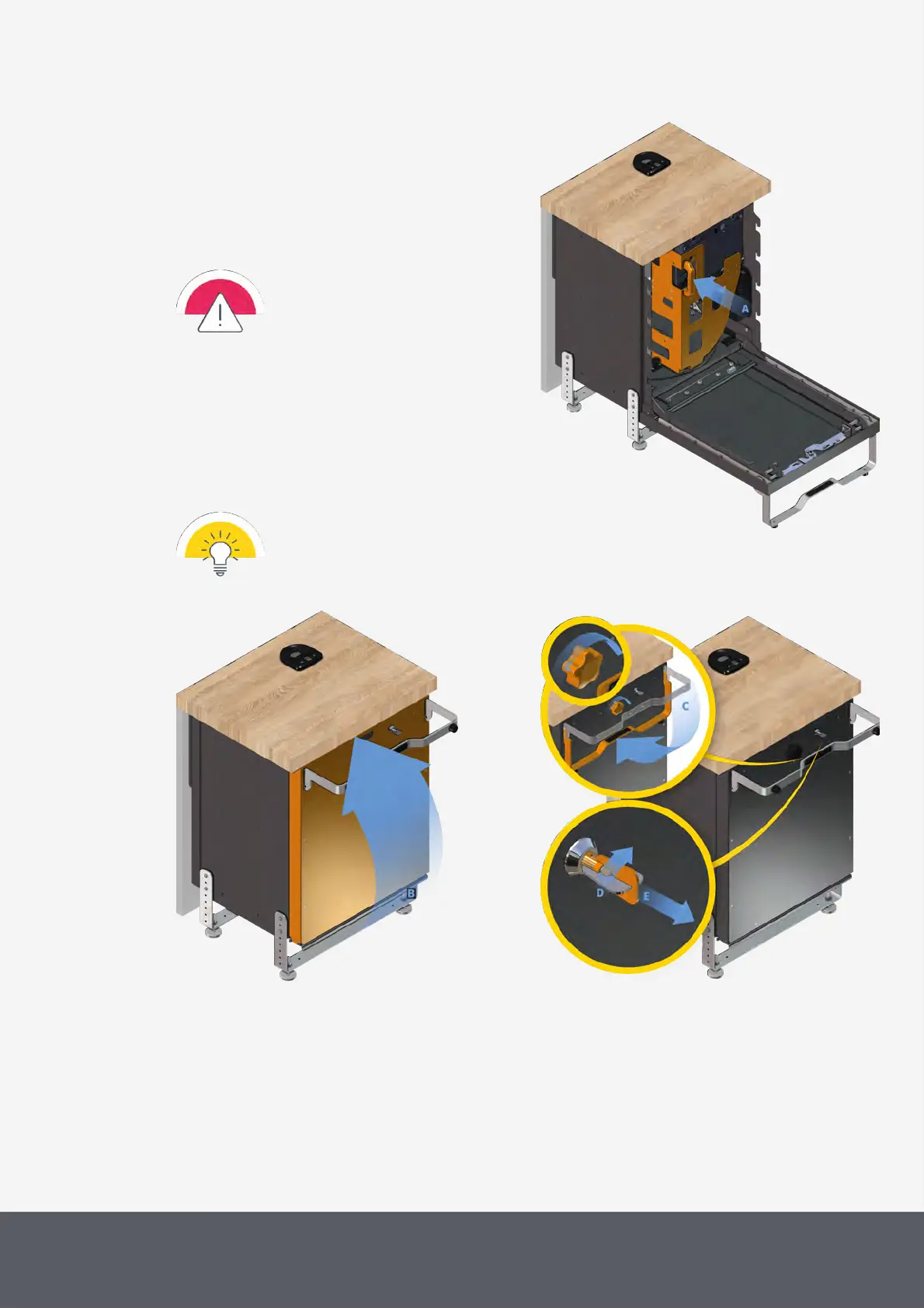
To close the pay station again
1 Ensure that the payment components and their
modules are reinstalled correctly and closed.
2 Move cart fully back to its operation position as far
as it will go[A], if necessary, by applying some
gentle force.
The cart has to be in its original posi-
tion to be able to close the pay station
door!
If not, the door might be damaged
when closing it.
3 Close pay station door[B].
4 Turn rotary knob[C] clockwise and
5 simultaneously fold door handle down again[C].
6 Turn key clockwise as far as it will go[D], put it out
of the lock[E] and store key in a safe place.
In case the key cannot be turned back
in a fully perpendicular position, slightly
push or move the door handle and try
again.
Pushing Back Paypod™ Payment Component Cart



 To Next Page