Chapter 5 Parameters|VFD-M-D Series
Revision Jan. 2007, MDE2, SW V1.05 5-17
Setting 09: the display value is
rpm
60
XPPR)/1000]X10=
Pulse/10ms
[(
with rpm=motor speed in revs/min; PPR=encoder pulse per revolution; 1000 (1 sec=1000ms);
10: encoder pulse per 10ms.
When the display shows the multi-function display (Pr.0-03=03), the user also can view other
information by pressing the “UP” key
on the keypad.
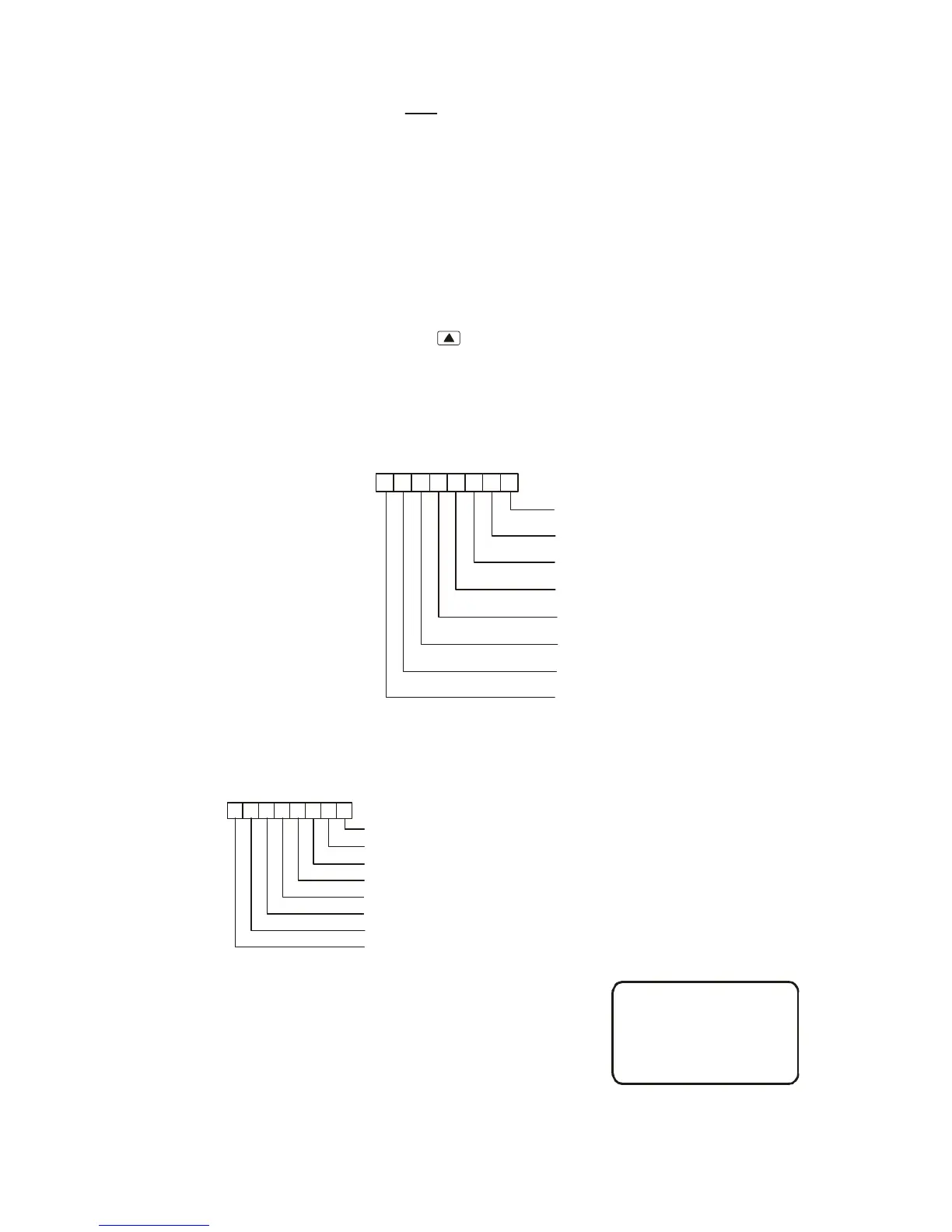
Setting 11: It is used to display the status of the external multi-function input terminals,
including MI1~MI5, FWD and REV. The value it displays is hexadecimal number. It needs to
be converted to binary to get the result as following diagram.
22222222
7 6 5 4 3 2 1 0
76543210
*0 OFF *1 ON
==
MI1
MI2
MI3
MI4
MI5
FWD
REV
Reserved
Weights
Bit
For example: when it displays I. 52. After converting 52(HEX) to binary (01010010), it indicates
that the terminals MI2, MI5 and REV are ON.
MI1 =OFF
2 =ONMI
MI3 =OFF
MI4 =OFF
MI5 =ON
FWD =OFF
REV =ON
Reserved
*0 OFF *1 ON
==
43
2
1
0
2
1
0
NOTE:
2 1 2 8 2 64
2 2 2 16 2 128
24 232
===
===
==
0
1
2
3
4
5
6
7
The display value
bit7x2+bit6x2+bit5x2+bit4x2+bit3x2+bit2x2+bit1x2+bit0x2
0x2+1x2+0x2+1x2+0x2+0x2+1x2+0x2
0+64+0+16+0+0+2+0
82 52 (H)
=
=
=
==
76543210
65
65
43
Weights
Bit
22222222
01010010
7
7



 To Next Page
 Loading...